Last updated October 21, 2026
Emailgistics vs Power Automate
Outlook-native shared inbox management without building or maintaining flows.
Get a Demo


Trusted by global teams across banking, healthcare, logistics, and beyond

















Power Automate creates workflows. Emailgistics manages inboxes.
Power Automate requires teams to design and maintain custom flows for email. Emailgistics adds auto-assignment, SLAs, analytics, reporting, and AI-enhanced replies to Outlook shared mailboxes, enabling consistent workflows without the effort or fragility of custom automation.
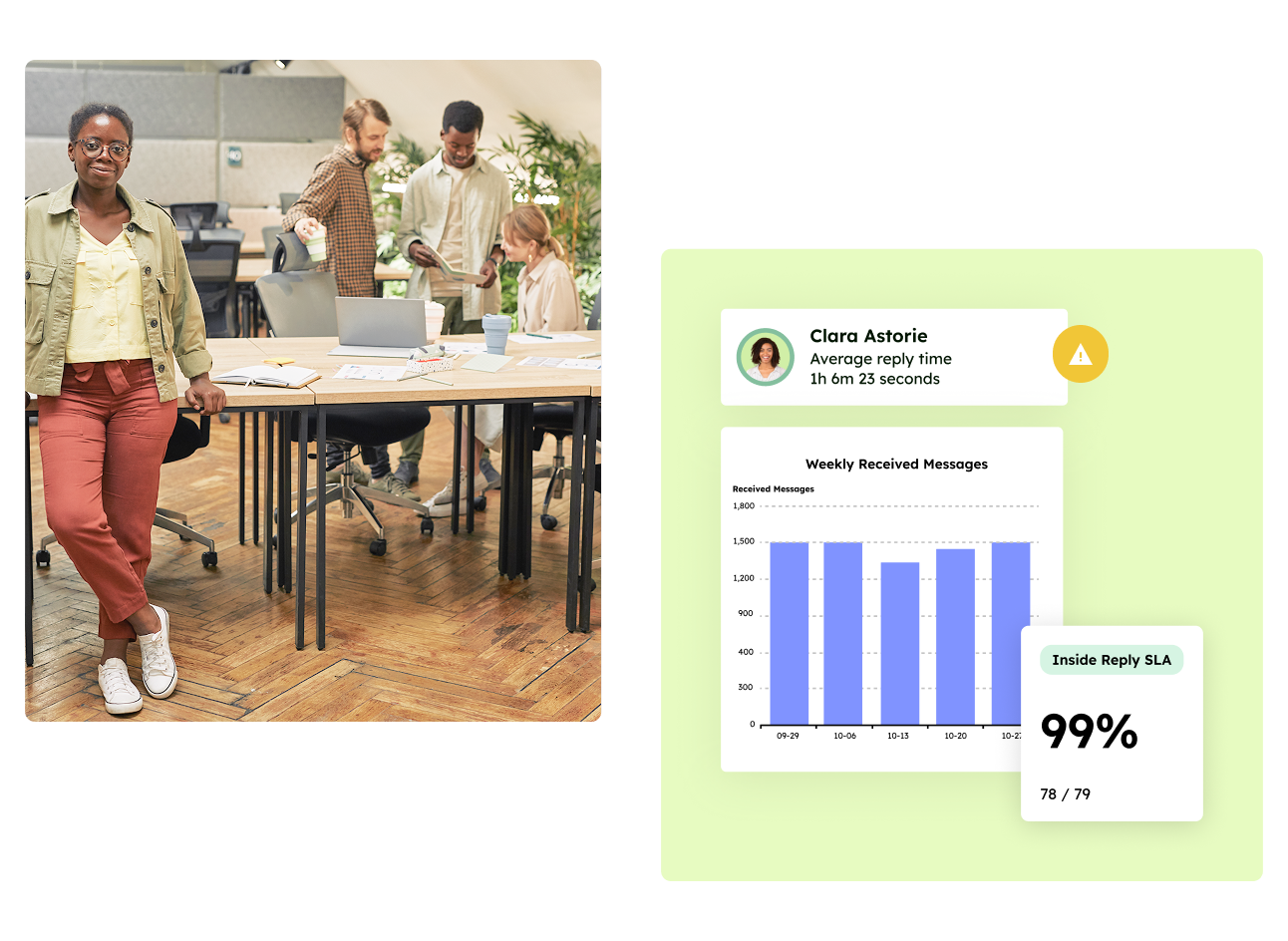
Work in Outlook, not custom flows
Managed inbox workflows vs do-it-yourself automation
| Feature |  | Power Automate |
|---|---|---|
| Primary use case | Shared inbox management | General automation |
| Where your team works | Inside Outlook | Outlook, plus flows built elsewhere |
| AI-assisted replies | Included | Not available |
| Setup | Live in under an hour | Days of design and testing per flow |
| Ongoing maintenance | None | Required |
| If the builder leaves | Nothing changes | Flows can fail or get turned off |
What breaks when a shared inbox runs on Power Automate
Flows are general-purpose automation, so a shared inbox built on them inherits their limits. Microsoft documents these in its Power Automate limits:
- Flow failures: a flow whose trigger or actions keep failing is turned off after 14 days.
- Throttling: flows on Microsoft 365 licenses get roughly 10,000 Power Platform requests per 24 hours, and a flow that is consistently throttled is turned off after 14 days.
- Inactivity: a flow that isn’t triggered for 90 days might be turned off.
- The maintainer leaving: when a flow’s owner leaves, the flow drops to the lowest performance profile, and connections tied to their account start failing once it’s disabled (Microsoft guidance on orphaned flows).
Outlook rules have their own ceiling too. See why Outlook rules break at scale.
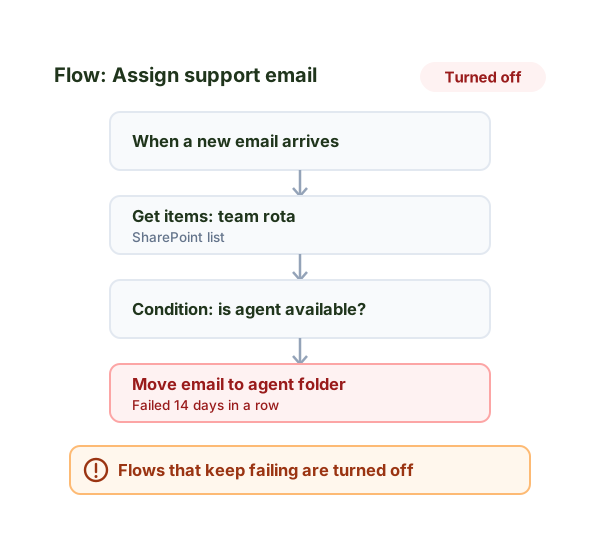
What you would build in Power Automate vs. what is built into Emailgistics
Everything a team needs from a shared inbox can, in theory, be built with Power Automate. In practice, each piece is a flow someone has to design, test and maintain.
| What you need | Building it in Power Automate | In Emailgistics |
|---|---|---|
| Round-robin assignment | A flow that tracks whose turn it is, often in a SharePoint list, and moves or flags each new email | Built in |
| Workload balancing | Logic that counts each person’s open emails before every assignment | Built in, by open message count |
| Skipping people who are away | An availability list the flow checks on every run, kept up to date by hand | Built in, from user schedules |
| SLA at-risk and breach alerts | Scheduled flows that scan for unanswered email and send reminders | Built in, with reply and close SLA targets |
| Reassignment | Moving emails by hand and updating the tracking list | One click in Outlook; ownership moves with it |
| Reporting | Exporting run data to Excel or building a Power BI report | Built-in dashboards and reports |
| Conversation history | Not available | Built in |
| Setup time | Days of design and testing per flow, plus ongoing upkeep | Live in under an hour |
Why teams choose Emailgistics over Power Automate
- No flows to design, debug, or maintain
- Purpose-built for shared mailboxes
- SLAs and reporting included out of the box
- AI-accelerated replies inside Outlook
- Predictable behavior at scale
- Live in under an hour, with no flows to build
Emailgistics is the better choice when teams want reliable shared mailbox workflows without building and maintaining automation logic. Power Automate works well for individual tasks, but managing inbox ownership, response times, and SLAs typically requires multiple flows and ongoing maintenance. Emailgistics delivers these capabilities as a managed solution.
Not effectively. Power Automate can trigger actions, but it does not provide native ownership, SLA enforcement, or mailbox-level reporting. Emailgistics is designed specifically to manage shared inbox performance rather than automate isolated steps.
Emailgistics provides reporting on response times, workload distribution, and SLA performance directly within shared mailboxes. Power Automate requires stitching together logs, exports, or external tools to approximate similar insights, which most teams find harder to sustain.
Flow-based solutions often become fragile as inbox volume and complexity grow. Emailgistics removes that risk by handling assignment, SLAs, and reporting as part of the platform, allowing teams to focus on responding rather than maintaining automation.
The common failure points are flows that get turned off after repeated errors or throttling, flows that stop after 90 days without activity, and flows that fail when the person who built them leaves. Emailgistics avoids all three because assignment, SLAs and reporting are built into the product rather than built from flows.
Compare Emailgistics vs
Inbox workflows, without the work
Bring structure and speed to shared mailboxes without designing or maintaining automation.