


Emailgistics for Government
Revolutionize communication for effective governance
Emailgistics brings transparency, accountability, and efficient service delivery to government email management inside Microsoft 365.
Get a Demo
Elevate communication to foster trust within your community
Emailgistics helps government teams handle high volumes of citizen inquiries through automated assignment, real-time dashboards, and structured workflows inside Microsoft 365. Agencies improve responsiveness, track team performance, and maintain accountability across shared mailboxes.

Reduce resolution time

Streamline team collaboration

Make data-driven decisions
Collaborate effortlessly to achieve faster results
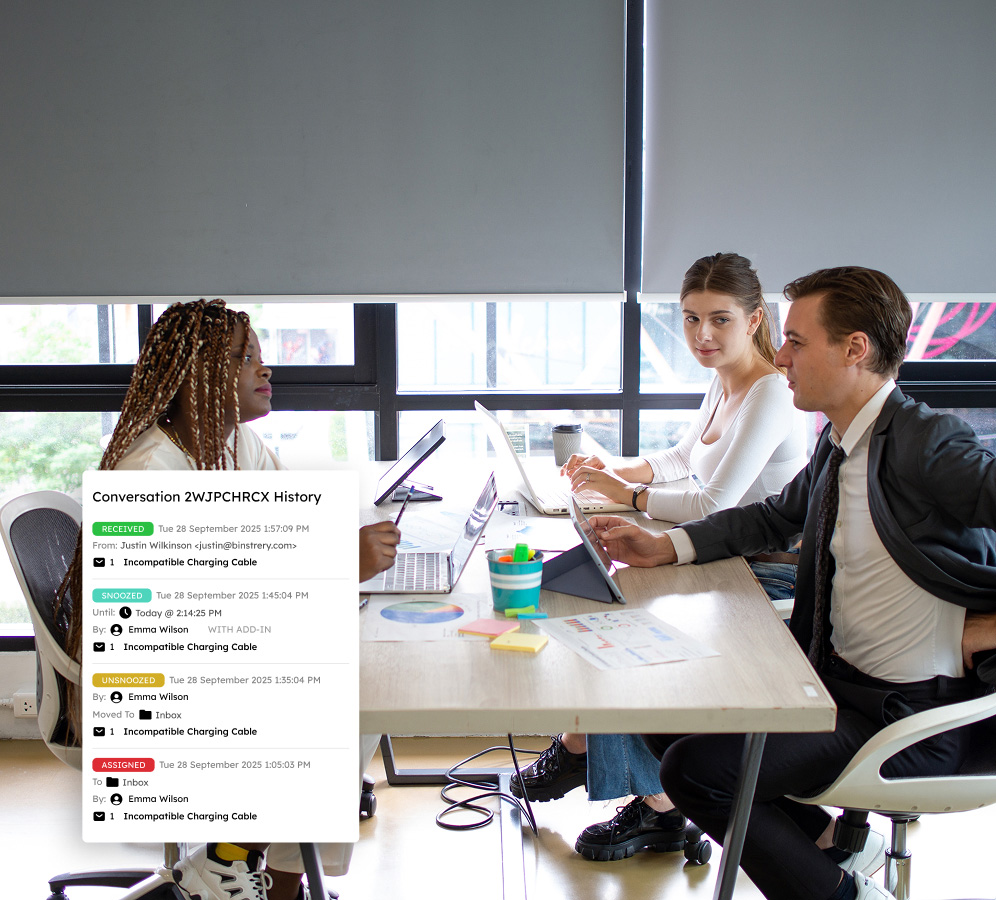
A detailed conversation history ensures all email communications are documented for transparency, keeping team members aligned with the click of a button. Agents can use internal notes to collaborate on threads without the clutter of forwards and CC's, improving community outcomes through coordinated action.
Automate workflows for swift community support
By effectively leveraging rules and automatically assigning emails based on availability and workload, government personnel can efficiently route and respond to high volumes of emails quickly. These tailored workflows minimize manual intervention, allowing agents to concentrate their resources on the needs of the community.

Harness data for improved governance and service
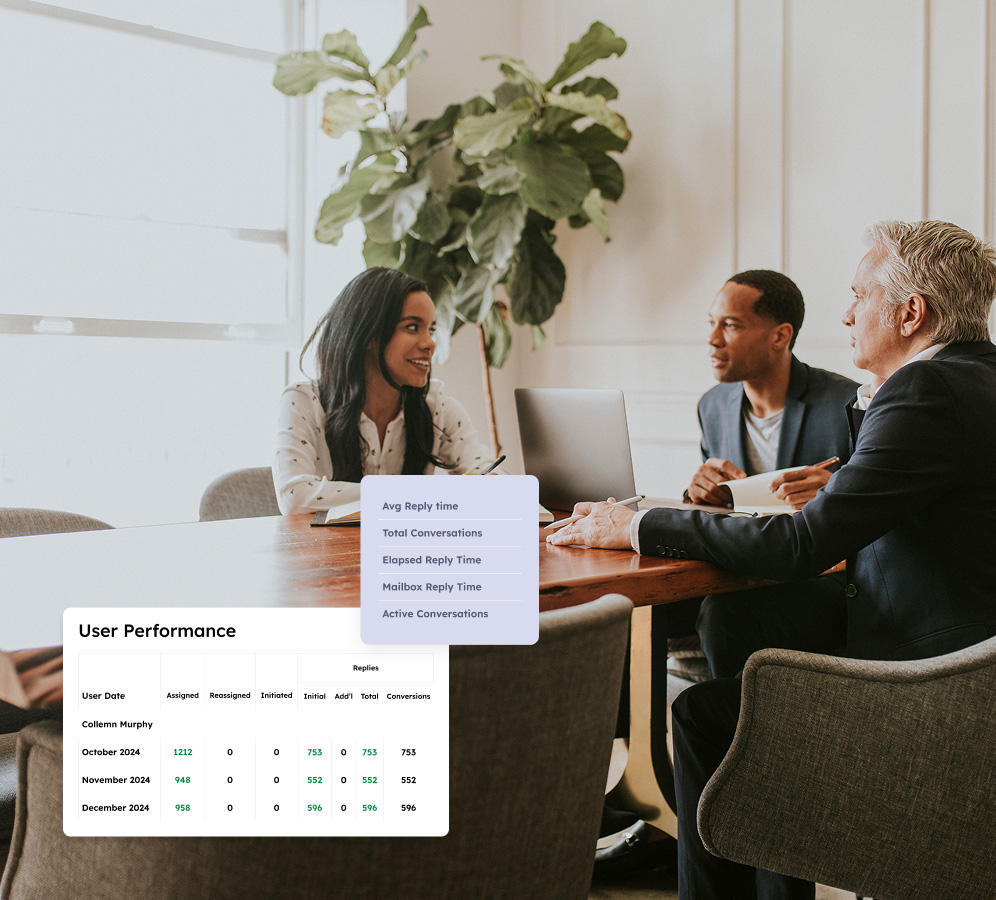
Use data-driven insights to inform decisions and enhance service delivery. Customizable dashboards deliver real-time metrics, like User Closed Counts and Initial Reply Counts, while robust reporting allows agencies to analyze email volume and individual performance trends to optimize resource allocation and improve service.
Deliver outstanding service with instant SLA tracking
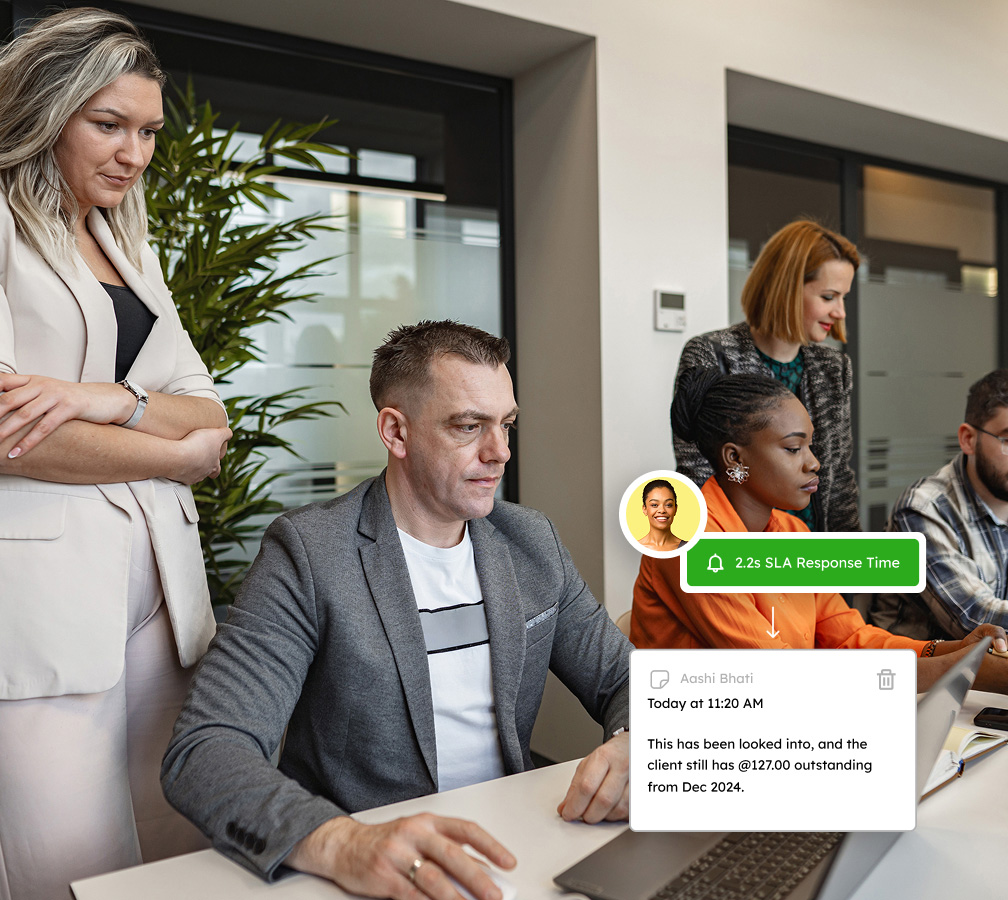
Guarantee service-level compliance by monitoring real-time KPIs such as Inside Close SLA and Inside Reply SLA against predefined benchmarks. Instant notifications alert teams to impending deadlines for proactive resolution. This enables teams to prioritize urgent emails and supports accountability and continuous service improvement.
Optimize your email management to engage with your community effortlessly
Book a demo tailored to your unique needs and try Emailgistics free for 14 days.
Get a Demo
Key features for evolving teams to maximize efficiency and responsiveness
Emailgistics revolutionizes shared inboxes with automated handling, collaboration tools, and analytics designed to meet SLA requirements.

Auto-Assignment
Incoming emails are distributed evenly across available team members the moment they arrive, preventing overload and ensuring every citizen inquiry is picked up promptly without manual triage or supervisory intervention.

Rules
Build custom rules that automatically assign, tag, or send auto-replies based on email content, sender address, or urgency level, ensuring every message is routed to the right person the moment it arrives.

Tags
Apply tags manually or through automated rules to categorize messages by topic, status, or priority. Tags sync with Outlook categories, making it easy to filter, sort, and report across your shared mailbox.

Notes
Add private internal notes to email threads to coordinate responses, share context, or flag tasks for colleagues. Notes are visible only to your team, keeping everyone aligned without exposing sensitive details in replies.

Conversation History
Every action on an email, including assignments, replies, status changes, and notes, is logged chronologically, giving every team member the context they need before responding to a citizen inquiry.

Analytics
Live dashboards surface real-time metrics on response times, open email counts, and inquiry volumes, so supervisors can monitor workload, identify bottlenecks, and adjust staffing without delay.

Reports
Track email volume and performance with User Closed Counts, Initial Reply Counts, and SLA compliance rates. Exportable reports help managers adjust staffing and document service-level outcomes.

Outlook Integration
All features operate inside Microsoft Outlook, so staff work in a familiar environment with no new software to learn. As a Microsoft Certified Partner, the platform integrates cleanly with existing M365 tenants and security policies.

Top-Tier Compliance
SOC 2, GDPR, and HIPAA compliance means constituent data is handled under rigorous security and privacy controls. Emails stay within your M365 environment, governed by your existing Microsoft 365 permissions.

AI-assisted email handling
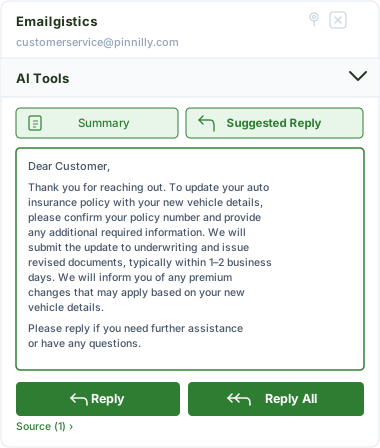
Emailgistics AI helps teams respond faster and more consistently by suggesting replies based on approved knowledge sources and summarizing conversation threads. This reduces response time, improves accuracy, and supports smoother handoffs between team members.
Your partner in exceptional team communication
Equip your team with email management software that enhances responsiveness and streamlines operations.
“It’s a dream, and it tracks pretty much everything that is important to us, our leadership, and the supervisors in order for us to be better.”
“Holding people accountable is the biggest thing. Now I can put the burden back on the employees that are in charge of those specific areas.”
Check out our 5-star reviews on G2
Emailgistics assigns every shared mailbox email to a named team member, creating a clear audit trail. Conversation history and internal notes ensure transparency and traceability in all communications.
Yes. Emailgistics is built for Microsoft 365 and deploys within existing Outlook environments, requiring no additional infrastructure or data migration. IT teams retain full control over access and permissions.
Automatic assignment and workload-balancing rules distribute incoming emails to available team members as they arrive, ensuring consistent and timely handling even during peak periods.
Yes. Every action taken on an email is recorded in the conversation history, providing a traceable record suitable for audits, public records requests, and internal reporting.
SLA monitoring in Emailgistics tracks response times against defined targets and sends alerts when deadlines are approaching, helping teams maintain service standards and respond to constituents on time.
Emailgistics is SOC 2-compliant and GDPR-ready, operating entirely within Microsoft 365 without storing email data externally. Access is governed by existing Microsoft 365 permissions and policies.

Streamline your email management to enhance productivity and drive results
Book your personalized demo, then enjoy a 14-day free trial–no credit card required.