


Emailgistics AI
AI summaries and replies in Outlook
Catch up on any thread in one click and draft replies from your organization’s documents, right in the Emailgistics add-in. AI does the reading and drafting. Your team reviews and sends every reply.
Get a Demo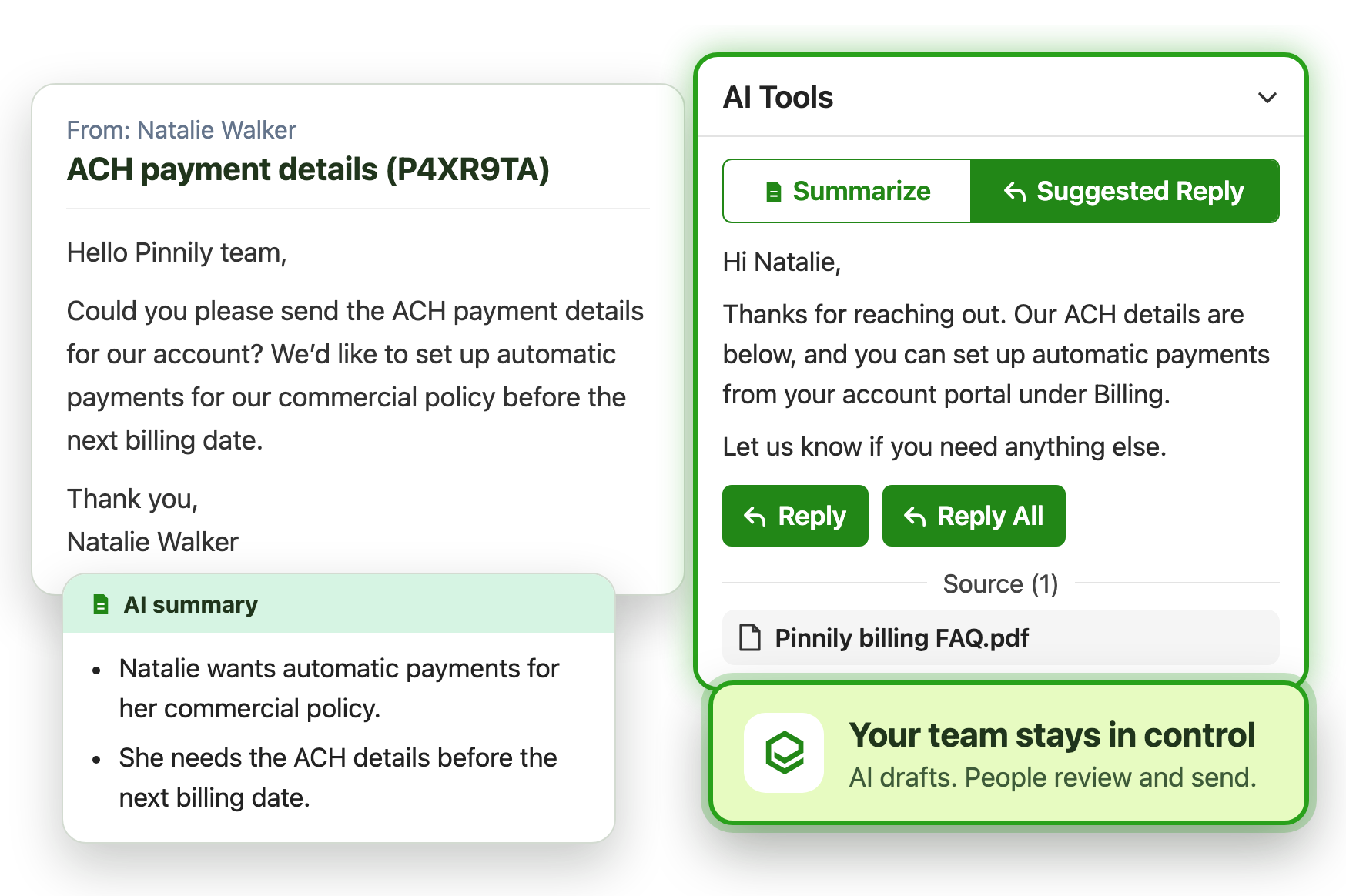
What is Emailgistics AI?
Emailgistics AI is a set of AI tools built into Emailgistics, the shared inbox add-in for Outlook. AI summaries condense long email threads, and AI suggested replies draft responses from the AI knowledge base your admins set up for each mailbox. It runs only when someone asks, and a person reviews and sends every reply.
-
1. Read
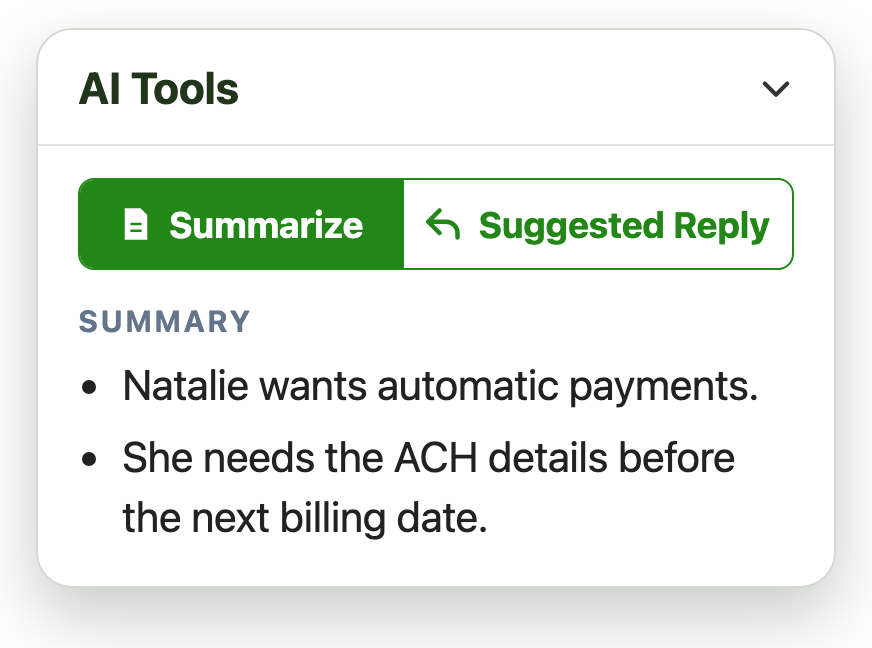
Get the key points of a long email thread in one click
-
2. Draft
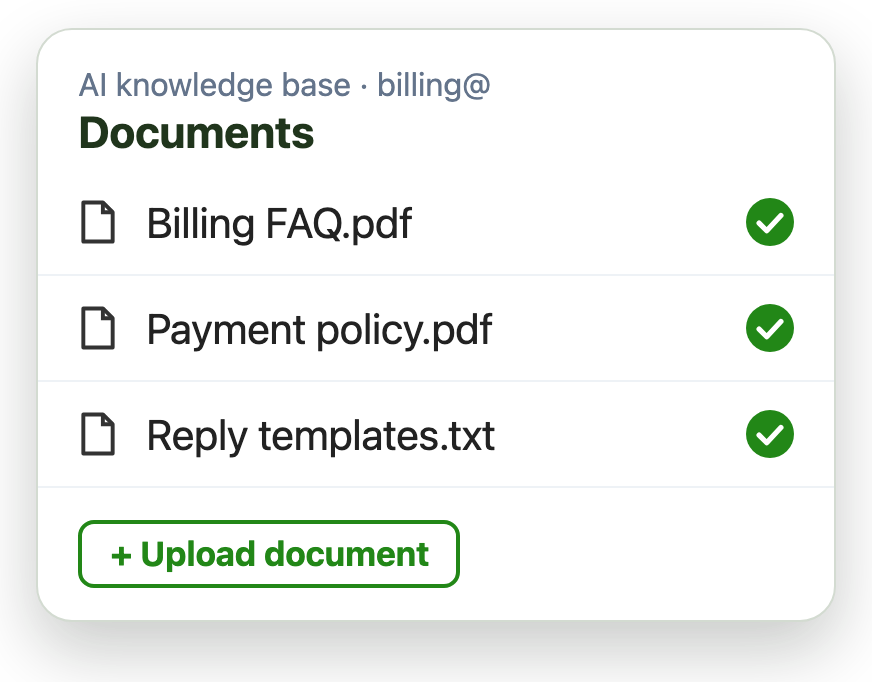
Draft replies from your company’s policies and FAQs
-
3. Review
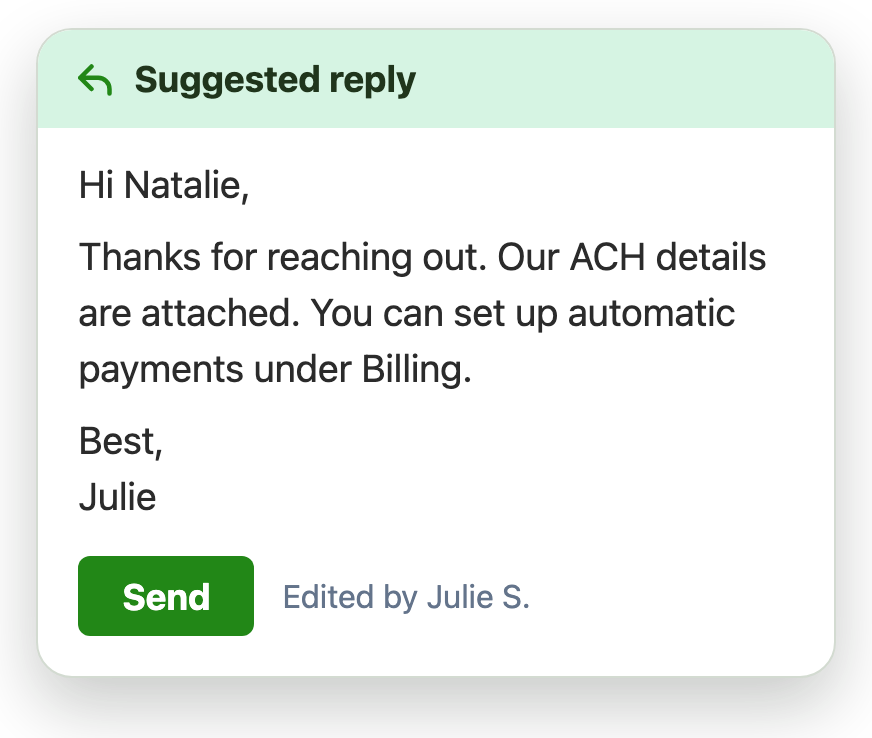
A person on your team reviews and sends every reply
Catch up on long threads in seconds
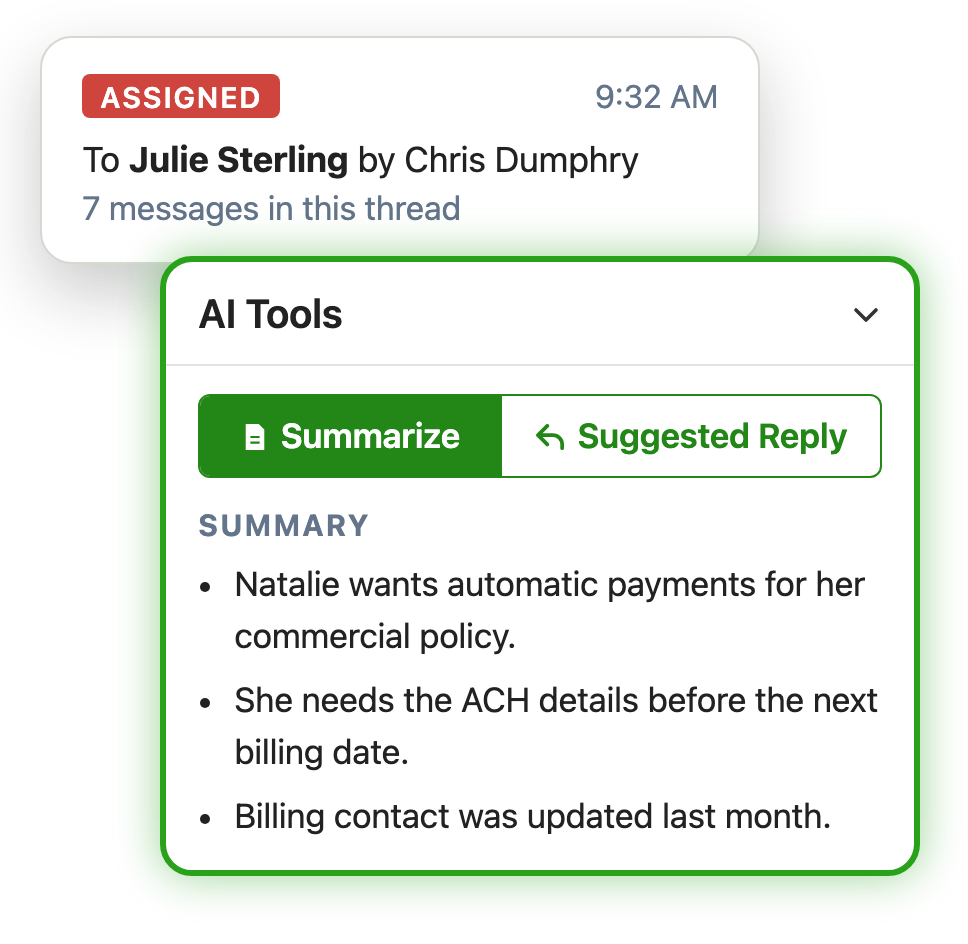
When an email is reassigned, or a customer has written five times, nobody should have to scroll back through the whole conversation. Select Summarize in the add-in and get the key points of the thread:
- Faster handoffs when an email changes owners
- Quicker triage of long or complex conversations
- Less time reading, more time replying
Suggested replies from your AI knowledge base
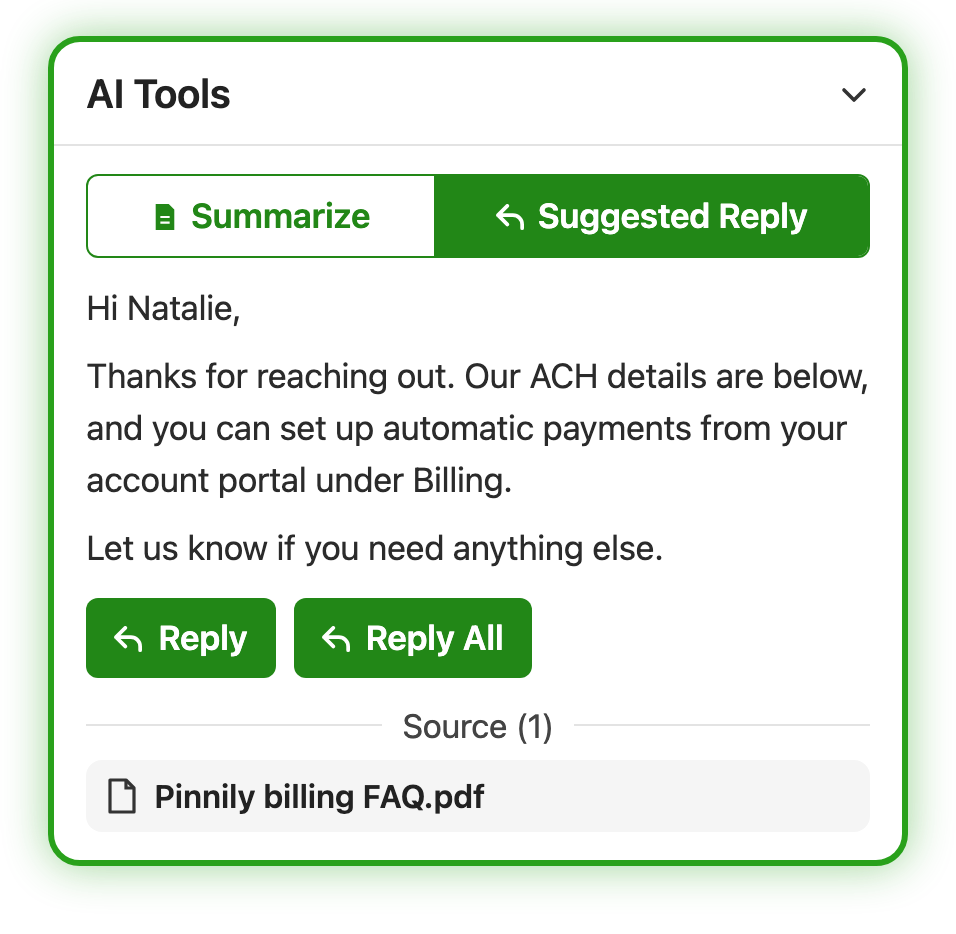
Admins add your organization’s documents, such as policies, FAQs and reply templates, to an AI knowledge base for each shared mailbox. When someone selects Suggested Reply, Emailgistics AI searches those documents and drafts a reply:
- Each mailbox has its own, separate AI knowledge base
- Every suggestion shows the source it was drafted from
- New hires answer like your most experienced agents
Update or delete documents at any time, and replies follow your latest content.
Admins decide who uses AI
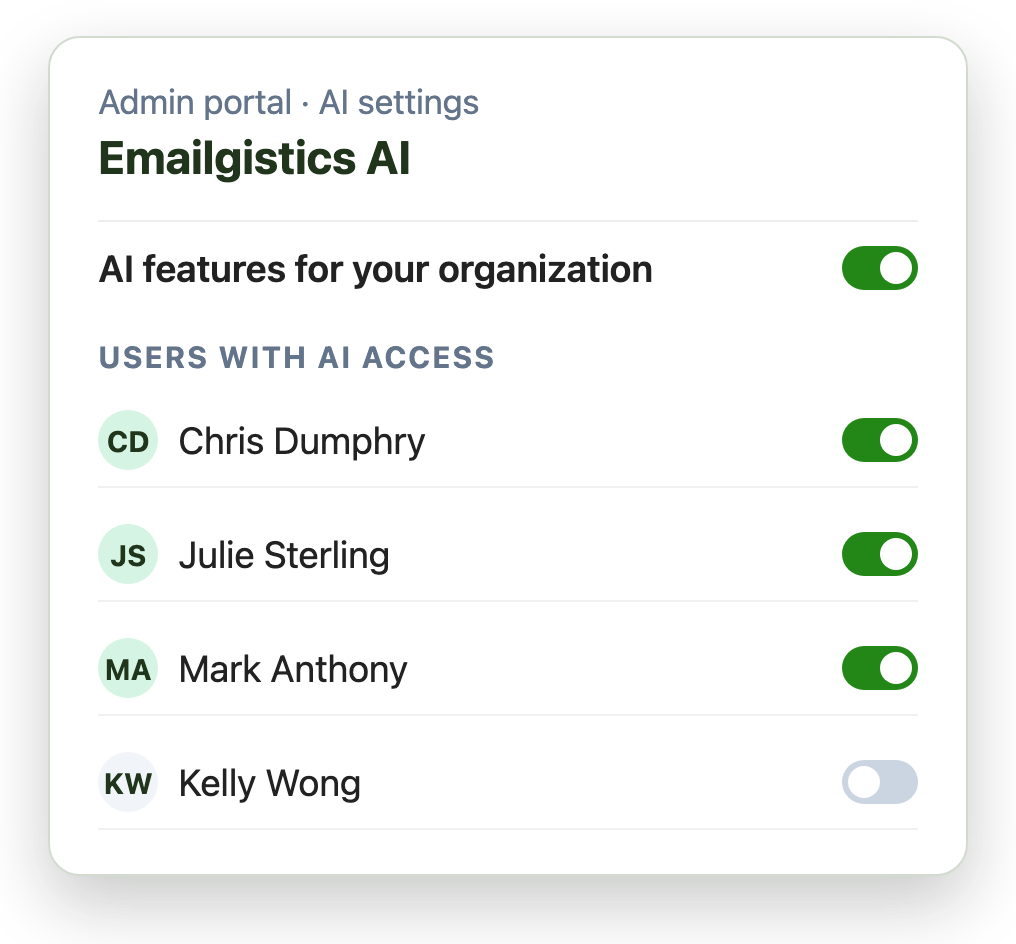
Emailgistics AI is off until you turn it on. From the Emailgistics admin portal you can:
- Turn AI features on or off for your organization
- Choose which users can use them
- Manage the documents in each mailbox’s knowledge base
AI never sends email on its own. A suggested reply goes into the reply only when someone chooses it, and they can edit it before sending.
“The product speaks for itself. I love it. I don’t know how on Earth we operated this long without it.”
Daniel G., Director of Service at JTF Gov, uses AI summaries to catch up on long threads in seconds. His team cut first-reply times from 13 hours to under 5.
Read the case study Rated 4.7/5 on G2
Emailgistics AI vs. Microsoft Copilot
Both summarize and draft email. Copilot is a general assistant for individual work across Microsoft 365. Emailgistics AI is built for shared mailbox teams and their workflows.
| Feature |  For shared mailboxes | Microsoft Copilot |
|---|---|---|
| Summarizes email threads | ||
| Drafts replies | ||
| Replies from per-mailbox AI knowledge | Uses your Microsoft 365 files | |
| One owner per email, with assignment rules | Assistant only, no workflow | |
| SLA alerts and reporting | Built for individual productivity |
AI built for shared mailbox teams
Emailgistics AI is scoped to reading and drafting, and it works alongside the assignment, SLA and reporting your team already relies on.

Inside Outlook
Summaries and suggested replies appear in the Emailgistics add-in beside the email, so there is no separate AI tool to open.

Runs only when asked
AI reads a message only when someone selects Summarize or Suggested Reply, never in the background.

Never used for training
Your prompts, emails and documents are never used to train AI models, by Emailgistics or by any of its AI providers.

Separate per mailbox
Each shared mailbox has its own AI knowledge base, so a billing reply never draws on another team’s documents.

Encrypted and rate limited
Data is encrypted in transit and at rest, and usage limits by organization, user and mailbox help prevent any misuse.

Part of your workflow
AI speeds up the reply. Assignment, SLA alerts and reporting keep ownership and timing on track around it.
Get started with Emailgistics AI
Available on the Pro and Enterprise plans. Our onboarding team helps you set it up.
- 1
Turn on AI
An admin turns on Emailgistics AI and chooses who can use it.
- 2
Add documents
Add policies and FAQs to each mailbox’s AI knowledge base.
- 3
Summarize
Select Summarize on any email to see the key points of the thread.
- 4
Review and send
Select Suggested Reply, check the draft and its source, then send.
Emailgistics AI adds AI summaries and AI suggested replies to the Emailgistics add-in for Outlook shared mailboxes. Summaries condense long threads, and suggested replies draft responses from the AI knowledge base your admins set up for each mailbox. A person reviews and sends every reply.
AI summaries, AI suggested replies, the AI knowledge base and AI access controls are included in the Pro and Enterprise plans.
No. AI only drafts. A suggested reply goes into the reply when someone chooses it, and they can edit it before they send it themselves.
No. Your prompts, emails and AI knowledge base documents are not used to train AI models, by Emailgistics or by its AI providers.
AI summaries use Microsoft Azure AI Foundry and are processed in the United States. AI suggested replies use Google’s Gemini API, which processes requests on Google’s global infrastructure. Emailgistics does not store email content, but providers may keep prompts for a short time to monitor for abuse.
Not by default. The Emailgistics platform supports HIPAA-regulated customers, but the AI features are not suitable for protected health information (PHI) or payment card (PCI) data unless an Enterprise customer arranges a specific configuration and contract with us. AI knowledge base documents should contain general policies, FAQs and templates, not sensitive customer data.
Copilot is a general Microsoft 365 assistant for individual productivity across apps. Emailgistics AI is built for shared mailbox teams: suggested replies draw on each mailbox’s AI knowledge base, and AI works alongside assignment, SLA alerts and reporting. Many teams use both.
Your admins. They turn AI features on or off for the organization, choose which users can use them, and add, update or delete the documents in each mailbox’s AI knowledge base for each mailbox.
Last updated