


Emailgistics for Operations Teams
Every site request owned
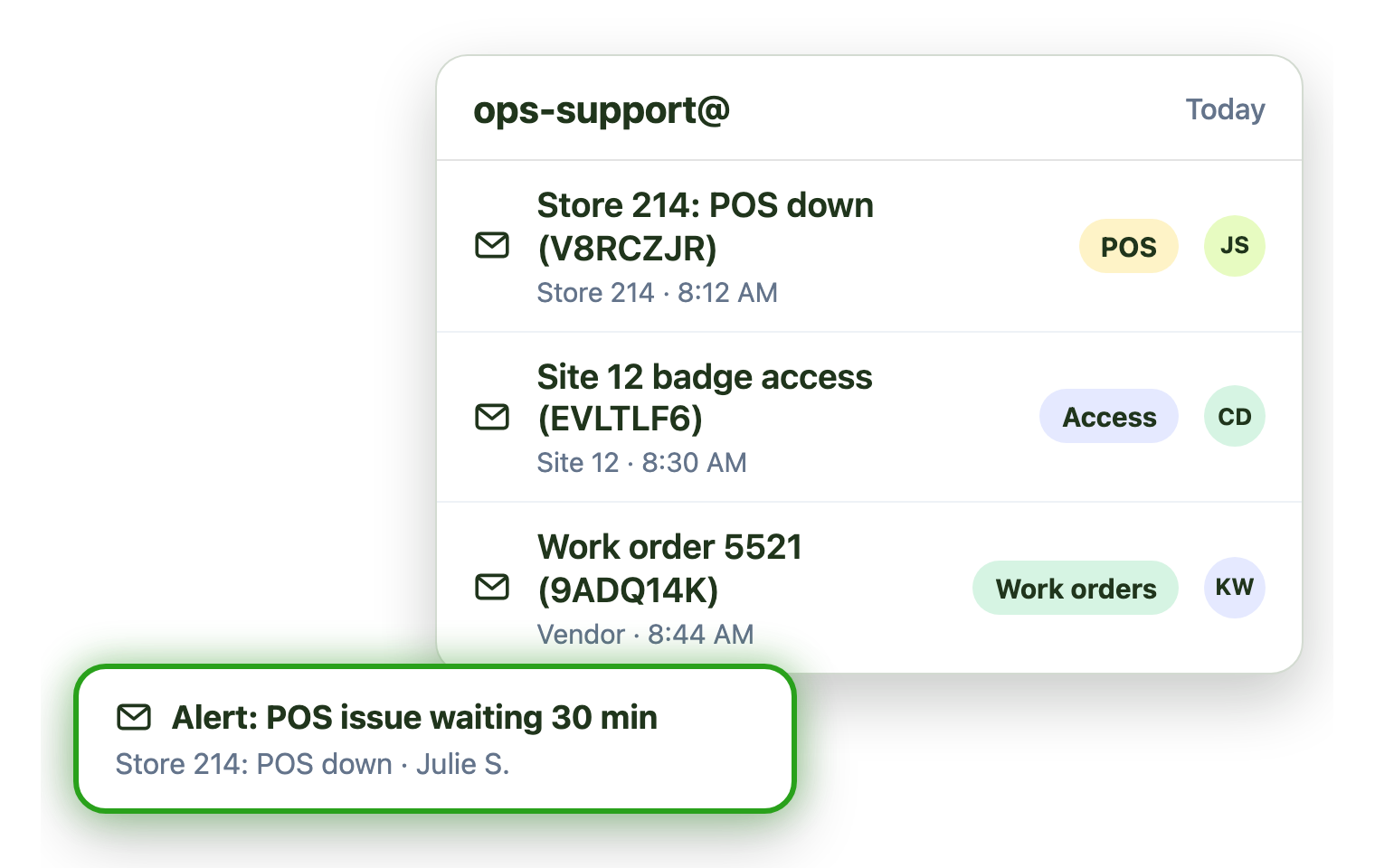
Store, site and vendor requests land in shared mailboxes. Emailgistics tags and assigns each one automatically, tracks it against your target and shows why sites write in, inside Outlook.
-
10,000+
people use Emailgistics
-
400+
organizations rely on it
-
4.7/5
rating on G2
-
< 1 hour
to go live, no migration
How do operations teams manage shared mailboxes?
Stores and sites write in all day, requests reach the wrong specialist, and leadership wants proof of service levels. Emailgistics tags and assigns each request automatically, alerts leads when internal targets are missed and reports on why sites write in. AI summaries catch specialists up on long threads, all inside Microsoft 365.
-
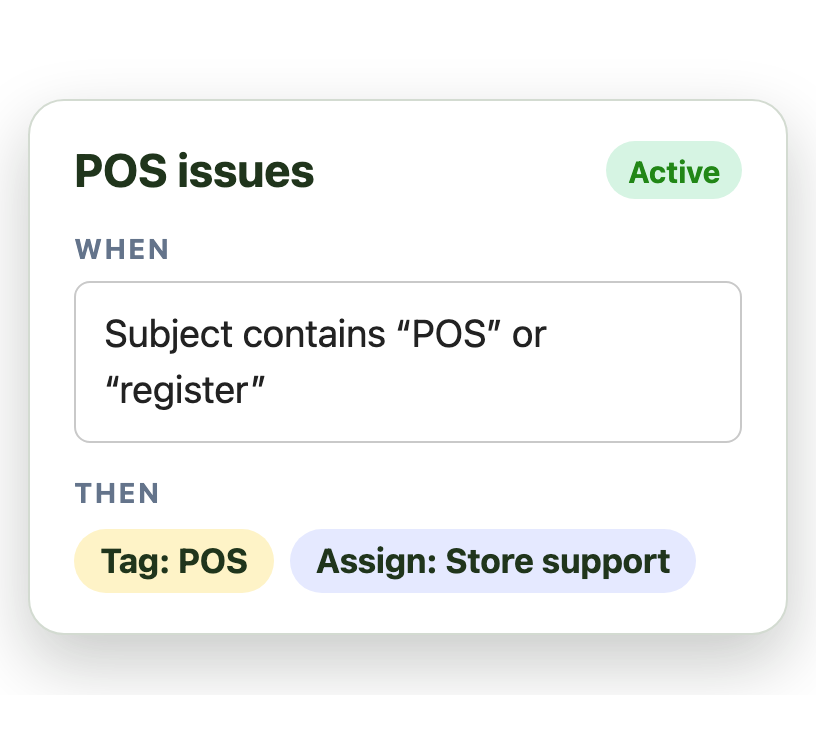
Triage
Requests are tagged and assigned automatically
-
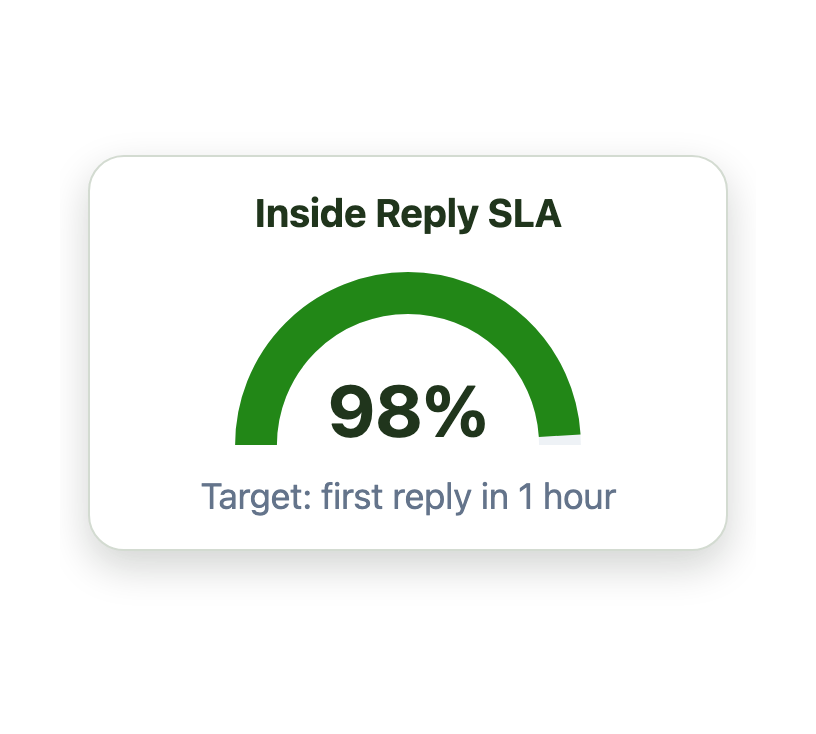
Track
Every request is tracked against a target
-
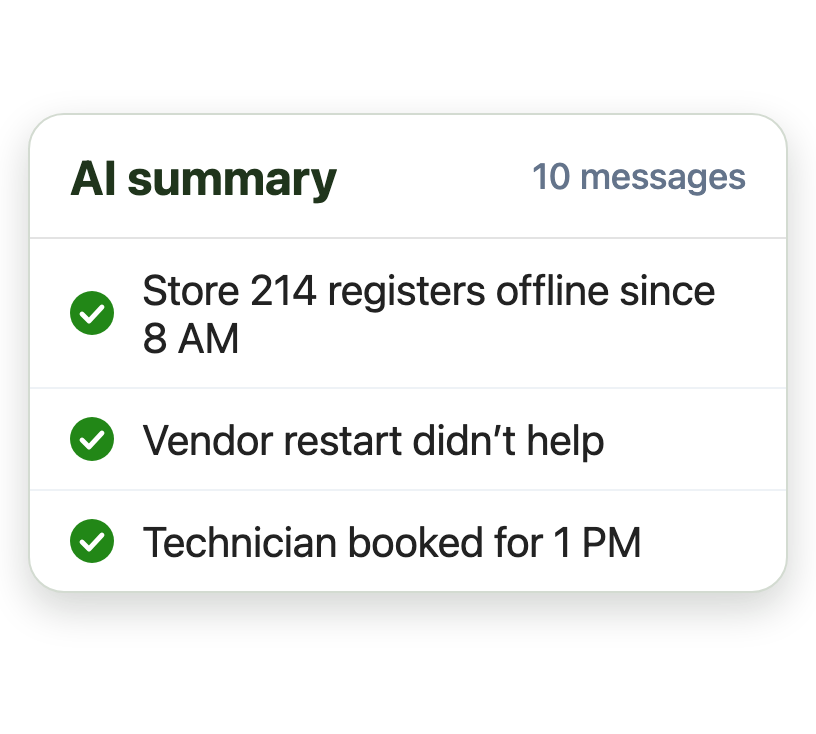
Catch up
AI summaries catch specialists up fast
Bring order to the ops support inbox
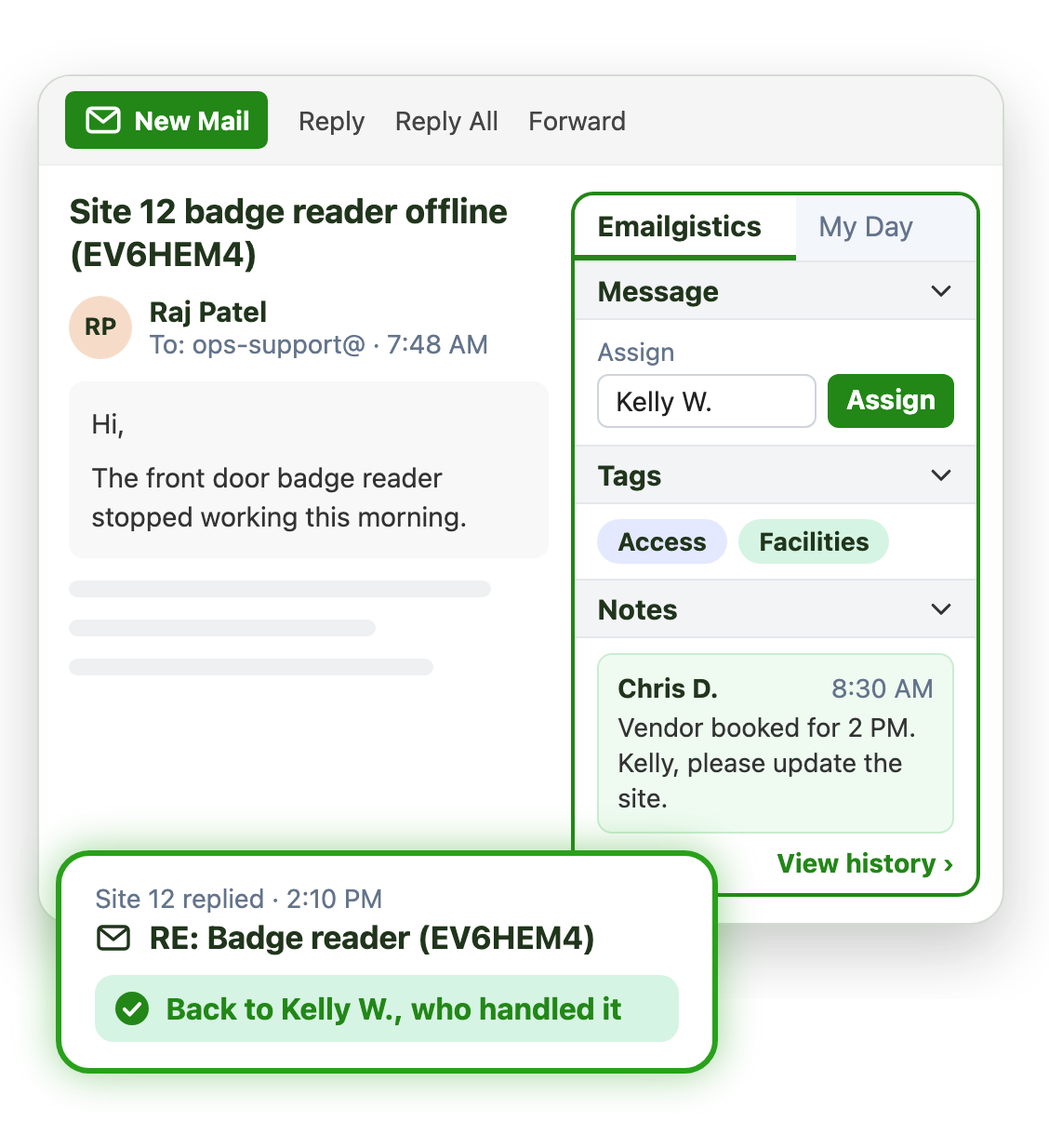
Stores email about POS outages, door access and work orders all day. Emailgistics sorts and assigns each request as it lands:
- Tags and sub-tags by request type, like POS or access
- Each request assigned to the right specialist on arrival
- Site follow-ups return to whoever handled them
Meet internal service levels and prove it
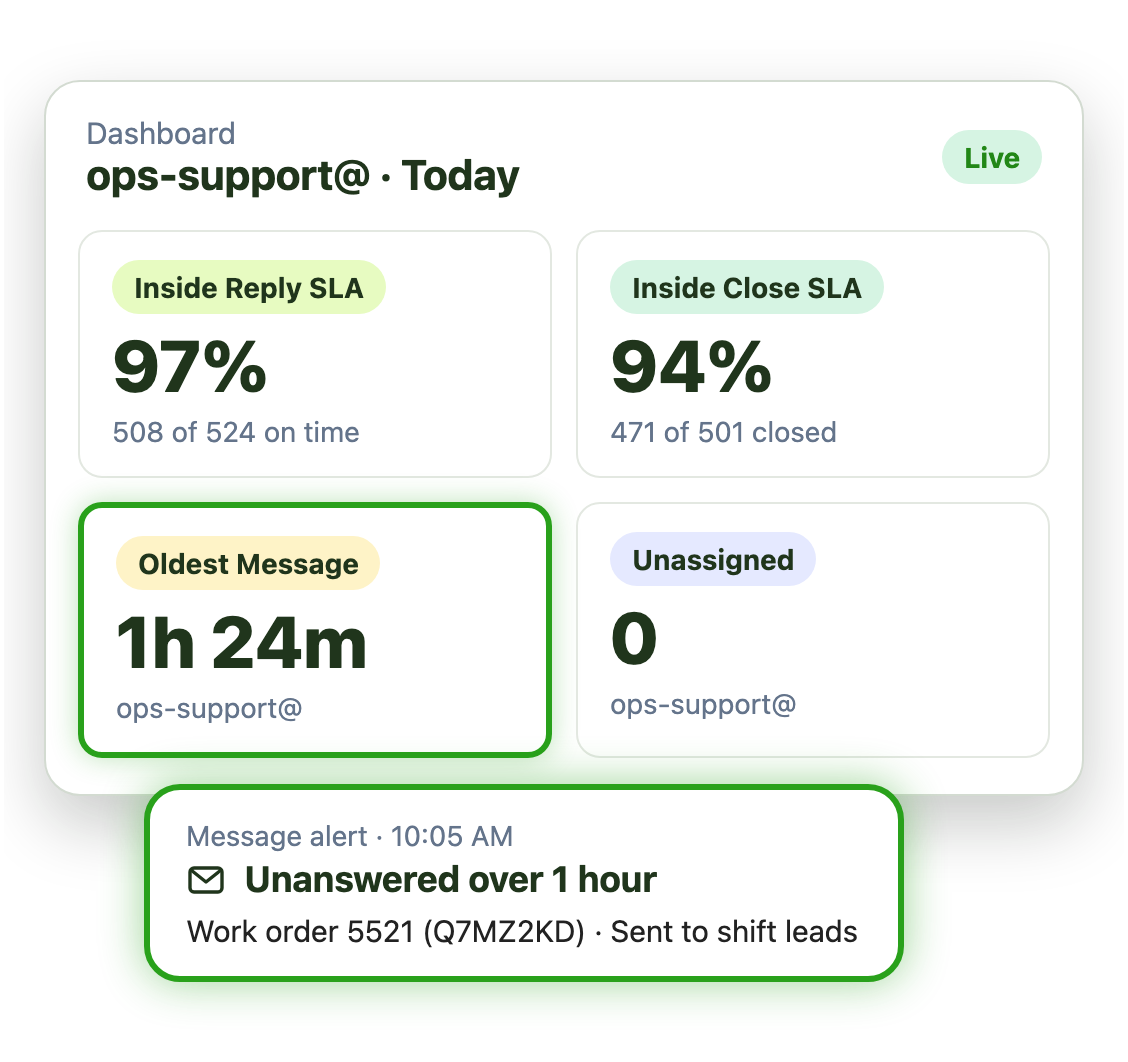
Set a service level for your support centre. Message alerts tell the team the moment an email misses it:
- Reply and close targets for each mailbox
- Alerts to shift leads the moment a target is missed
- Service level reports for any period
Fix the root cause, not just the email
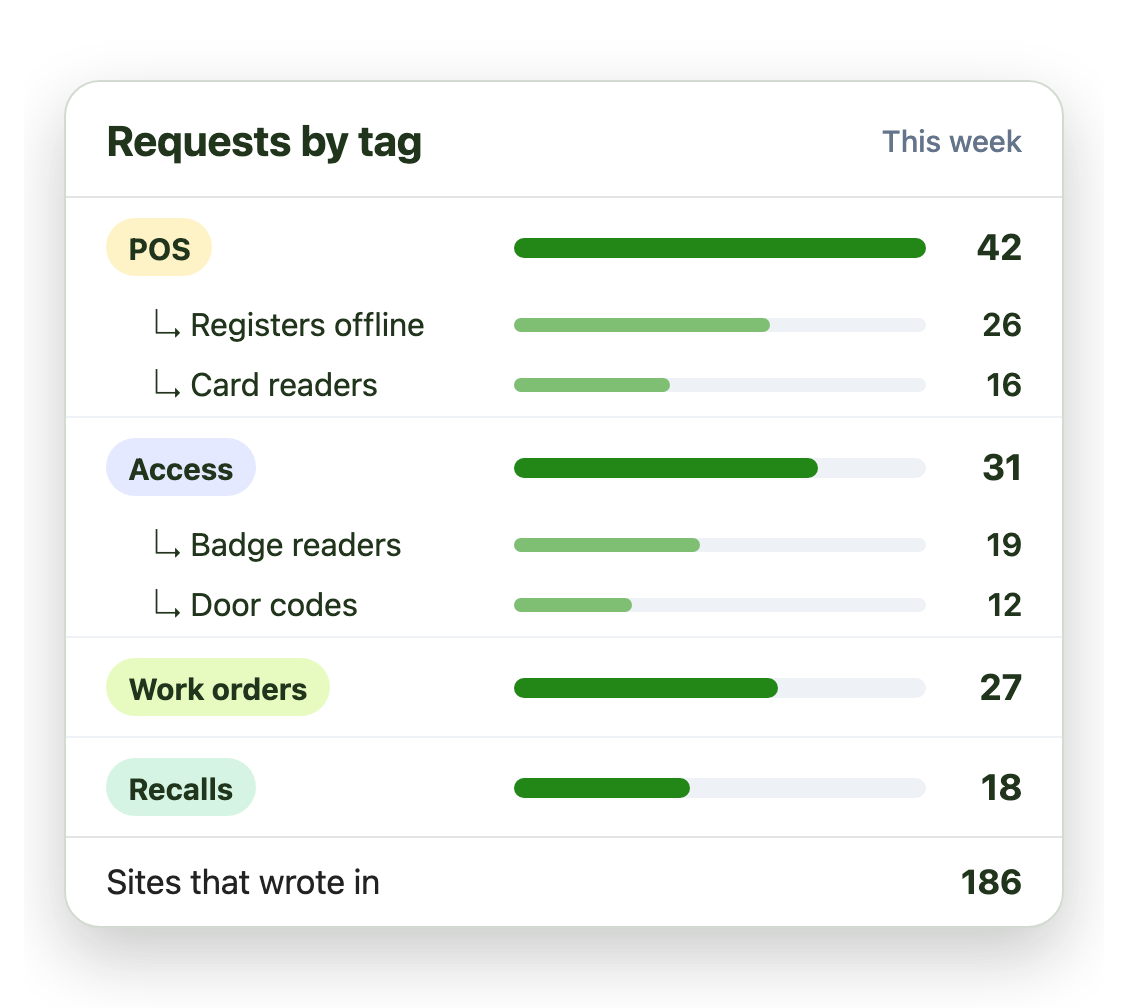
Reports show which sites and topics generate the most requests, so you can fix the process behind them:
- Request volume by tag and sub-tag
- Drill down to the individual emails
- Trends to share with leadership and site managers
Live in under an hour, with no migration
- 1 Connect your mailboxes
- 2 IT grants consent
- 3 Deploy the Outlook add-in
Plans from $11 per user per month, billed annually. Try it free for 14 days, no credit card.
Operations teams that run on Emailgistics
Real results from operations teams, in their own words.
-

99%
of dealer emails answered within SLA, averaging about 3 hours
Read the case study“Our response time floats around the 3-hour mark, which is amazing and well-exceeds our 48-hour turnaround goals.”
-

98%
of emails answered within a 1‑hour SLA
Read the case study“For anyone using a shared mailbox in Outlook, I would definitely recommend Emailgistics.”
-

64%
faster first replies in 13 weeks, from 13 hours to under 5
Read the case study“I like the auto routing because it takes away that decision fatigue … It just puts it in your mailbox.”
 Rated 4.7/5 on G2
Emailgistics vs. a shared mailbox alone or a ticketing system
A shared mailbox alone has no owners or targets. A ticketing system adds a tool and often a portal. Emailgistics adds structure to the mailbox you have.
| Feature |  Inside Outlook | Outlook on its own | Ticketing system |
|---|---|---|---|
| Requests stay as email | Become tickets | ||
| One owner per request | Anyone can reply | ||
| Tags and sub-tags | Categories only | ||
| SLA alerts and reports | |||
| Sites keep emailing as usual | Portal or forms | ||
| Email stays in Microsoft 365 | Copied to another system |
Features operations teams use most
Everything your team needs to handle every request and improve the process.

Tags and sub-tags
Classify every request by type, site and urgency.

Automatic assignment
Assign each request to the right specialist on arrival.

SLAs by tag
Tighter internal targets for urgent requests, with alerts to shift leads.

Real-time dashboards
See open, unassigned and oldest requests at a glance, by mailbox.

Tag reports and drill-down
See why sites write in, by tag and sub-tag, down to each individual email.

AI summaries and replies
Reply to stores in seconds from your AI knowledge base.
Store support, field operations and service desks take requests in shared mailboxes like ops@ or support@. Emailgistics tags and routes each request to one owner, tracks it against a target and reports on volume by topic, without a ticketing system.
Canadian Tire’s store operations team answers 99% of dealer email within SLA, in about 3 hours. GDI answers 98% of email within a 1-hour SLA. JTF Gov cut first-reply time by 64%.
Yes. Tags and sub-tags label each request, by hand or by rule. Canadian Tire uses 48 tags across message type, urgency and workflow stage.
Yes. Set targets for each mailbox, and shift leads get an email alert when a request passes them. Reports show compliance over time.
No. They keep emailing the same address. Emailgistics works on the shared mailbox you already have, so there is no portal or form to roll out.
Not for email requests. A ticketing system adds a tool and often a portal. Emailgistics adds ownership, targets and reporting inside Outlook.
Yes. Emailgistics is SOC 2 Type II certified and HIPAA and GDPR compliant. It works on the shared mailboxes in your Microsoft 365 tenant, so email stays in Exchange Online, and access is limited to the mailboxes you onboard.
Most teams are live in under an hour, with no migration. GDI trained its team in 30 minutes. Book a demo, then try Emailgistics free for 14 days. No credit card required.
Last updated