


Emailgistics for Retail
Boost operations through email organization
Emailgistics automates email handling for retail teams, enhancing team collaboration and customer interactions inside Microsoft 365.
Get a Demo
Handle customer queries and product returns quickly and securely
Emailgistics helps retail teams manage high email volumes with automatic assignment, clear message ownership, workload balancing, and real-time performance analytics inside Microsoft 365. Teams respond to customers faster, reduce missed inquiries, and maintain consistent service across every shared mailbox.

Reduce resolution time

Streamline team collaboration

Make data-driven decisions
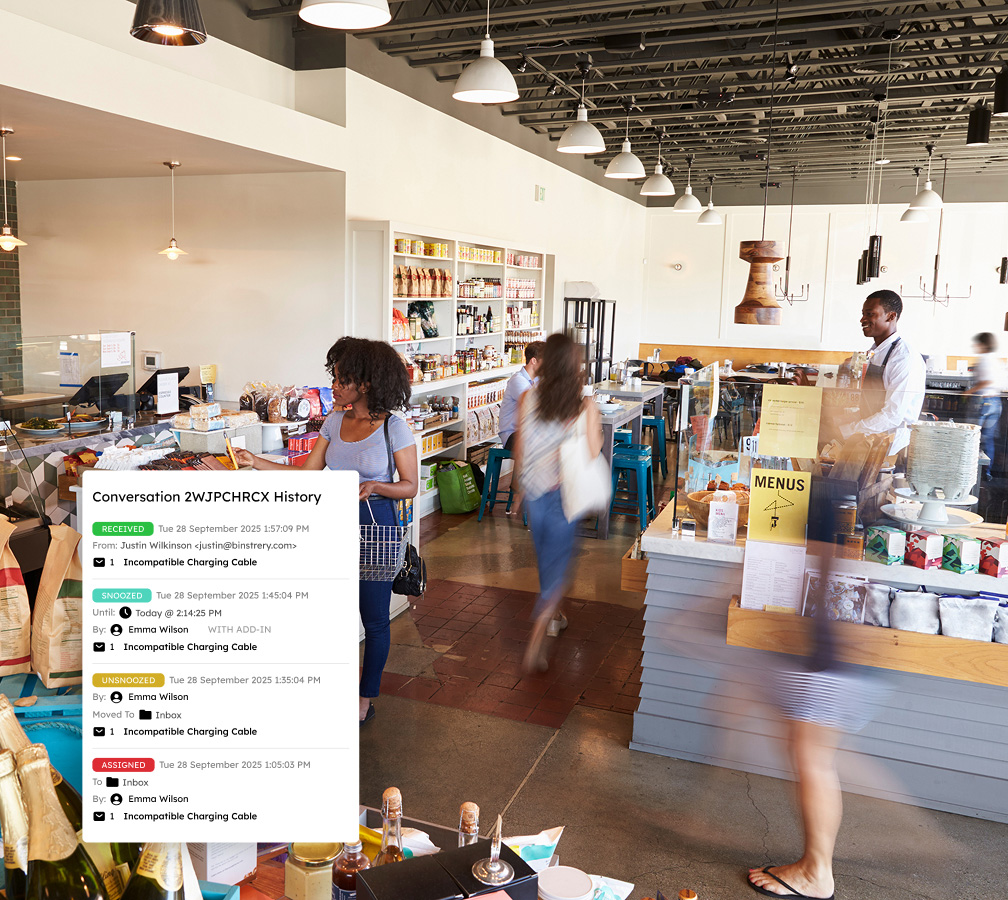
Reduce inbox confusion with clear message ownership
Foster accountability and eliminate conflicting client communications by ensuring that each conversation thread is assigned to a single team member. This approach, combined with conversation history and internal notes, fosters a cohesive environment for tracking past actions and sharing insights, improving teamwork and efficiency.
Accelerate responses to customers and vendors
Enhance communication flow by utilizing auto-assignment features and tags to distribute emails based on team members’ expertise, availability, and workload. Team-wide templates enable your service agents to swiftly address common inquiries, such as order confirmations and return policies, saving time and ensuring consistent communication.

Leverage analytics with insightful reporting
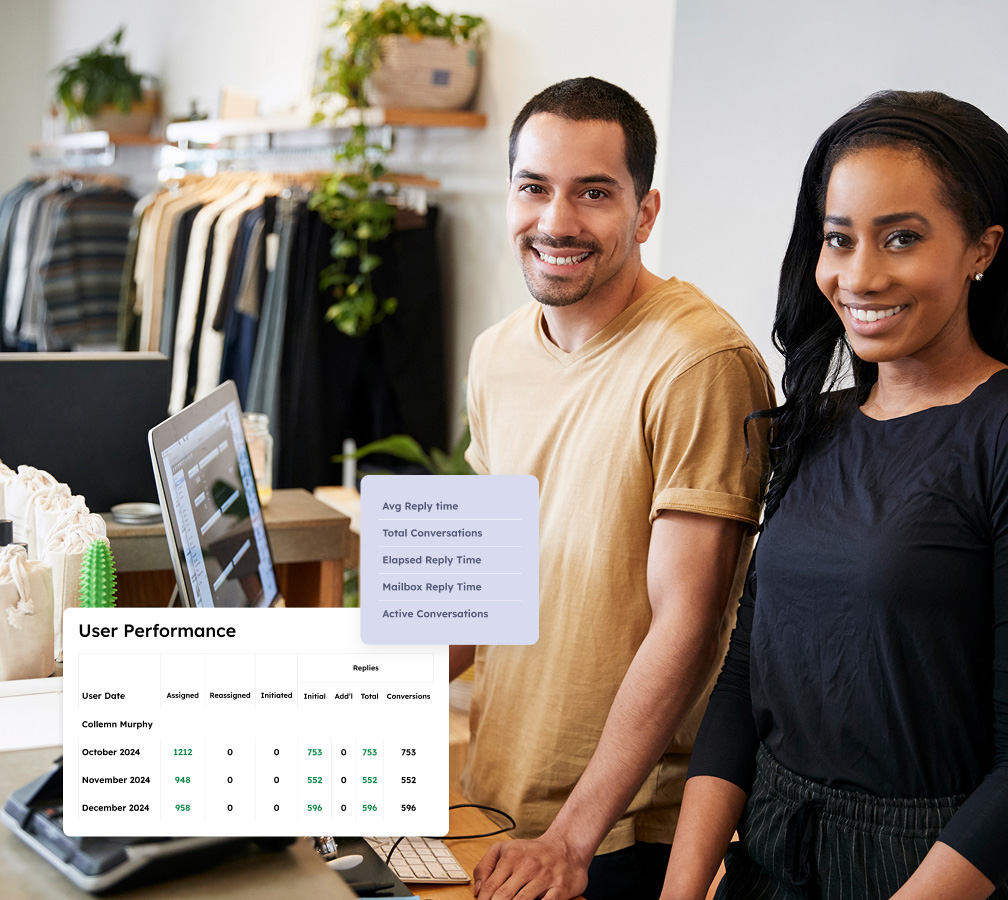
Emailgistics provides insights into shared inbox communication trends, including customer response times, inquiry types, and team performance. Analyzing this data helps optimize staffing during peak shopping periods, identify areas for improvement in customer service, and enhance overall operational effectiveness.
Ensure compliance and fast replies with SLA tracking
Stay ahead of service-level agreements with real-time alerts for unanswered inquiries and SLA deadlines. Custom dashboards update crucial compliance metrics every 60 seconds, empowering teams to identify high performers and those needing support, respond quickly to urgent issues, and maintain exceptional service standards.

Retain and grow your customer base by responding to customers with ease
Book a demo customized to your industry, then enjoy a 14-day free trial.
Get a Demo
Solutions tailored for growing teams to enhance organization and responsiveness
Emailgistics improves shared inboxes with email automation, collaboration tools, and insightful reporting to ensure SLA compliance.

Auto-Assignment
Distribute emails using round-robin or load-balanced assignment. Round-robin cycles evenly through agents, while load balancing checks workload before routing, so no single team member gets overwhelmed.

Assign-to-Previous-Owner
When a customer replies to an existing thread, it routes to the agent who handled it last. This keeps context intact, avoids duplicate effort, and ensures customers reach someone familiar with their situation.

Max Messages
Set a cap on how many messages each agent receives through automatic distribution. Once they hit their limit, new emails route to the next available person, preventing backlogs from piling on one team member.

Conversation History
Every action on an email, from assignment and replies to status changes and notes, is logged in one view. Agents can scan the full timeline at a glance to resume a conversation or see how an issue was resolved.

Notes
Leave internal notes on a thread without a CC, BCC, or forward. Agents can flag details or add context the team needs without surfacing it to the customer, keeping coordination separate from outbound replies.

Templates
Build a library of pre-written responses for queries like order status, return policies, and shipping timelines. Managed in Outlook, edits apply team-wide at once so agents send consistent, on-brand replies.

Tags
Apply tags manually or via automated rules to categorize messages by type, priority, or status. They sync with Outlook categories for instant filtering, and managers can run tag-based reports to track trends.

Alerts
Configure alerts to fire when messages go unanswered or backlogs exceed a threshold. Timing respects business hours and user availability so agents are notified at the right moment, not outside their window.

Reports
Track volume, first-response times, and closure rates by agent or team. User Closed Counts and Initial Reply Counts guide staffing, while compliance and violation reports reveal where service levels fall short.

AI-assisted email handling
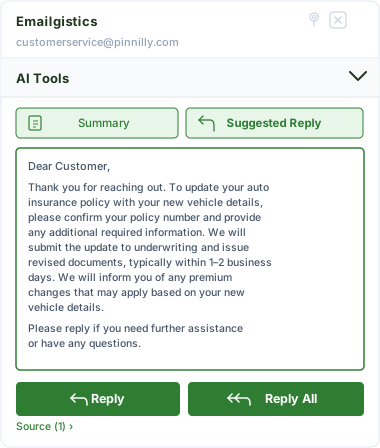
Emailgistics AI helps teams respond faster and more consistently by suggesting replies based on approved knowledge sources and summarizing conversation threads. This reduces response time, improves accuracy, and supports smoother handoffs between team members.
The key to your customer satisfaction success
Emailgistics helps your teams boost response times, keep everything organized, and elevate customer service quality.

“I’m answering emails faster because I’m using templates instead of typing the same message 80+ times. So we almost always meet our SLAs, even during high-volume periods.”

“It was very quick to onboard. The process was great, and it was similar enough to what we’ve been using previously that the agents didn’t require much training, if at all.”
Check out our 5-star reviews on G2
Emailgistics automatically assigns incoming customer emails to team members, routes messages by rule, and tracks all conversations inside Outlook, ensuring order inquiries, return requests, and complaints are handled on time.
Yes. Automatic assignment ensures every email has a clear owner on arrival, and SLA alerts notify agents when response deadlines are approaching, reducing missed communications and improving customer satisfaction.
Workload-balancing assignment distributes emails based on team member availability and message limits, preventing backlogs during peak periods such as holiday seasons and promotional events.
Internal notes and conversation history allow team members to coordinate on emails without forwarding chains, while assignment ensures each thread has a single owner. All of this happens inside Microsoft 365.
Reporting dashboards in Emailgistics provide data on response times, email volume, and team workload, helping retail managers identify backlogs, monitor SLA compliance, and adjust staffing as needed.
Yes. Emailgistics is built for Microsoft 365 and operates directly inside Outlook, allowing retail customer service teams to manage high email volumes without switching to a separate platform.

Optimize your email communication, boost team output, and gain customer loyalty
Book your custom demo of Emailgistics, then get a 14-day free trial–no credit card required.