


Emailgistics for Healthcare & Biotech
Email efficiency for time-strapped teams
Simplify collaboration and automate email handling with Emailgistics to ensure timely communication that enhances patient care inside Microsoft 365.
Get a Demo
Handle patient information and proprietary data quickly and securely
Emailgistics helps healthcare teams manage patient and administrative communications with automatic assignment, conversation tracking, and SOC 2-, GDPR-, and HIPAA-compliant security inside Microsoft 365. Teams streamline workflows, improve collaboration across departments, and maintain the compliance standards that healthcare communication requires.

Reduce resolution time

Streamline team collaboration

Make data-driven decisions
Collaborate with ease to keep research projects on track
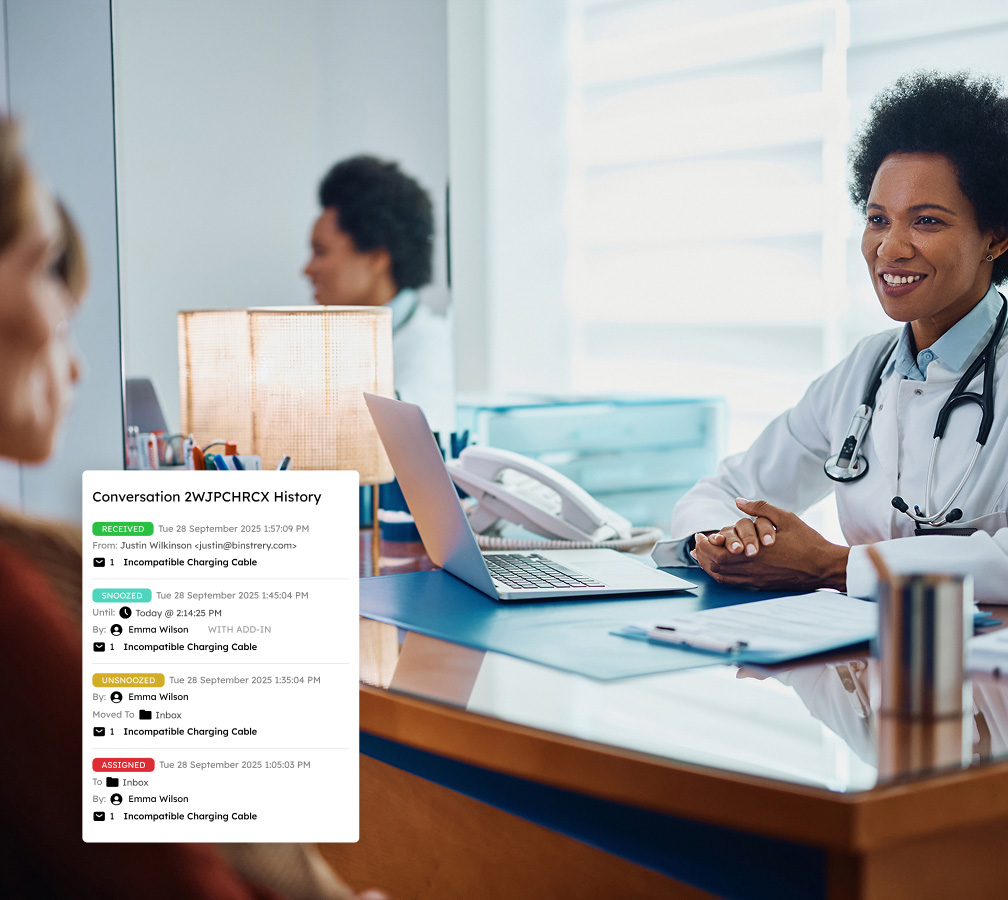
In clinical trial management and patient care, shared inboxes cause confusion when multiple team members respond to the same email. Emailgistics solves this by assigning emails to a single owner, with internal notes and conversation history providing transparency and traceability during audits.
Eliminate message overload and missed patient inquiries
Healthcare professionals handle appointment confirmations, lab results, and research queries daily, volumes that can overwhelm teams and lead to missed communications. Customizable assignment features tag and sort emails by urgency and context, prioritizing critical tasks over general correspondence.

Increase operational efficiency in high-pressure environments
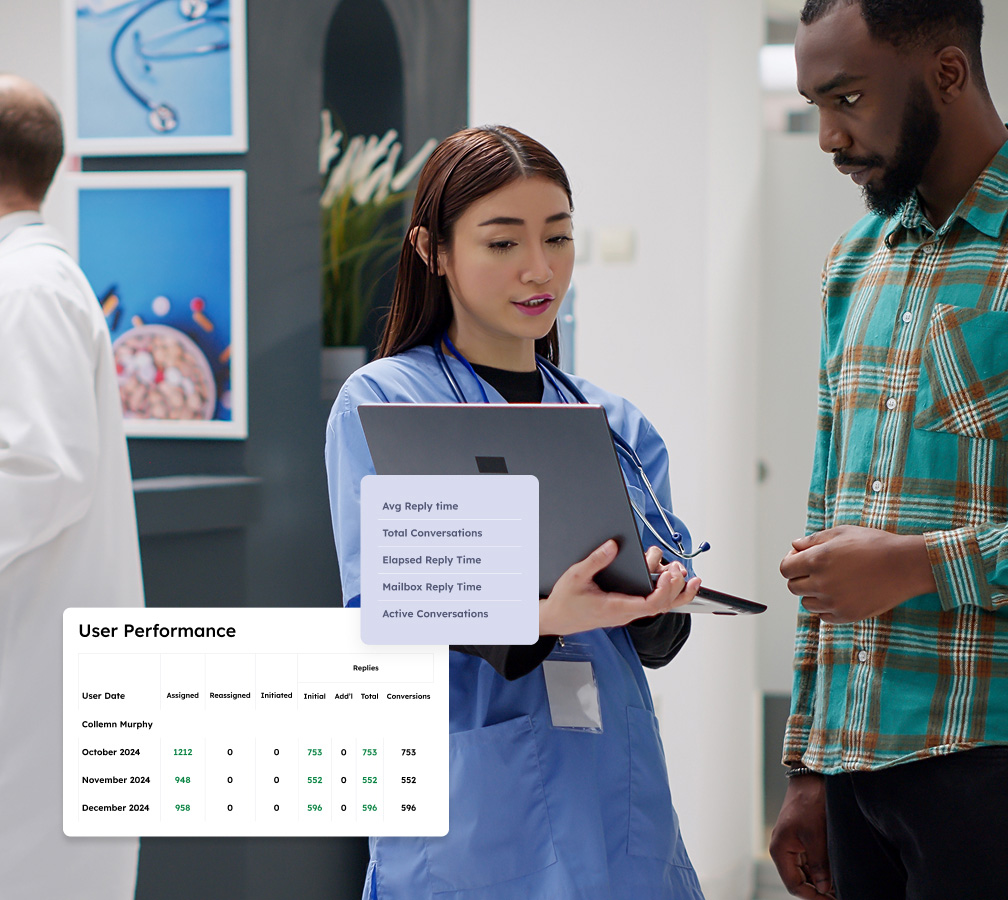
Emailgistics provides reporting features for healthcare and biotech organizations to analyze email volume and response times using metrics like User Closed Counts and Initial Reply Counts, so team leaders can identify bottlenecks and implement targeted process improvements.
Ensure compliance and responsiveness with SLA tracking
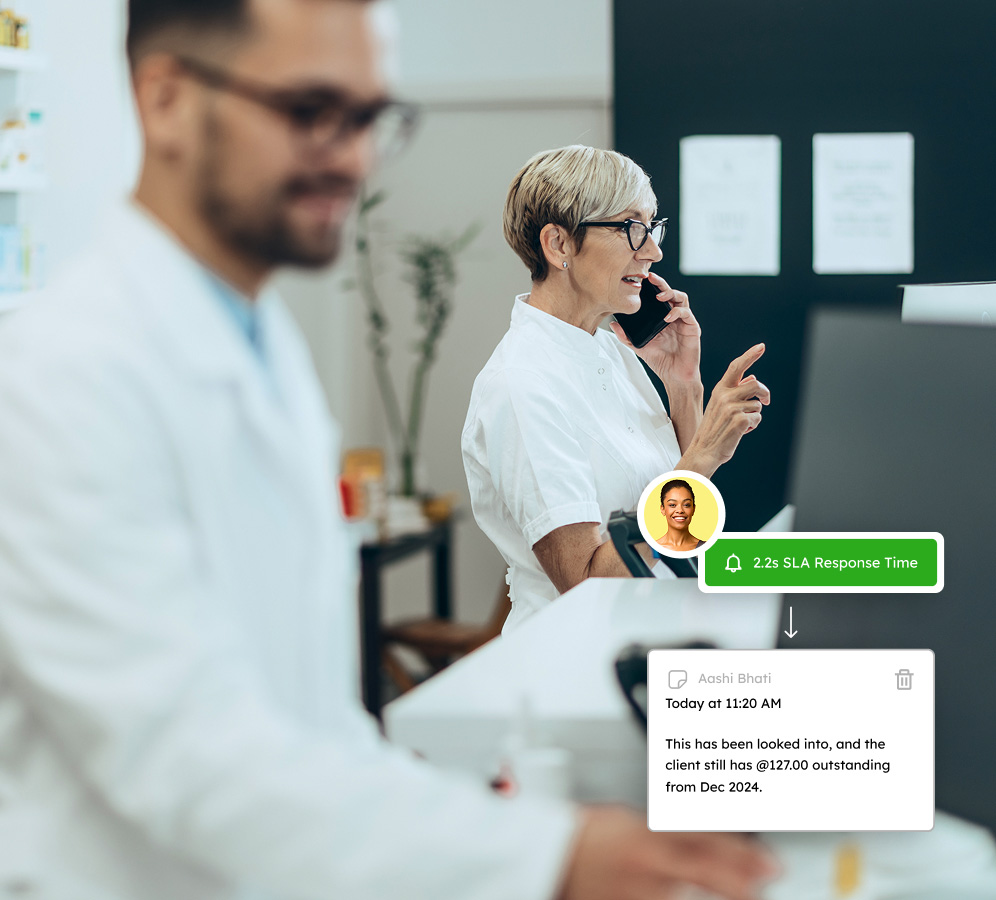
Emailgistics automatically tracks response times against benchmarks and generates alerts for overdue responses, enabling teams to prioritize urgent inquiries and helping administrators identify high performers and areas that need support.
In the fast-paced world of health science, give every email its due attention
Book a demo customized to your industry and get a 14-day free trial afterward.
Get a Demo
All-in-one features for dynamic teams to operate smoothly and responsively
Emailgistics empowers shared inboxes with features that automate email processes, foster collaboration, and deliver analytics for SLA adherence.

Auto-Assignment
Distribute emails using round-robin or load-balanced assignment. Load balancing accounts for each user's workload and availability, so messages flow to whoever has capacity rather than piling up unevenly.

Assign-to-Previous-Owner
When a follow-up arrives, it routes automatically to the agent who last handled that conversation. Patients and staff get consistent answers from a familiar contact, reducing conflicting or repeated responses.

Max Messages
Set a cap on how many messages any single agent can hold. Once reached, new messages route to other available team members, keeping workloads balanced and preventing anyone from becoming a bottleneck.

User Scheduling
Define working hours for each team member so assignments only land in active inboxes. When someone steps away, agents can toggle their availability so routing adjusts immediately and no message sits unattended.

Conversation History
All replies, assignments, and status changes on a message are logged in a single timeline. Agents picking up a thread see what happened before, reducing repeat questions and enabling more informed follow-up.

Templates
Store approved replies for common inquiries and insert them in seconds without leaving the thread. Templates are managed centrally so every agent uses the same language, keeping tone and compliance consistent.

Tags
Label messages by category, urgency, or workflow stage using manual or automated rules. Tags sync with Outlook so your team can filter and sort in their inbox, keeping triage organized without switching tools.

Dashboards
Live dashboards show queue depth, response times, and workloads so managers can act before SLAs slip. Widgets are fully customizable, letting each team lead focus on the metrics that matter most for their role.

Analytics
Track response times, volume, and resolution rates across every shared mailbox. Reports help managers spot backlogs, rebalance workloads, and demonstrate performance to leadership and compliance stakeholders.

AI-assisted email handling
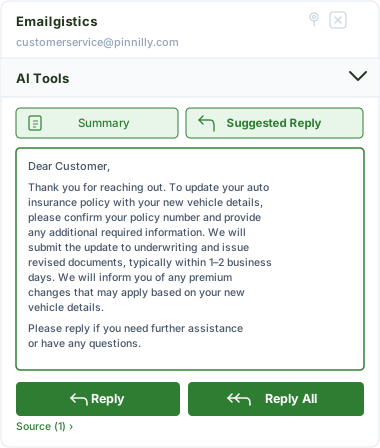
Emailgistics AI helps teams respond faster and more consistently by suggesting replies based on approved knowledge sources and summarizing conversation threads. This reduces response time, improves accuracy, and supports smoother handoffs between team members.
Your partner in creating memorable customer experiences
Emailgistics empowers teams to respond promptly, maintain clarity, and provide exceptional customer service.

"Our care team's response times have improved dramatically. Emailgistics has made patient follow-ups a breeze."
Check out our 5-star reviews on G2
Emailgistics automatically assigns incoming emails to the right team member, tracks conversations, and supports internal notes, ensuring patient inquiries and administrative communications are handled accurately and on time.
Yes. Emailgistics is SOC 2-, GDPR- and HIPAA-compliant. It operates entirely within Microsoft 365 and does not store patient information externally.
Yes. Automatic assignment ensures every email has a clear owner on arrival, and SLA alerts notify team members when responses are approaching or past due, reducing missed communications.
Internal notes and conversation history allow team members to coordinate on emails without forwarding or CC chains, keeping communication organized and reducing the risk of duplicate responses.
Workload-balancing assignment distributes emails based on team member availability and message limits, preventing inbox overload during peak periods such as appointment seasons or clinical trial phases.
Yes. Emailgistics is built for Microsoft 365 and operates directly inside Outlook, allowing clinical, administrative, and research teams to manage shared mailboxes without leaving their existing tools.

Optimize your communication flow, enhance team productivity, and delight your clients
Book your personalized demo of Emailgistics and get a 14-day free trial–no credit card required.