


SLA Monitoring for Outlook
Track and meet response time commitments
Emailgistics shows teams exactly how every Outlook shared mailbox is performing against SLA targets, so no deadline is missed and no email falls through the cracks.
Get a Demo
Email performance is difficult to manage without clear visibility
Emailgistics monitors every email from arrival through response, measuring first-reply times against configurable SLA targets. Teams stay ahead of deadlines with threshold alerts and real-time dashboards, all without leaving Microsoft 365.
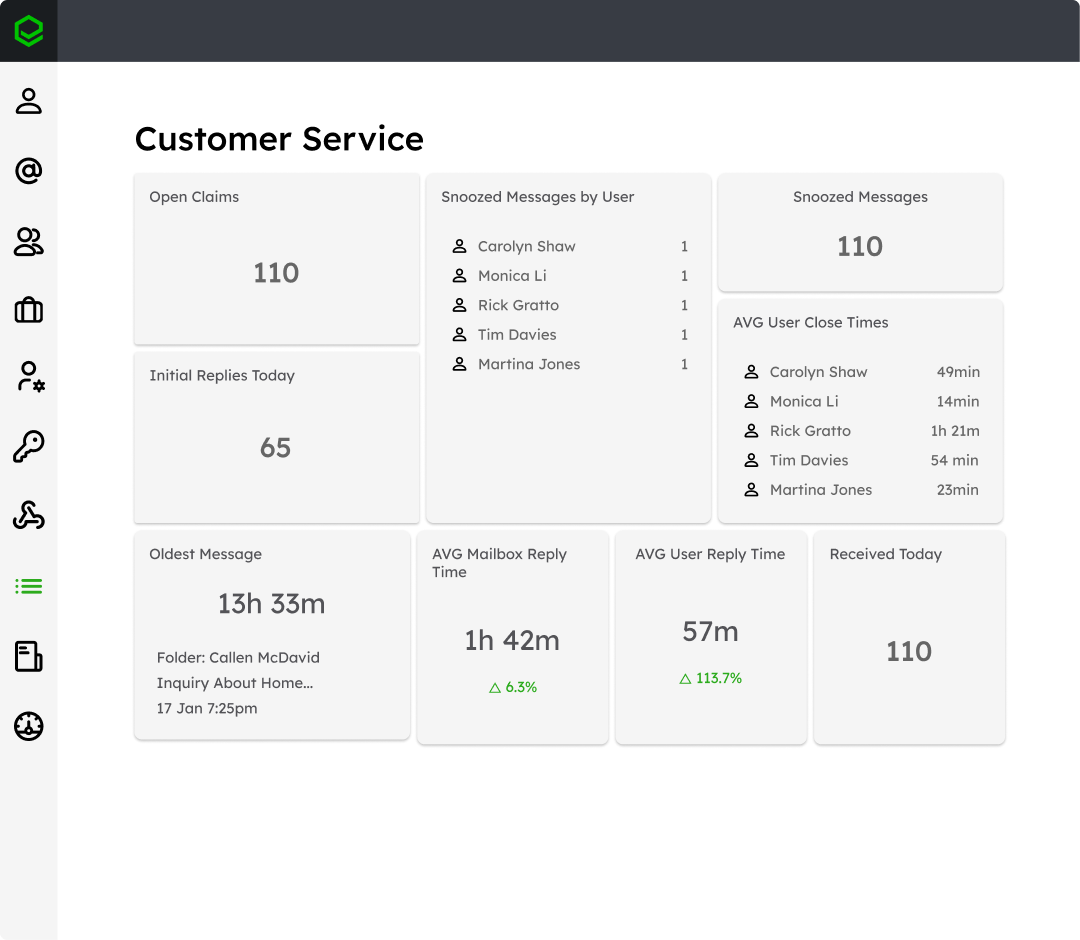
Monitor response times across every email
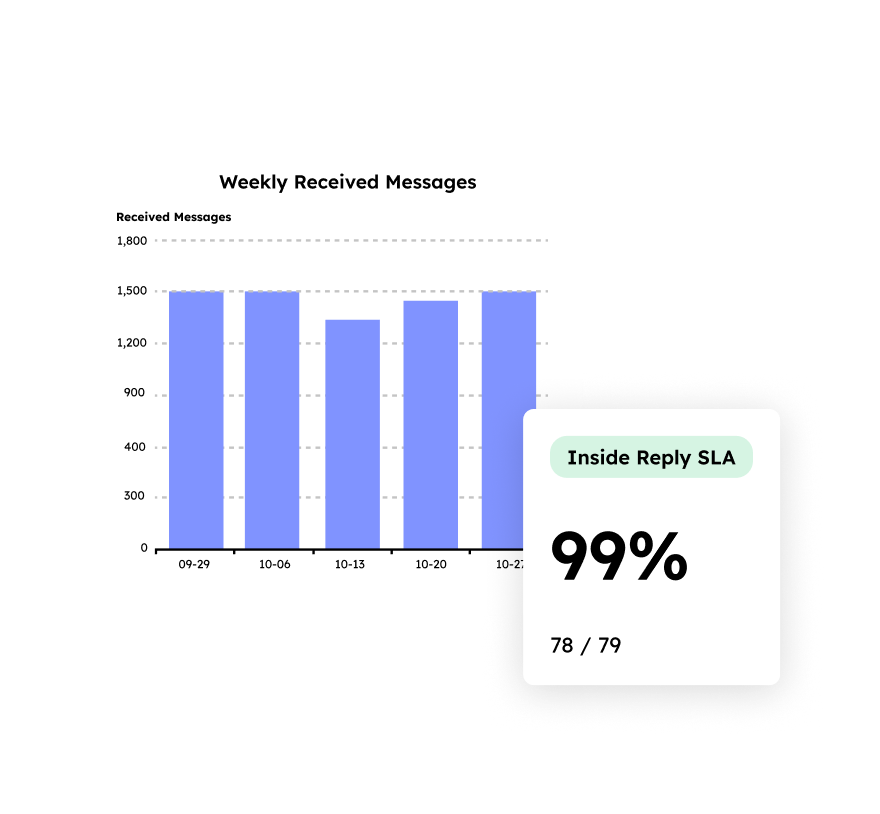
Improve SLA compliance with clear accountability
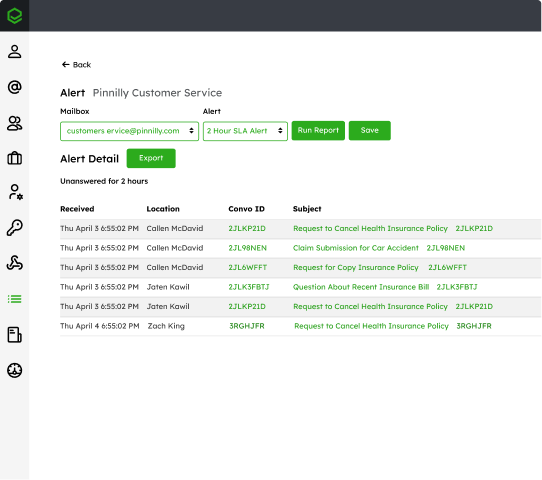
Protect service quality with early warning alerts
Track response times with full visibility
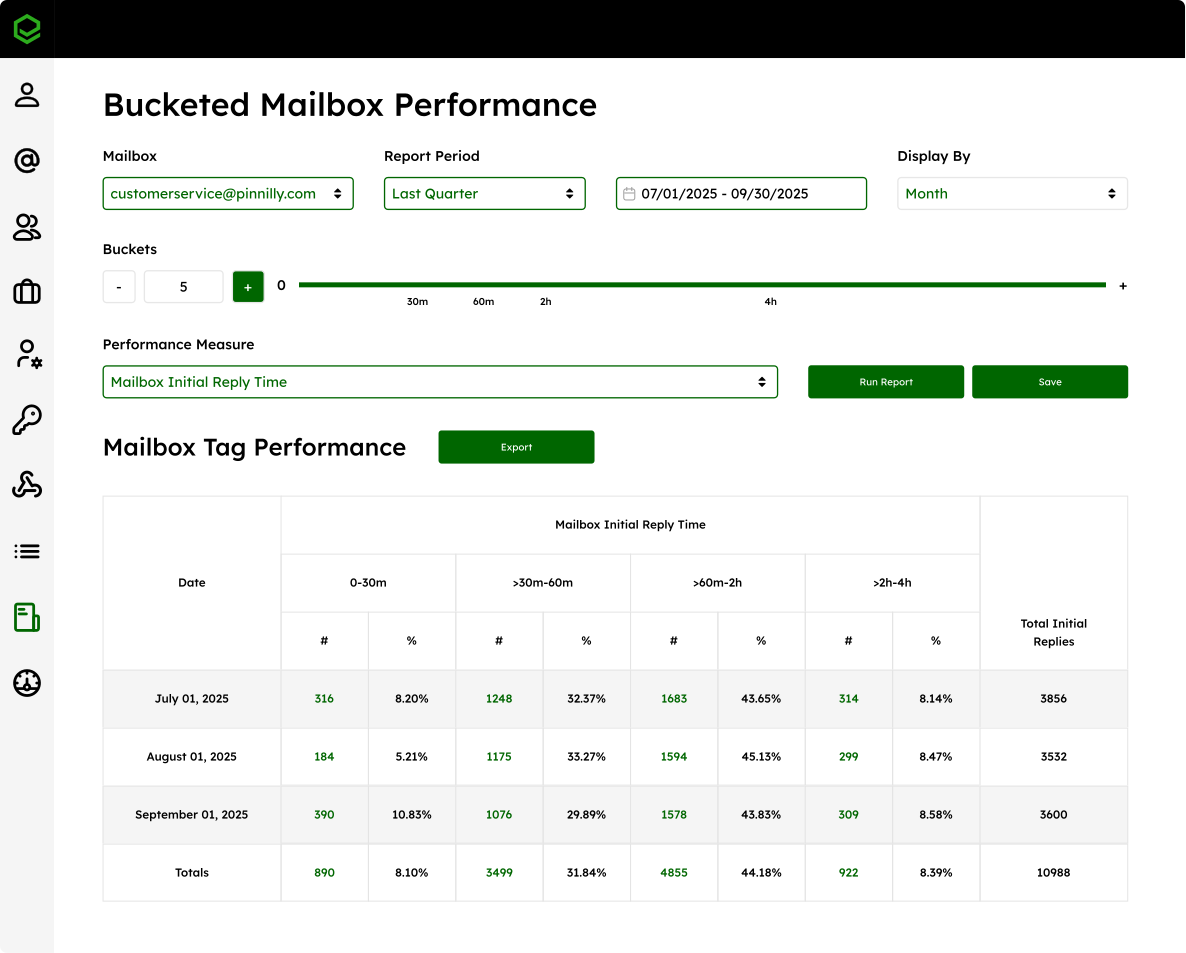
Without clear tracking, teams rely on guesswork to understand performance. Emailgistics provides real-time visibility into response times across shared mailboxes, helping teams understand how quickly emails are handled and where delays occur.
Enforce accountability with SLA tracking
Service level agreements require more than good intentions. Emailgistics allows teams to define response time targets and measure performance against them, ensuring every email is owned and handled within expected timeframes.
Identify risks before SLAs are missed
Delays often go unnoticed until it is too late. Emailgistics highlights emails that are approaching SLA thresholds so teams can take action before deadlines are missed and customer experience is impacted.
“By using Emailgistics, we have been able to set targets for response times and have proof that we are meeting those goals.”

McPherson Oil reduced average reply time with Emailgistics from over a day to 1 hour 20 minutes
SLA monitoring features built for shared mailboxes
Emailgistics provides the structure and controls needed to define, track, and manage service level agreements across shared mailboxes.

Response time measurement
Every email is tracked from arrival to reply, giving teams precise first-response data at the individual and team level. Continuous measurement makes handling performance visible and comparable across mailboxes.

SLA configuration and targets
Response time targets are set directly in Emailgistics, giving teams a clear standard for every mailbox. Rules can be tailored per mailbox or workflow, keeping expectations consistent and measurable at any scale.

Performance tracking across teams
SLA adherence, response times, and workload are tracked over time, building a record of each team's performance. Managers can pinpoint where delays cluster, identify gaps, and drive targeted process improvements.

AI-assisted performance improvement
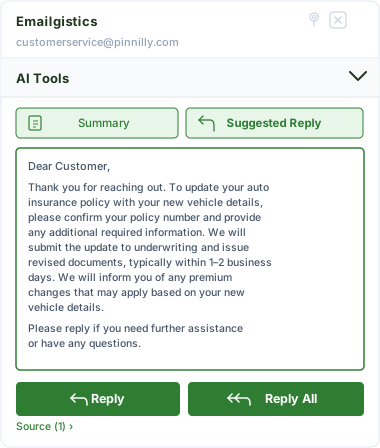
Emailgistics AI helps teams respond faster by suggesting replies and summarizing conversations, reducing handling time and supporting better SLA performance. Faster responses and clearer context help teams meet targets more consistently.
Bring accountability and visibility to email performance
See how Emailgistics helps your team track response times and meet SLA targets directly within Outlook.
Seamless and Secure
Emailgistics is SOC 2-compliant and built for Microsoft 365, allowing teams to monitor and manage email performance directly within Outlook while minimizing IT overhead and complexity.



SLA monitoring tracks how quickly emails are responded to and ensures that response time targets are met across shared mailboxes.
Emailgistics measures response times for each email from arrival through response, providing visibility into both individual and team performance.
Yes. Emailgistics highlights emails that are approaching SLA thresholds so teams can take action before deadlines are missed.
By defining response time targets and tracking performance against them, Emailgistics ensures every email is owned and handled within expected timeframes.
Manual tracking typically relies on inbox reviews or spreadsheets, which are time-consuming and prone to error. Emailgistics automatically tracks response times for every email and measures performance against defined SLA targets, providing accurate, real-time visibility without additional effort.
Yes. Emailgistics tracks response times and highlights emails that are approaching or exceeding SLA thresholds directly within Outlook. This allows teams to manage and meet SLAs without converting emails into tickets or moving to a separate platform.

Turn email performance into a measurable, manageable system
Book your personalized demo, then try Emailgistics free for 14 days to see how SLA monitoring improves response times, accountability, and team performance. No credit card required.