


Emailgistics for IT Help Desks
Every IT support email owned
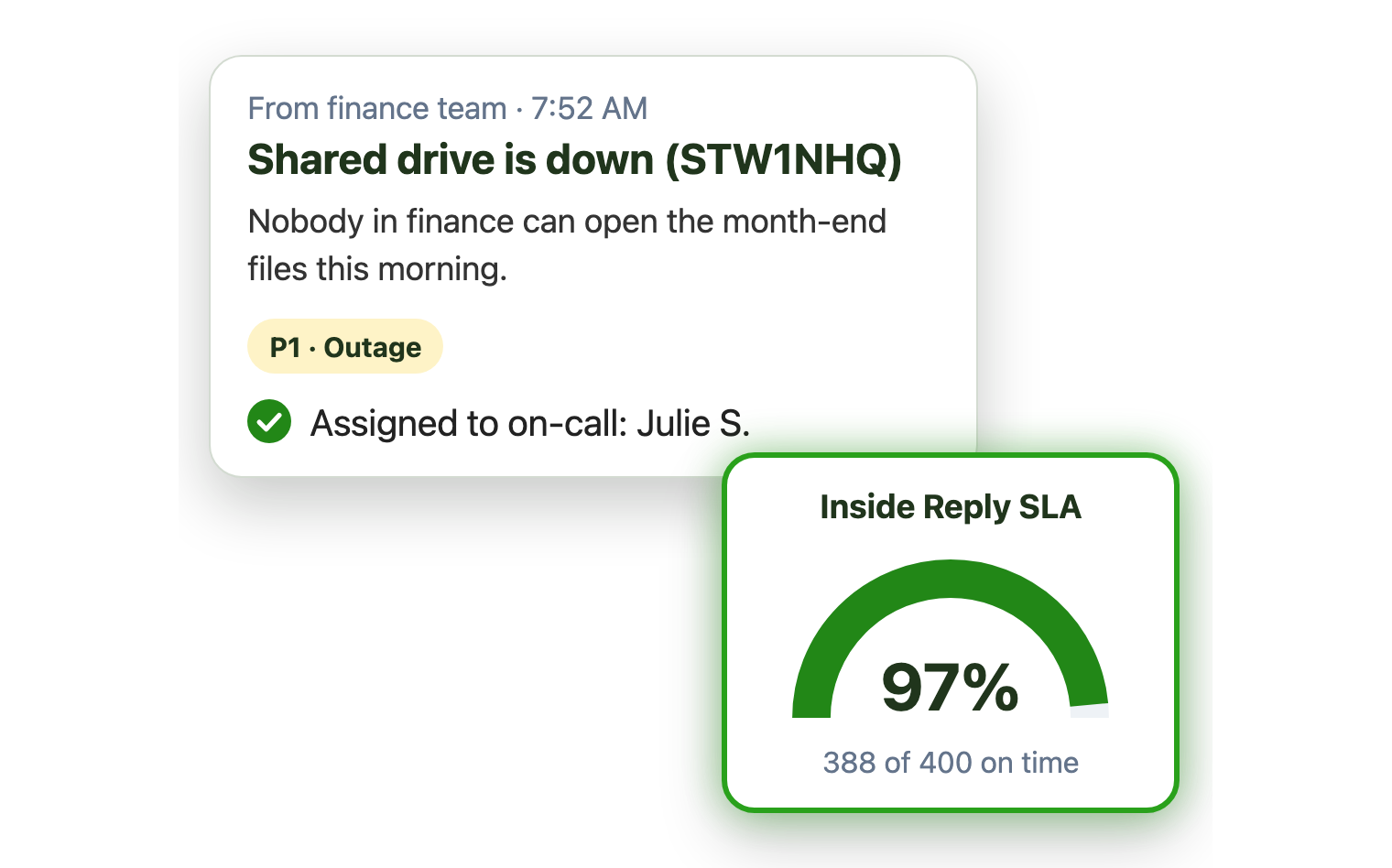
Outages, access requests and new hire setups all land in helpdesk@. Emailgistics assigns each one to a technician automatically, alerts your on-call lead about P1 issues and balances the load, inside Outlook.
-
10,000+
people use Emailgistics
-
400+
organizations rely on it
-
4.7/5
rating on G2
-
< 1 hour
to go live, no migration
How do IT teams manage a help desk shared mailbox?
Outages sit behind password resets, a few technicians get buried, and there’s no data to justify headcount. Emailgistics assigns each request automatically, alerts the on-call lead about P1 issues and reports on volume and reply times. AI summaries catch technicians up on long threads and AI replies answer how-to requests in seconds, with no ITSM rollout or portal.
-
Triage
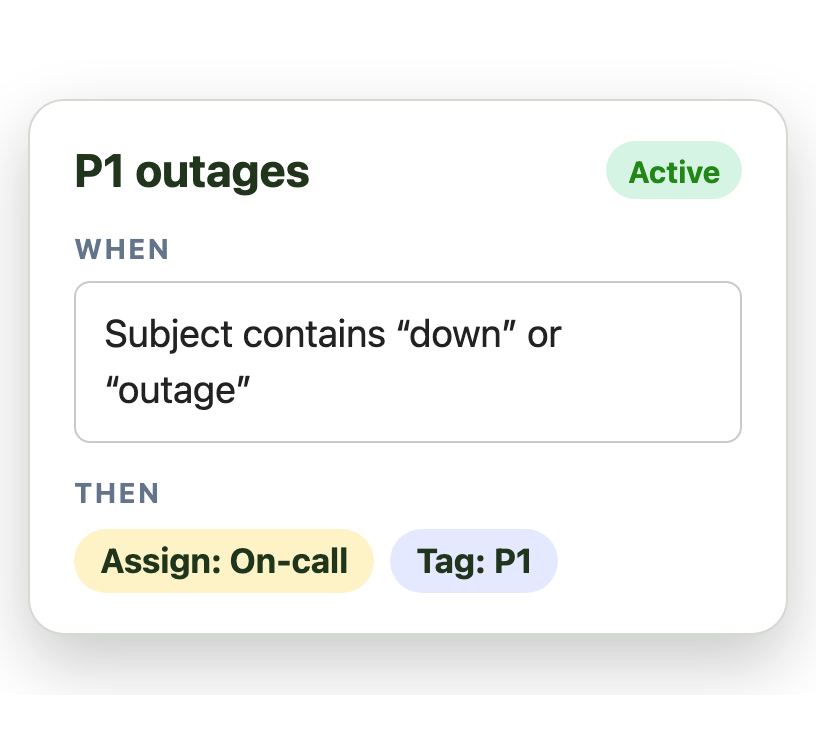
Outages reach the on-call technician first
-
Balance
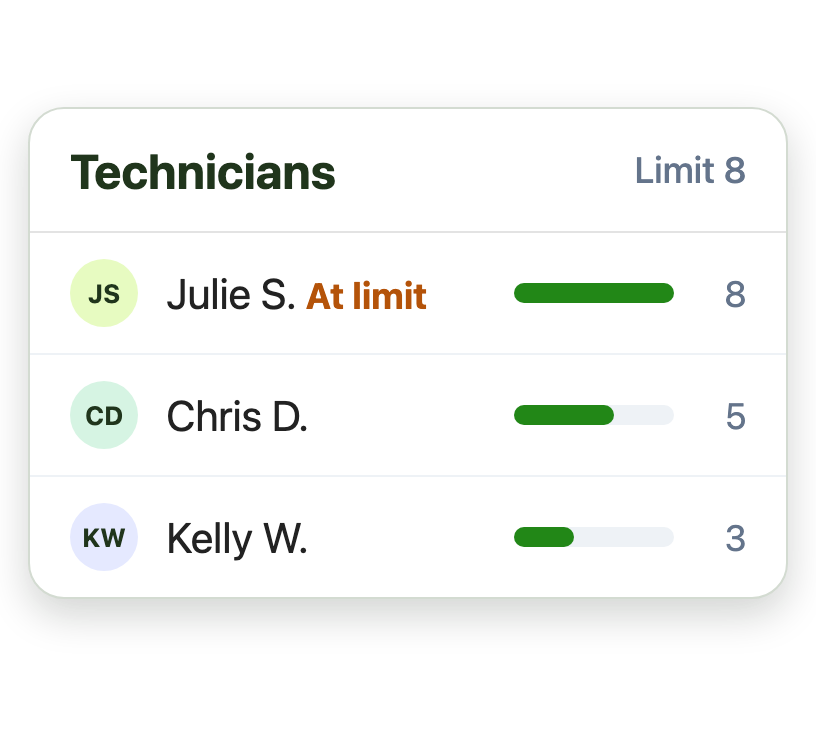
Message limits spread requests fairly across technicians
-
Measure
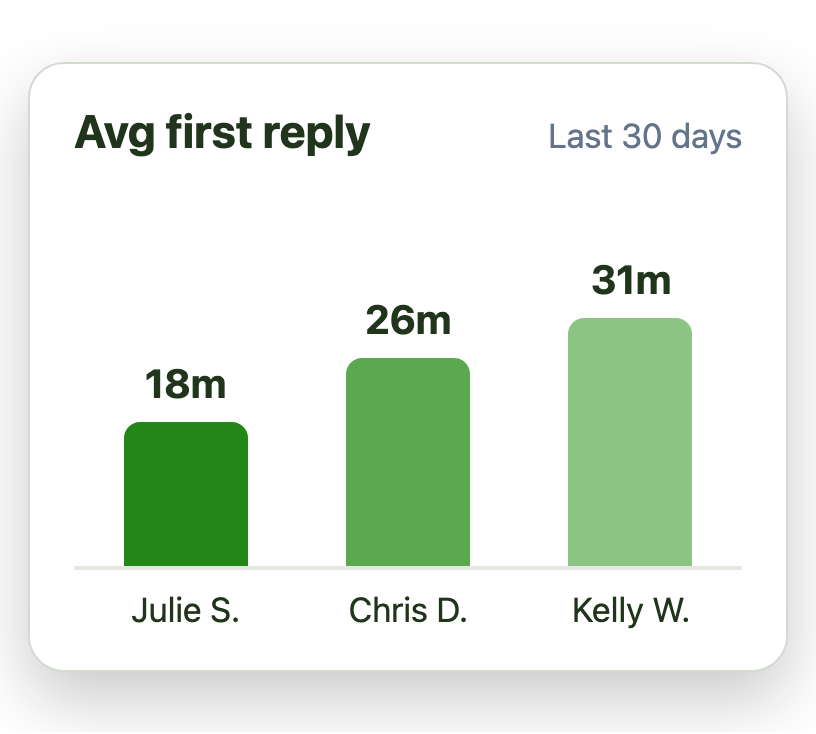
Reports show reply times by technician
Put P1 issues ahead of password resets
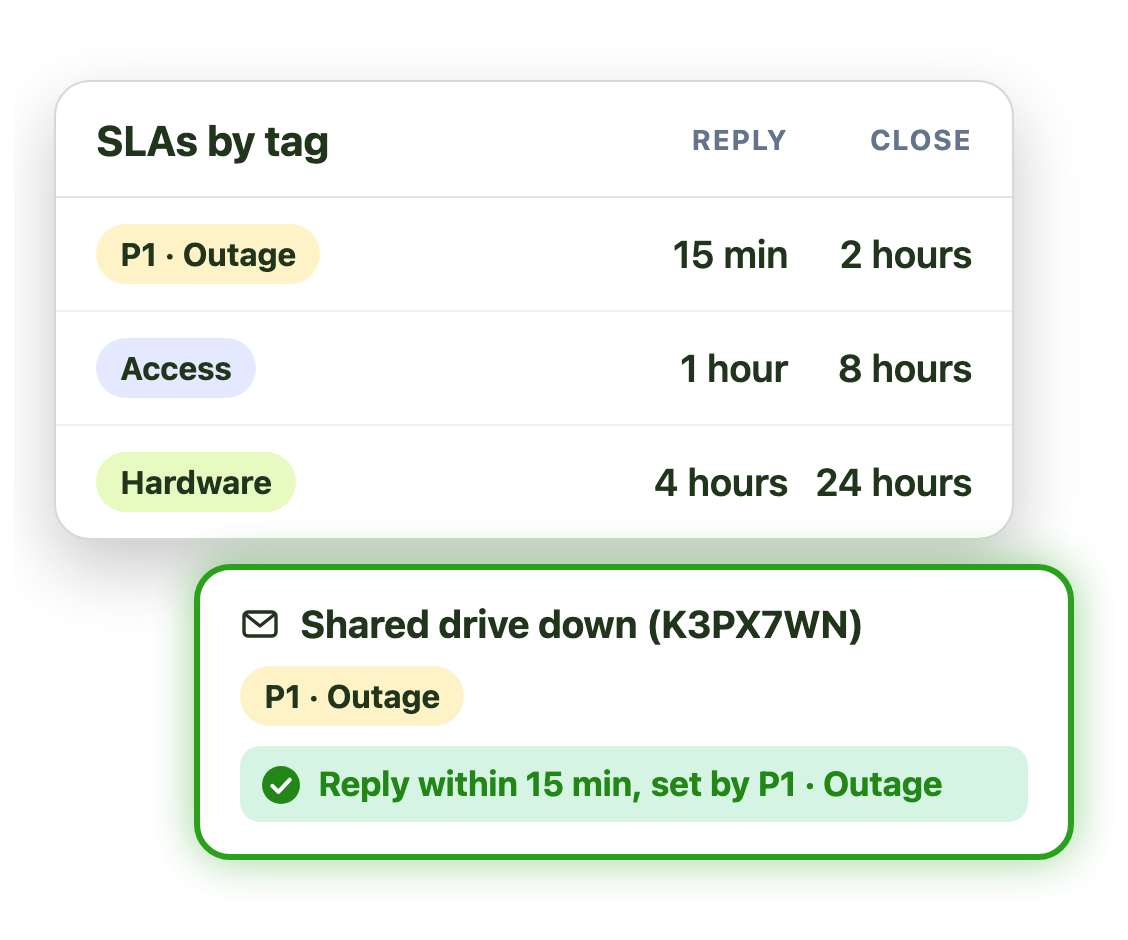
An outage can’t sit behind routine requests. SLAs by tag give each priority its own target:
- Tighter reply and close SLAs for P1 outages
- Longer targets for access and hardware
- Alerts sent to the on-call lead
Hand off requests between technicians cleanly
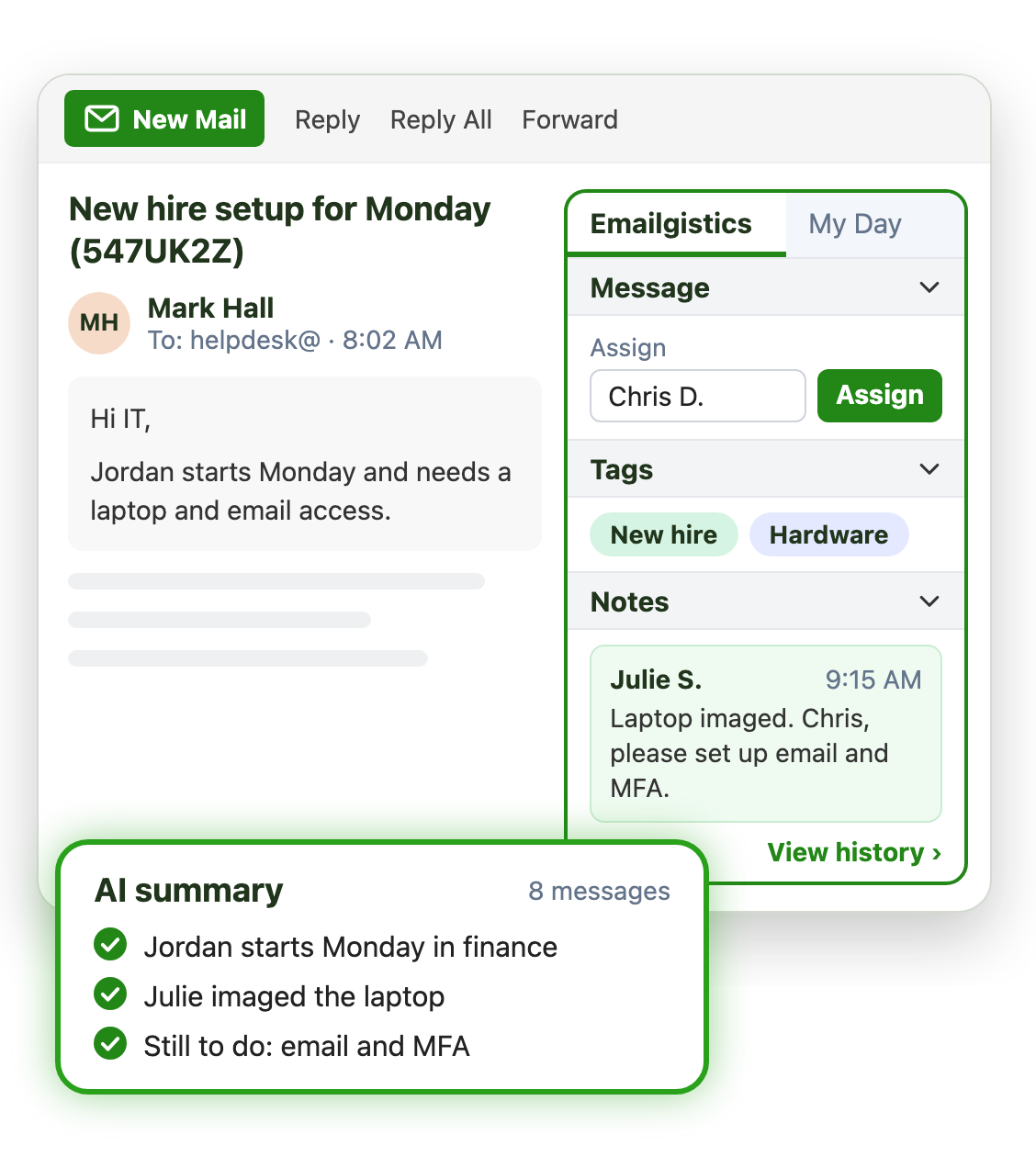
New hire setups and escalations pass between people. Conversation history shows what was done on each email, and when:
- Internal notes pass the details to the next technician
- AI summaries catch the next technician up in seconds
- User follow-ups go back to the same technician
Know what your help desk spends its time on
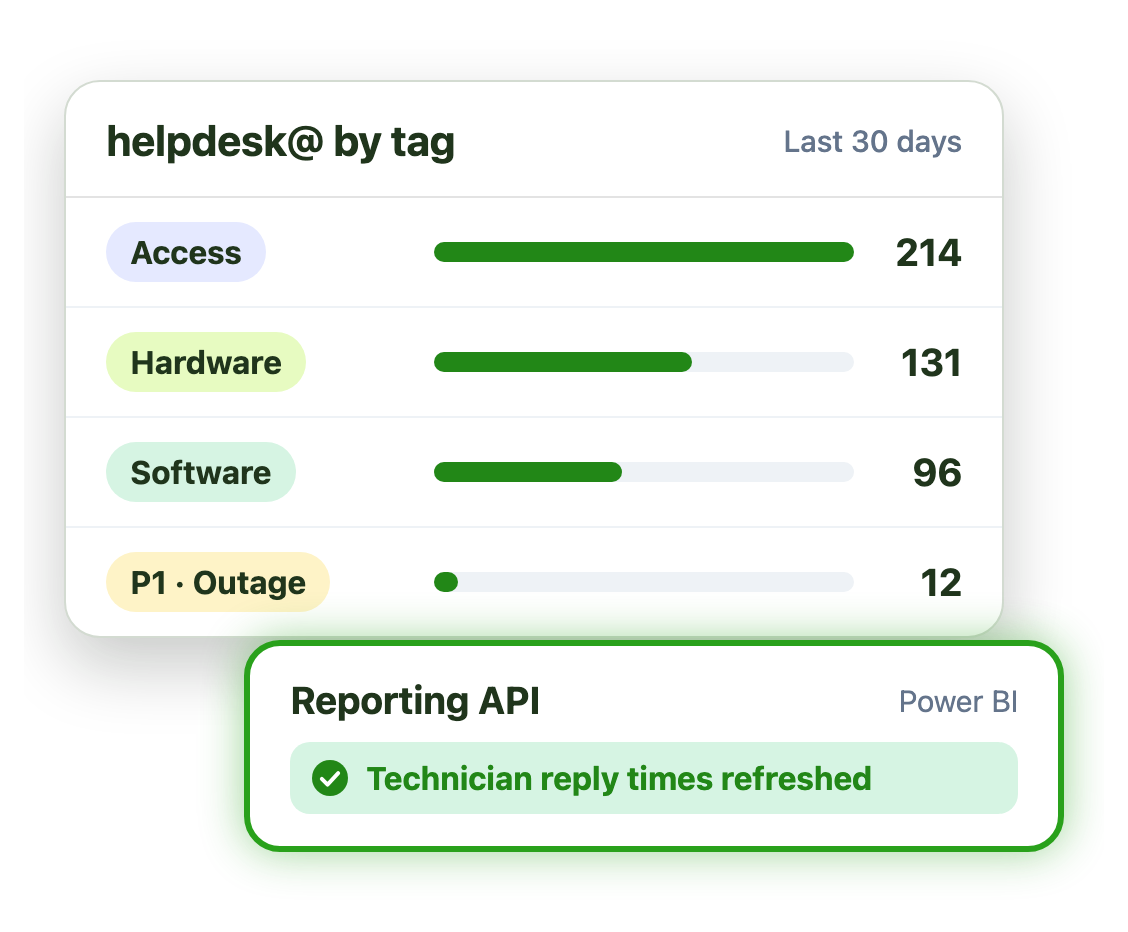
Tags turn the helpdesk@ inbox into data you can use to plan and justify headcount:
- Volume by category, such as access or hardware
- Average reply times for every technician
- The Reporting API feeds Power BI or your warehouse
Live in under an hour, with no migration
- 1 Connect your mailboxes
- 2 IT grants consent
- 3 Deploy the Outlook add-in
Plans from $11 per user per month, billed annually. Try it free for 14 days, no credit card.
Teams that run on Emailgistics
Real results from Emailgistics customers, in their own words.
-

1,000+
emails a day at peak, set up in 30 minutes or less
Read the case study“Emailgistics has completely revolutionized the way we manage our shared mailboxes.”
-

99%
of dealer emails answered within SLA, averaging about 3 hours
Read the case study“Our response time floats around the 3-hour mark, which is amazing and well-exceeds our 48-hour turnaround goals.”
-

64%
faster first replies in 13 weeks, from 13 hours to under 5
Read the case study“I like the auto routing because it takes away that decision fatigue … It just puts it in your mailbox.”
 Rated 4.7/5 on G2
Emailgistics vs. a shared mailbox alone or an ITSM tool
A shared mailbox alone has no priorities or owners. An ITSM tool brings a portal and a project. Emailgistics adds structure to helpdesk@ inside Outlook.
| Feature |  Inside Outlook | Outlook on its own | ITSM tool |
|---|---|---|---|
| Staff keep emailing helpdesk@ | Portal pushed | ||
| One owner per request | Anyone can reply | ||
| Priority alerts | |||
| Message limits | Varies by tool | ||
| Live in under an hour | Implementation project | ||
| Email stays in Microsoft 365 | Copied to another system |
Features IT help desks use most
Everything your team needs to triage, balance and answer IT requests.

Automatic assignment
Assign outages, access and hardware requests to a technician on arrival.

SLAs by tag
P1 issues get the tightest target, with alerts to the on-call lead.

Message limits
New requests skip any technician at their limit, so no one gets buried.

Schedules and on-call
Assign only to technicians on shift, with backups.

Reports and Reporting API
Volume and reply times by category, or pull them into Power BI.

AI summaries and replies
Draft answers from your IT guides in your AI knowledge base.
Many internal IT teams take requests through a helpdesk@ or it@ shared mailbox. Emailgistics routes each request to one technician, alerts the on-call lead about P1 issues and balances the load, without an ITSM rollout.
Yes. Rules tag outage email as P1 and assign it to the on-call technician. Tag alerts then email a lead if it waits more than your limit, such as 15 minutes.
pc/nametag’s IT supervisor set up the mailbox and all users in 30 minutes or less. Emailgistics connects to existing Microsoft 365 shared mailboxes, with no migration.
Access is scoped to the shared mailboxes you onboard, using a security group you control. Your Microsoft 365 admin grants consent and can revoke it at any time.
Yes. Built-in reports show volume and reply times by tag and technician, and the Reporting API lets you pull the data into Power BI.
Not for email. An ITSM tool usually means a portal and an implementation project. Emailgistics adds ownership, priorities and reporting to helpdesk@ inside Outlook.
Yes. Emailgistics is SOC 2 Type II certified and HIPAA and GDPR compliant. It works on the shared mailboxes in your Microsoft 365 tenant, so email stays in Exchange Online, and access is limited to the mailboxes you onboard.
Most teams are live in under an hour, with no migration. Book a demo, then try Emailgistics free for 14 days on your own shared mailboxes. No credit card required.
Last updated