


Emailgistics for Legal & Professional Services
Streamline operations with sophisticated email management
Automate client workflows, protect confidential information, and improve response times with Emailgistics inside Microsoft 365.
Get a Demo
Boost productivity while ensuring client data stays protected
Emailgistics helps legal and professional services firms manage sensitive client communications with structured assignment, conversation history, and SOC 2-compliant security inside Microsoft 365. Teams handle high message volumes consistently, maintain confidentiality, and track response performance without a ticketing system.

Reduce resolution time

Streamline team collaboration

Make data-driven decisions
Ensure accuracy and security in client conversations
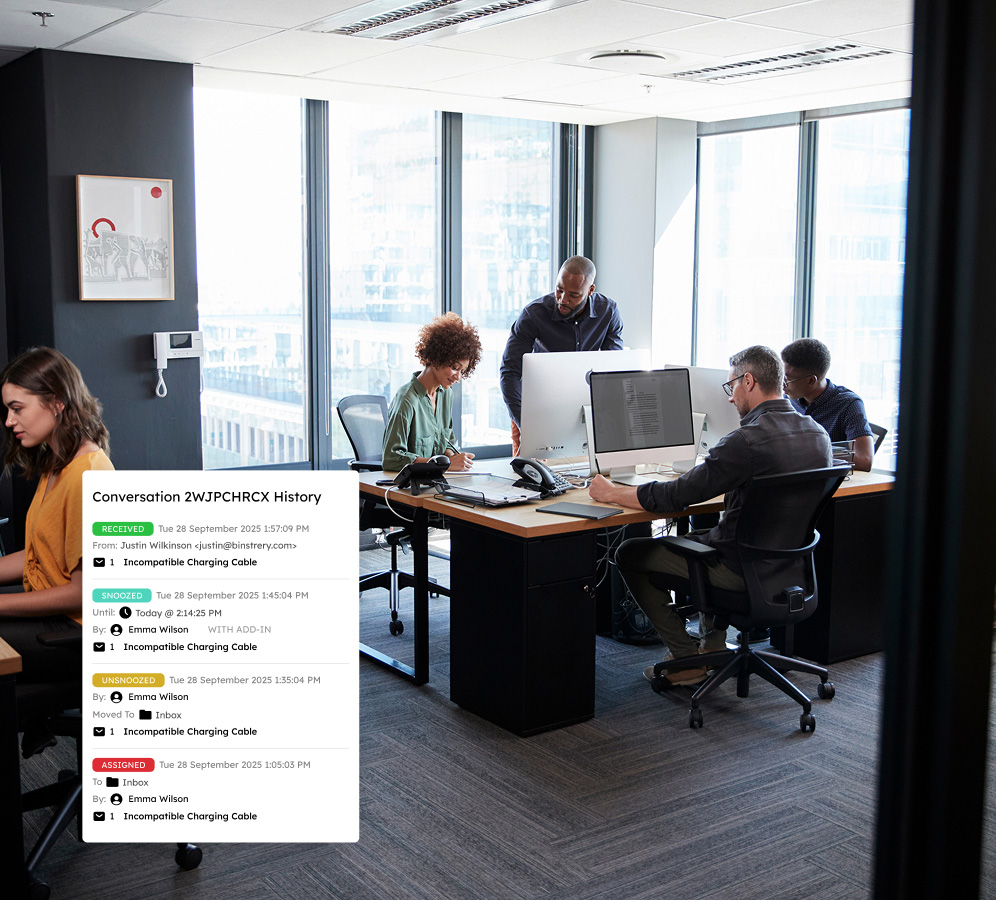
Enhance team efficiency with auto-assignment and message ownership to direct communications to the right attorneys, reducing conflicting client responses. Emailgistics' SOC 2-compliant software ensures regulatory compliance and confidentiality in client interactions.
Scale your business with automated workflows
Establish custom rules for sorting and tagging emails based on case details or client information so teams can efficiently manage high email volumes with minimal manual effort. Common communications, such as retainer agreements and billing inquiries, are accelerated with team-wide templates.

Harness powerful analytics to streamline operations
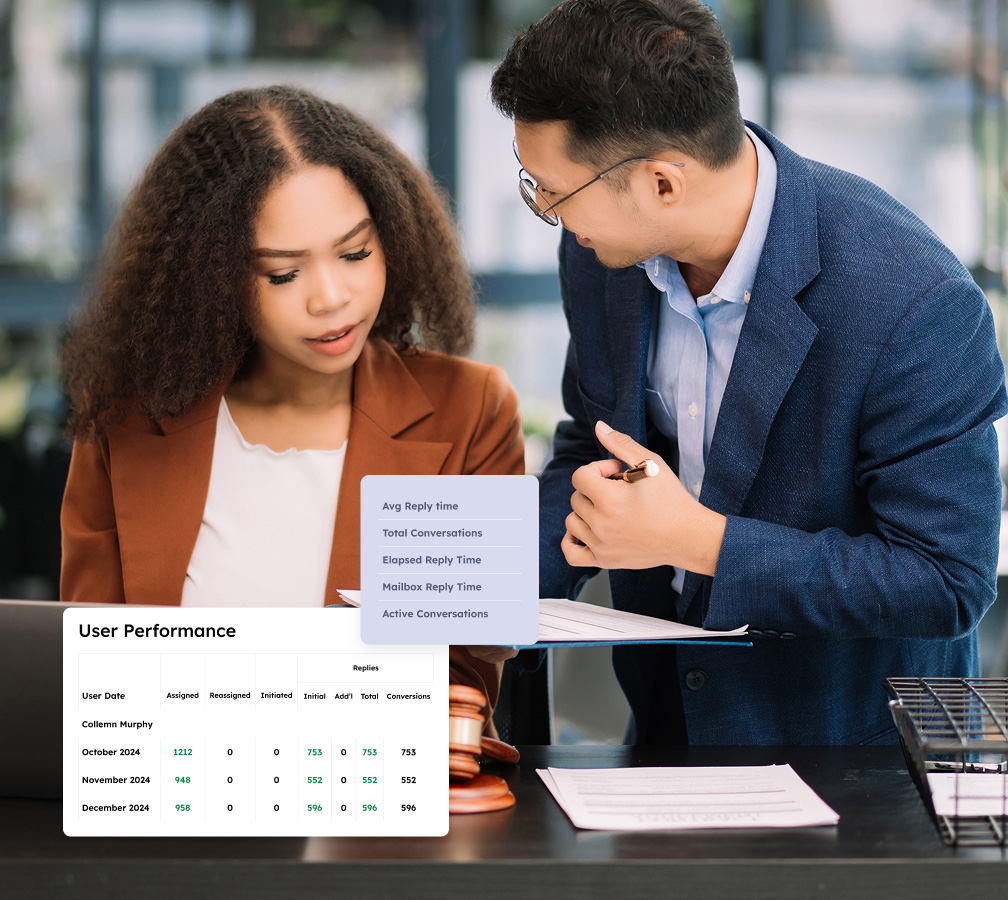
Utilize advanced analytics to gain deeper insights into your firm's communication performance. Customizable dashboards and detailed reports on email volume, response times, and SLA compliance help legal teams make informed decisions about resource allocation and workflow improvements.
Improve service quality with SLA monitoring
Maintain exceptional client service standards by proactively monitoring service-level agreements. With real-time tracking and customizable alerts, attorneys can stay informed about critical correspondence timelines, ensuring that no urgent client inquiries fall through the cracks.

Be the firm that stands out for delivering prompt and trustworthy service to clients
Book a demo addressing your industry needs, then enjoy a 14-day free trial.
Get a Demo
Essential capabilities for expanding teams to remain effective and organized
Emailgistics enriches shared inboxes with automation, teamwork features, and analytics to ensure SLA compliance with ease.

Auto-Assignment
Distribute emails using round-robin or load-balanced assignment. Round-robin cycles evenly through available staff, while load balancing factors in workload and message limits to keep assignments fair.

Priority Assignment
Handle urgent client inquiries first with rules that assign messages based on subject keywords, sender, or other criteria. High-priority emails reach the right attorney or advisor before lower-urgency ones.

Conversation History
Every action on an email, from assignment changes to replies and notes, is logged in a shared timeline visible to the whole team. This eliminates guesswork and lets colleagues pick up any thread without delay.

Notes
Leave internal notes on any email thread to coordinate responses, log client details, or flag next steps. Notes are visible only to your team in Outlook, keeping sensitive context off the email chain entirely.

Templates
Speed up replies to common requests like retainer inquiries or billing questions with pre-written templates. Templates are managed centrally so edits apply team-wide and messaging stays consistent.

Tags
Classify emails by matter type, client, or urgency using tags applied manually or via rules. Tags sync with Outlook categories for easy filtering, and tagged data feeds into reporting for workflow analysis.

Alerts
Get notified when emails go unanswered past a set threshold or unassigned backlogs build up. Alerts respect business hours and availability so your team is prompted to act at the right time.

Analytics
Track response times, email volume, and workload to spot bottlenecks before they affect client service. Customizable dashboards surface key KPIs, helping teams make informed staffing and process decisions.

Reports
Generate reports on email volume, response times, and SLA compliance using User Closed Counts and Initial Reply Counts. Schedule exports to review trends, adjust staffing, and show performance to leadership.

AI-assisted email handling
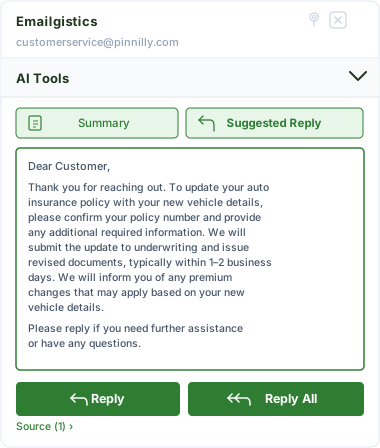
Emailgistics AI helps teams respond faster and more consistently by suggesting replies based on approved knowledge sources and summarizing conversation threads. This reduces response time, improves accuracy, and supports smoother handoffs between team members.
Your ally in delivering outstanding service
Emailgistics helps your team become more efficient, organized, and dedicated to delivering outstanding customer experiences.

"Emailgistics has been essential in organizing our legal communications. It's easier than ever to find important emails from clients and partners."
Check out our 5-star reviews on G2
Emailgistics assigns every client email to a specific team member, maintains a full conversation history, and supports internal notes, ensuring legal teams respond accurately and avoid duplicate or missed replies.
Emailgistics operates entirely within Microsoft 365 and is SOC 2-compliant. It does not store email content externally, and all access controls are managed through existing Microsoft 365 permissions.
Yes. Automatic assignment routes new messages to the right team member on arrival, and workload balancing ensures no one person is overwhelmed, reducing response delays across the team.
Emailgistics can be configured per shared mailbox, allowing different practice areas or teams to have their own assignment rules, SLA targets, and reporting dashboards within the same Microsoft 365 environment.
Yes. Reporting dashboards and analytics in Emailgistics provide visibility into response times, email volume, and team performance, helping firms identify bottlenecks and prove service levels to clients with hard data.
Emailgistics is built for Microsoft 365 and works inside Outlook. It does not require separate integrations or additional software, making it straightforward to deploy for legal and professional services teams.

Accelerate communication, improve team productivity, and deliver outstanding customer service
Book your custom demo of Emailgistics, then enjoy a 14-day free trial–no credit card required.