


Team Email Management for Outlook
Bring structure and ownership to shared mailboxes
Emailgistics transforms Outlook shared inboxes into structured team email management workflows with automatic assignment, workload balancing, and full visibility.
Get a Demo
Team email management doesn't need to break down at scale
Emailgistics gives every email in your Outlook shared mailbox a clear owner by automatically assigning, routing, and tracking conversations. Teams eliminate manual triage, prevent duplicate replies, and maintain full accountability without leaving Microsoft 365.
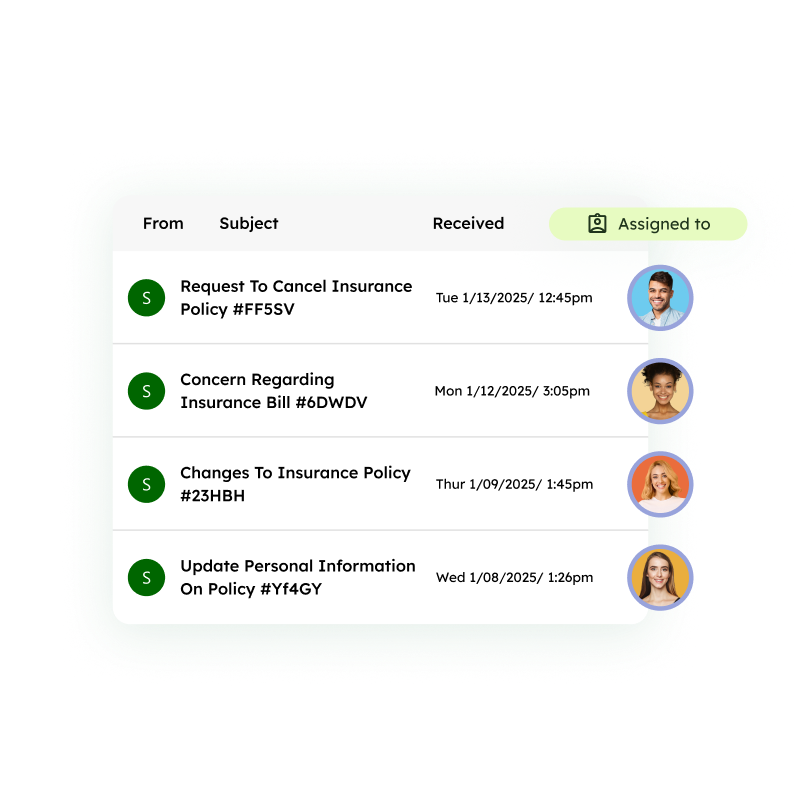
Reduce response times with automatic assignment
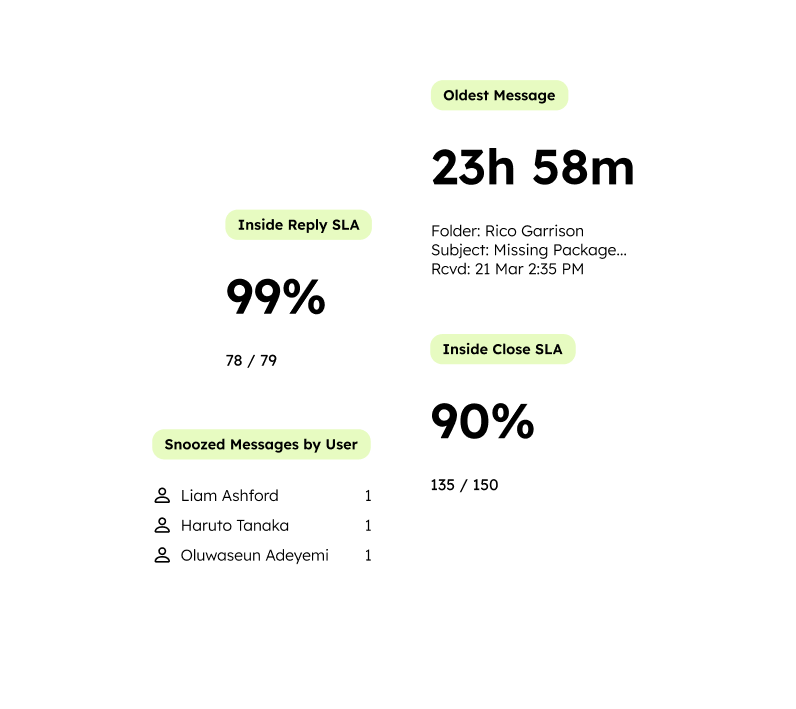
Align teams with shared visibility
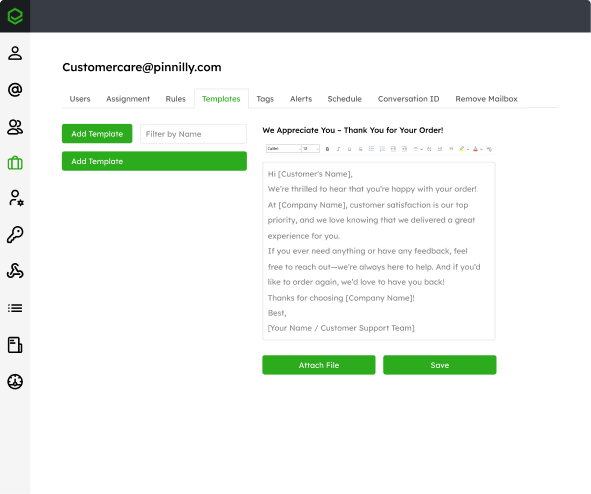
Deliver consistent customer experiences across your team
Stop emails from being missed, duplicated, or delayed
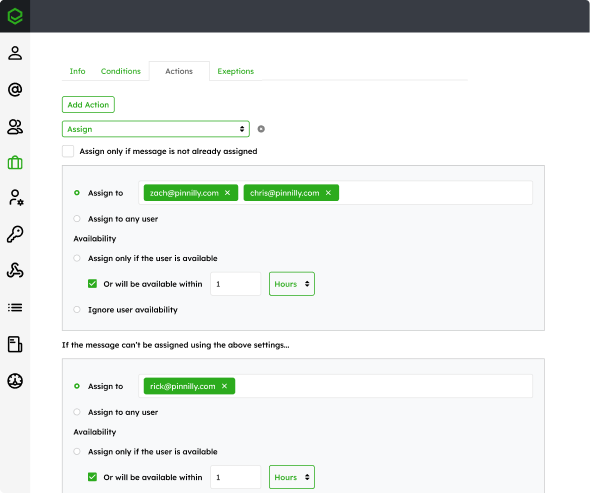
Shared mailboxes become difficult to manage when responsibility is unclear. Messages are missed, duplicated, or delayed because no one owns the conversation. Emailgistics ensures every email has a clear owner, making responsibility visible directly in Outlook. This sets the foundation for scalable team email management.
Centralize conversations and collaborate without losing context
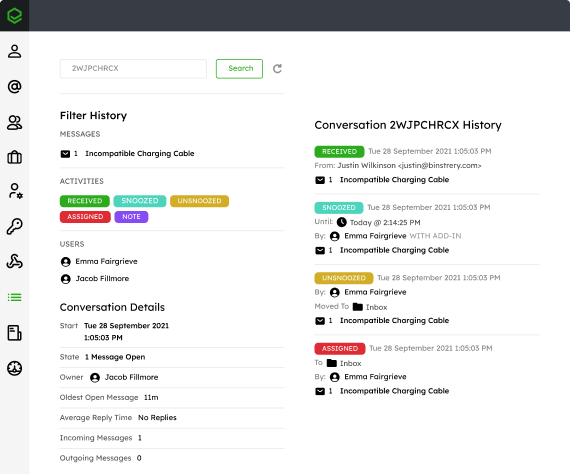
Forwards and CC chains slow teams down and fragment communication. Emailgistics keeps collaboration inside Outlook with internal notes, a complete conversation history, and instant reassignment so teams can coordinate seamlessly, while avoiding the friction of jumping between external messaging apps and their inbox.
Standardize responses while maintaining flexibility
Inconsistent replies and repetitive typing reduce both efficiency and quality. Emailgistics provides centrally managed templates that help teams respond faster while maintaining consistent messaging. Teams can standardize their communication without sacrificing the flexibility needed for personalized service.
“Holding people accountable is the biggest thing. Now I can put the burden back on the employees that are in charge of those specific areas.”

JTF Gov cut first-reply times by 64%, from 13 hours to under 5, in 13 weeks with Emailgistics
 Rated 4.7/5 on G2
Features that bring structure to shared mailboxes
Emailgistics provides the controls teams need to manage assignment, balance workloads, and maintain consistent coverage across shared mailboxes.

Assignment control
Round-robin and workload balancing keep email loads even. Previous-owner routing reconnects customers with their rep, and availability scheduling ensures messages only reach agents who are online and ready.

Routing and prioritization
Condition-based rules route each email to the right person or queue by sender, subject, or criteria. Priority tiers surface urgent messages first so your team handles what matters most, not manual inbox triage.

Workflow organization
Tags and categories let teams label conversations by topic, client, or status. Snooze hides a thread until it becomes actionable, making follow-ups easier to track and preventing emails from getting buried.

AI-assisted email handling
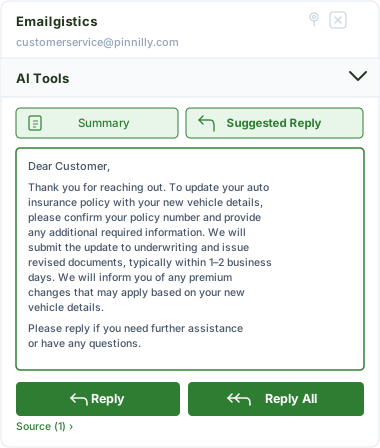
Emailgistics AI helps teams respond faster and more consistently by suggesting replies based on approved knowledge sources and summarizing conversation threads. This reduces response time, improves accuracy, and supports smoother handoffs between team members.
Bring accountability and speed to shared mailbox email
See how Emailgistics brings structure, accountability, and speed to shared mailboxes in Outlook.
Seamless and Secure
Emailgistics is SOC 2-compliant and built for Microsoft 365, allowing teams to manage shared mailboxes directly within Outlook while minimizing IT overhead and complexity.



Team email management is the process of organizing, assigning, and responding to emails in shared mailboxes so that every message has a clear owner and is handled efficiently within Outlook.
Emailgistics automatically assigns emails using configurable rules, round robin distribution, and previous-owner routing. This ensures consistent ownership and reduces manual triage.
Emailgistics keeps collaboration inside Outlook with internal notes, conversation history, and reassignment. Teams can coordinate without forwarding emails or losing context.
Yes. Emailgistics uses scheduling, availability settings, and message limits to balance workloads and ensure emails are distributed evenly across the team.
Outlook shared mailboxes provide basic access and visibility, but they do not include structured assignment or ownership. Teams often rely on manual processes, which can lead to missed or duplicate responses. Emailgistics adds automatic assignment, workload balancing, and clear ownership, allowing teams to manage shared mailboxes with consistency and accountability directly within Outlook.
Not necessarily. Help desk platforms introduce ticketing systems and require teams to leave Outlook, which can add complexity and slow adoption. Emailgistics is designed specifically for shared mailbox management within Microsoft 365, allowing teams to maintain their existing workflows while adding structure, visibility, and control.

Turn your shared mailbox into a structured team email management workflow
Book your demo, then try Emailgistics free for 14 days to see how it improves response times, accountability, and performance. No credit card required.