


Emailgistics for Finance & Insurance
Streamline email management for sensitive data
Organize client communications, secure financial data, and expedite responses with Emailgistics for finance and insurance professionals inside Microsoft 365.
Get a Demo
Enable your team to manage confidential information seamlessly
Emailgistics helps finance and insurance teams manage time-sensitive client communications with automatic assignment, secure conversation tracking, and performance analytics inside Microsoft 365. Teams stay responsive to client needs while maintaining the security and compliance standards the industry requires.

Reduce resolution time

Streamline team collaboration

Make data-driven decisions
Ensure precision and security in client communication
Streamline email management by intelligently assigning emails to the right team members based on their expertise in matters such as policies or payments, while guaranteeing the security of client information with Emailgistics' SOC 2-compliant software.
Close deals faster with automated workflows
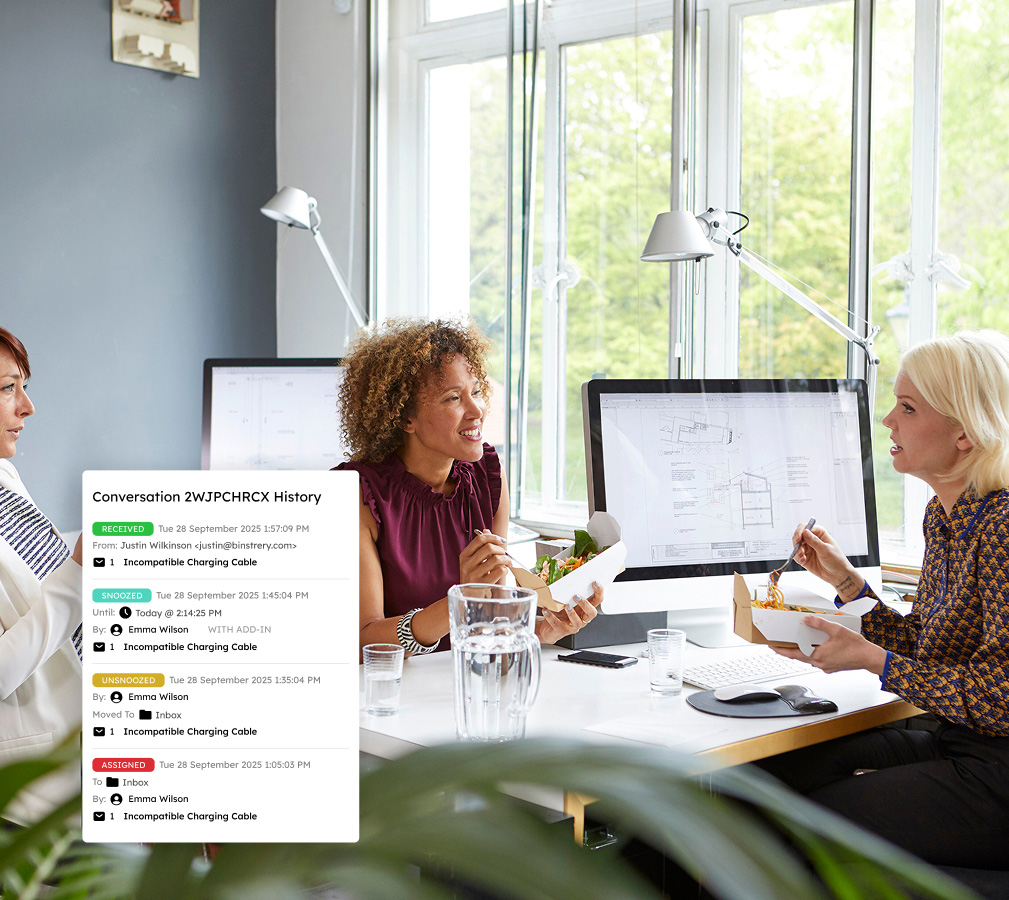
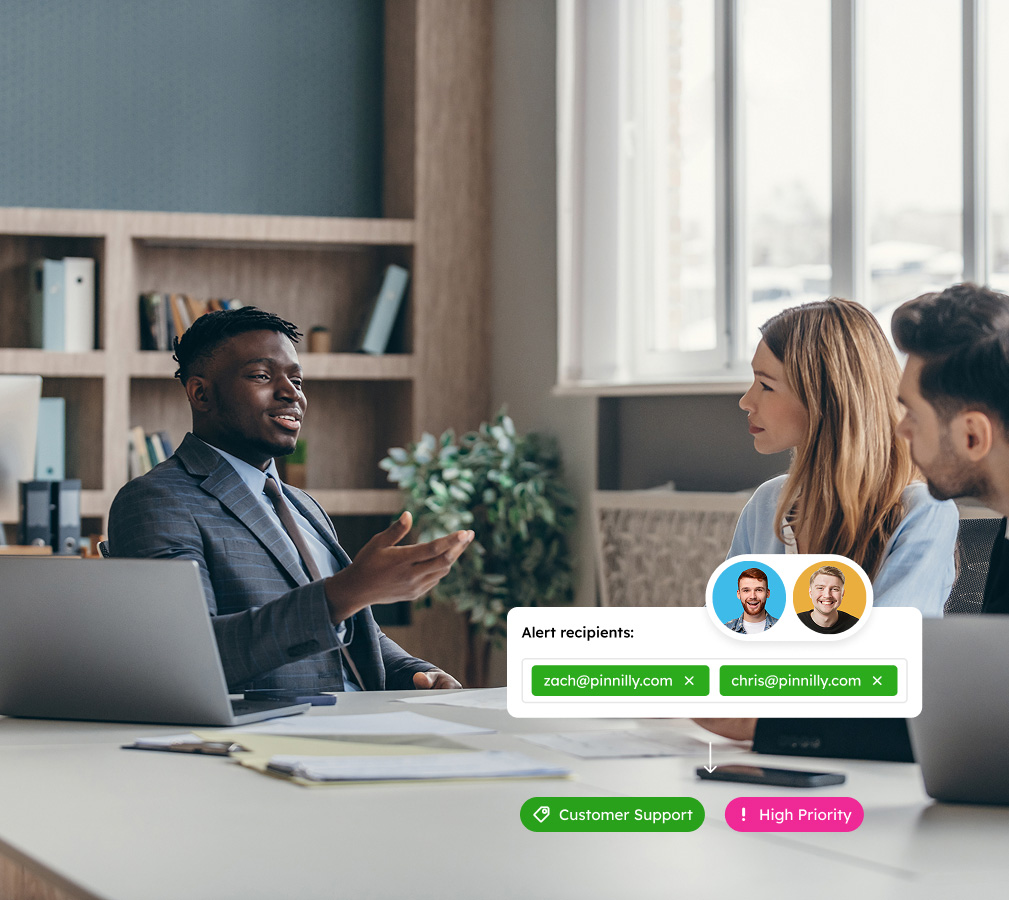
Utilizing tags and customizable rules to prioritize and route urgent matters, teams can efficiently manage high email volumes with minimal manual effort. Accelerate responses to payment inquiries and quote requests with team-wide templates, enhancing efficiency in client acquisition.
Leverage analytics for continuous service improvement
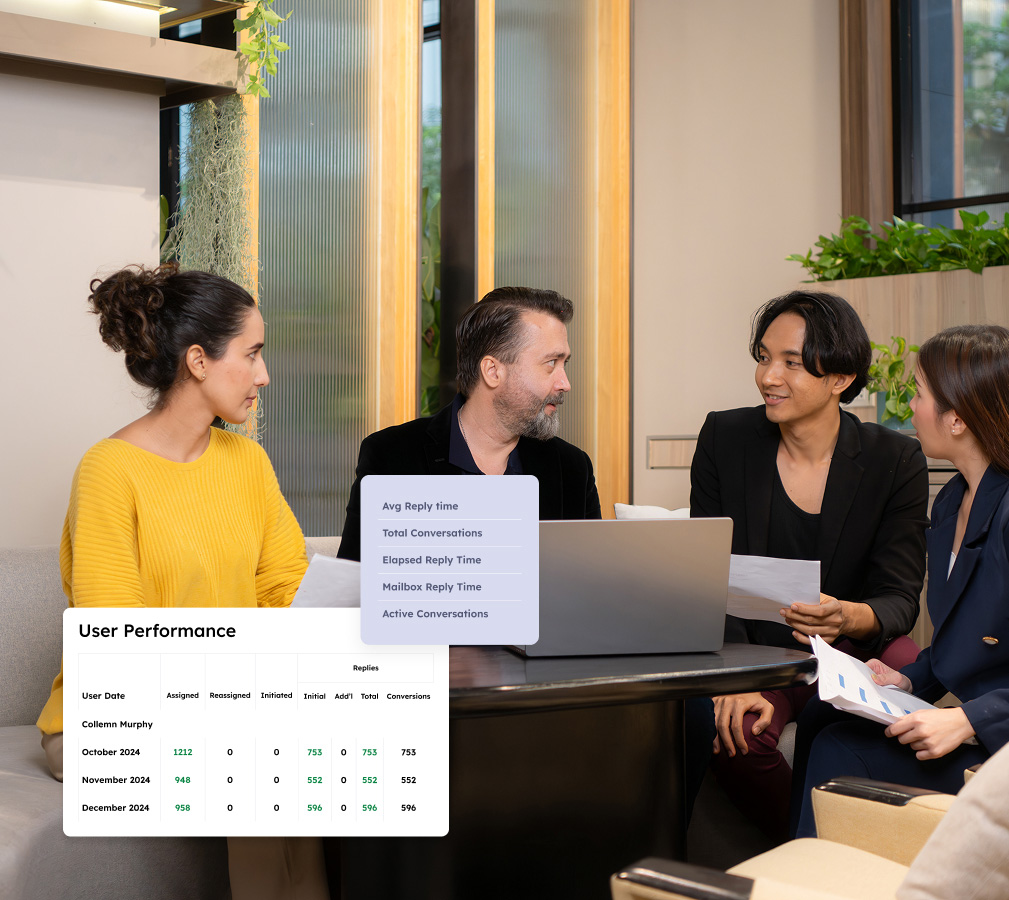
Access in-depth reporting and analytics to track KPIs such as response times, quote turnaround rates, and email volumes. These insights empower your team to refine processes and align services with client expectations in the finance and insurance spheres.
Monitor and enforce SLA compliance
Keep your service-level agreements on track with Emailgistics' real-time monitoring. Get instant alerts for unassigned messages or approaching deadlines, ensuring adherence to compliance requirements and timely resolution of client inquiries.

Respond faster in the competitive finance and insurance marketplace
Book a demo tailored to your unique needs, then enjoy a 14-day free trial.
Get a Demo
A complete suite of features for fast-paced teams to remain organized and efficient
Emailgistics transforms shared inboxes with automation, collaboration enhancements, and analytical insights to meet your SLAs effortlessly.

Auto-Assignment
Emails are distributed via round-robin or load-balanced routing. Load balancing considers each user's availability and message cap, so no one is overloaded and every inquiry reaches someone who can respond.
Assign-to-Previous-Owner
Each new message is automatically routed to the agent who last handled that conversation. This prevents conflicting replies, preserves relationship continuity, and cuts the time spent briefing a new agent.
Backup Assignees
When a team member is unavailable, emails are rerouted to a designated backup. This keeps urgent inquiries moving without manual intervention, so no message stalls for someone out of office or at capacity.

Conversation History
Every action on a message, from assignment to tagging and closure, is logged in an audit trail. Teams can review this history to maintain continuity, resolve disputes, and meet documentation requirements.

Notes
Private notes let teammates coordinate on a thread without sending external emails. Log client context, flag action items, or hand off work, without the compliance risks of forwarding sensitive financial data.

Analytics
Real-time dashboards surface bottlenecks, backlogs, and workload imbalances as they develop. Teams monitor KPIs like response times, volumes, and resolution rates, then act to improve throughput and service.

Reports
Scheduled and on-demand reports show volume, response times, and closure counts by user or team. SLA and compliance reports give managers a view of service levels to adjust staffing before issues escalate.

Top-Tier Compliance
Built to meet SOC 2, GDPR, and HIPAA standards, all data is processed in Microsoft 365 without external storage. Security controls, access logs, and certifications give finance teams a defensible audit trail.

Alerts
Customizable thresholds notify managers when messages go unanswered or backlogs exceed acceptable limits. Alerts respect business hours and availability, so the right person is notified at the right time.

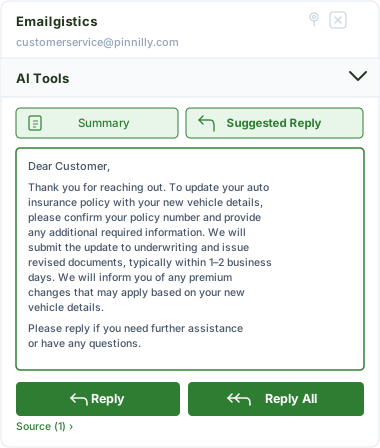
AI-assisted email handling
Emailgistics AI helps teams respond faster and more consistently by suggesting replies based on approved knowledge sources and summarizing conversation threads. This reduces response time, improves accuracy, and supports smoother handoffs between team members.
Committed to your customer success journey
Streamline your customer interactions with Emailgistics—ensuring responsive, organized, and extraordinary service.

“As someone who manages a team of 25 people, it’s become much easier for me to know and see everything and, as a result, deal with situations more effectively.”
“The rules have saved not only our time, but they have saved time for other teams as well. Processes that previously took multiple people and a long time have now been cut down with Emailgistics rules.”
Check out our 5-star reviews on G2
Emailgistics adds automatic assignment, workload balancing, and conversation tracking to Outlook shared mailboxes, ensuring every client email has a clear owner and is handled on time.
Yes. Emailgistics is SOC 2-compliant and GDPR-ready, operating entirely within Microsoft 365 without storing email data externally. This makes it suitable for finance, insurance, and regulated industries.
Yes. SLA monitoring in Emailgistics tracks response times against defined targets and sends alerts when deadlines approach, helping financial services teams maintain compliance and client satisfaction.
Automatic assignment and workload-balancing rules distribute emails across available team members as they arrive, preventing bottlenecks and ensuring consistent handling regardless of volume.
Yes. Emailgistics is built for Microsoft 365 and operates directly inside Outlook, so financial services teams can manage shared mailboxes without switching tools or changing existing workflows.
Help desk platforms introduce ticketing systems that require teams to leave Outlook. Emailgistics adds assignment, tracking, and analytics directly inside Microsoft 365, keeping workflows familiar and reducing adoption friction.

Streamline your email efficiency, boost team performance, and win over customers
Book your customized demo of Emailgistics and try a 14-day free trial–no credit card required.