


















Assign shared mailbox email automatically
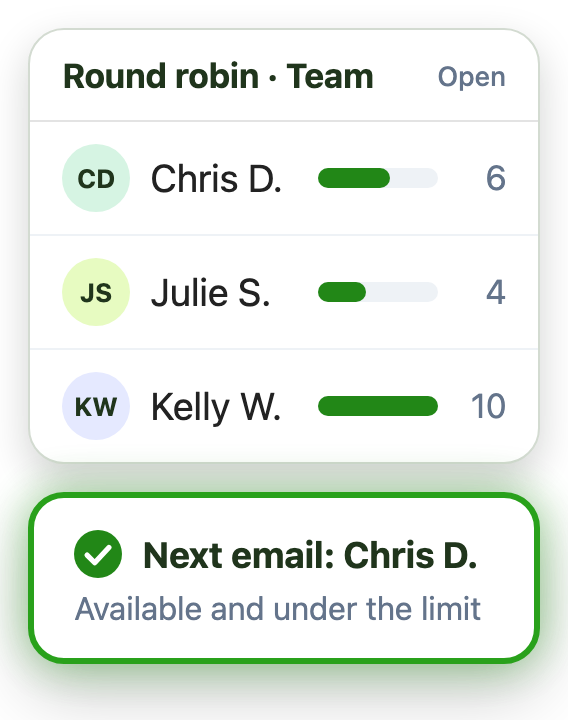
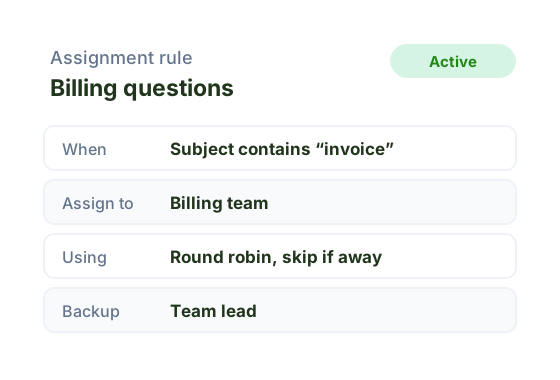
Automation assigns each email to one owner by sender, subject or keyword, using round robin, availability and message limits.
Explore team email managementManage the inbox
Structure and ownership for shared mailbox email
Automate routing, assignment, and prioritization
AI summaries and suggested replies in Outlook
Measure and deploy
Track response times and meet SLA commitments
Real-time dashboards and performance metrics
Deploy on existing shared mailboxes, no migration
Learn
Shared mailbox tips and how-tos
Videos and guides for Emailgistics
Our shared mailbox framework
Evaluate
Real results from our customers
Emailgistics vs. other tools
See what your team could save
One owner for every shared mailbox email
Emailgistics routes every shared mailbox email to one owner, alerts managers when an SLA is missed, and reports on team performance, all inside the Outlook your team already uses. No migration, and most teams are live in under an hour.
14-day free trial after your demo. No credit card required.
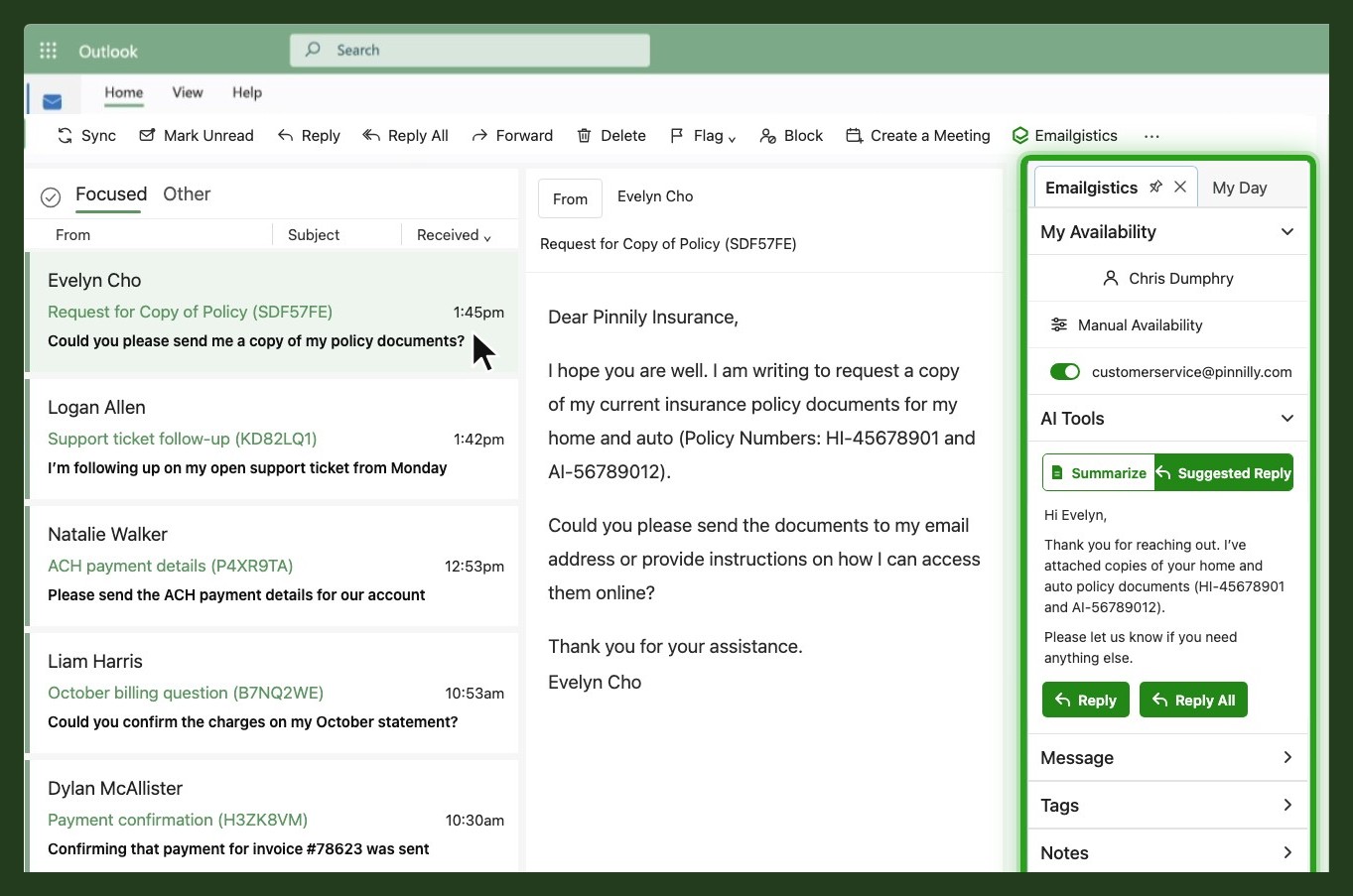
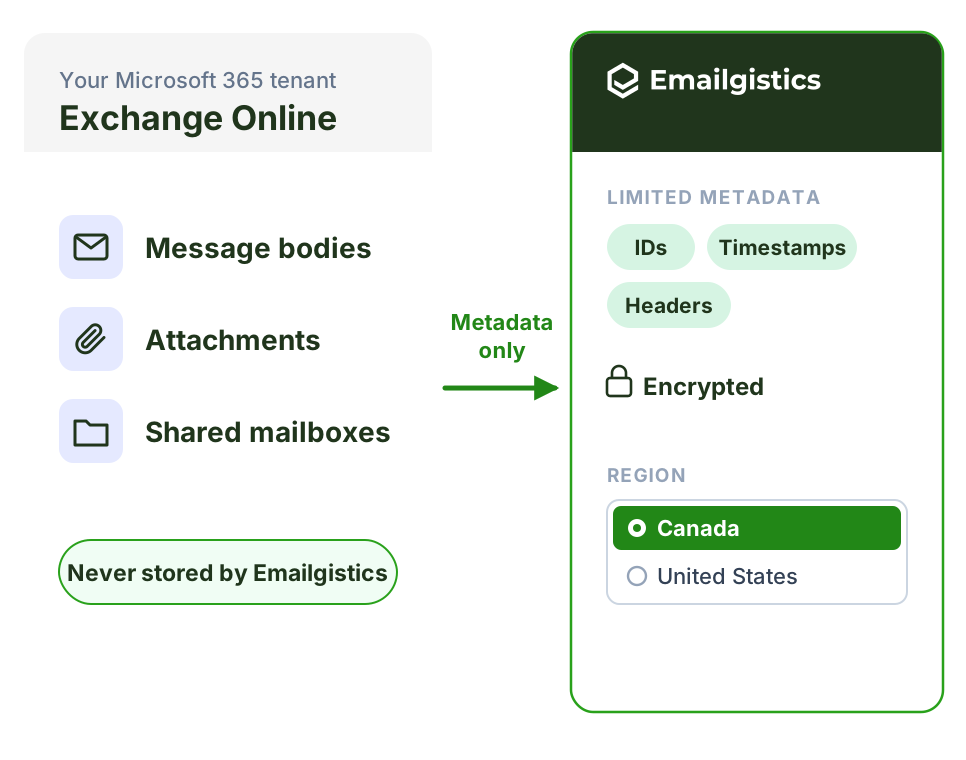
Emailgistics is the Outlook-native shared inbox for Microsoft 365. It adds automatic assignment, SLA alerts and reporting to the shared mailboxes you already have, so every email has one owner and nothing is missed or answered twice. There is nothing to migrate: message bodies stay in Exchange Online and your team keeps working in Outlook.
Customer support, IT help desks, operations and sales teams use the same three steps to turn a busy shared mailbox into an accountable team inbox.
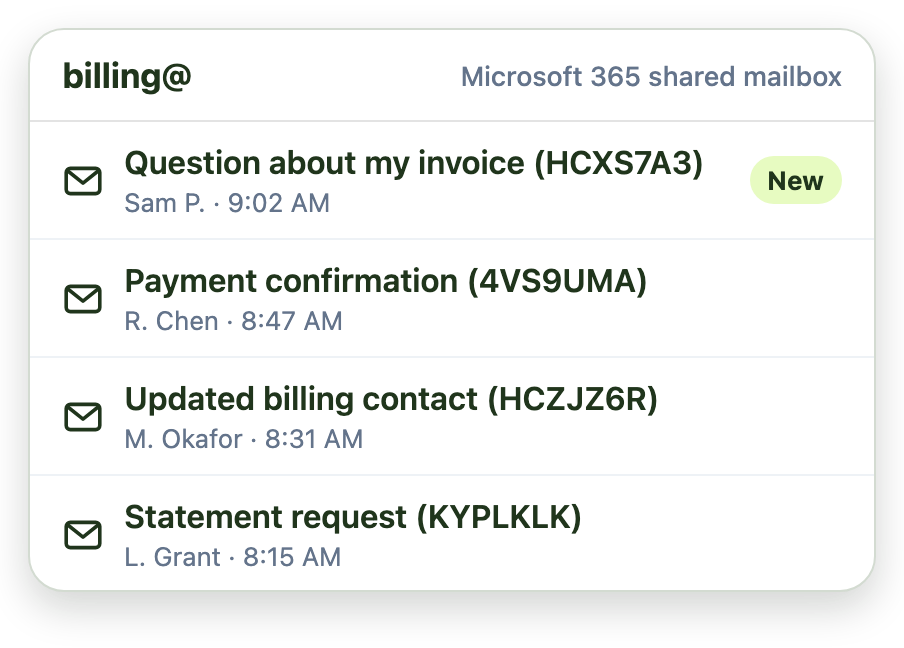
Nothing changes for senders. Email lands in the same Microsoft 365 shared mailbox, and message bodies stay in Exchange Online.
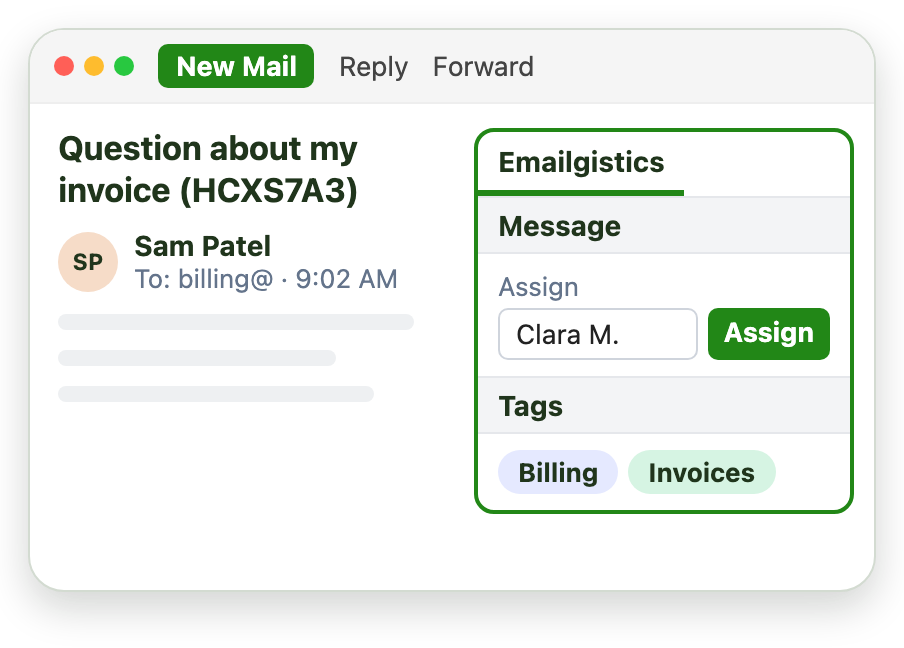
Automation assigns each email by round robin or load balancing, using availability and message limits, so every email has exactly one owner.
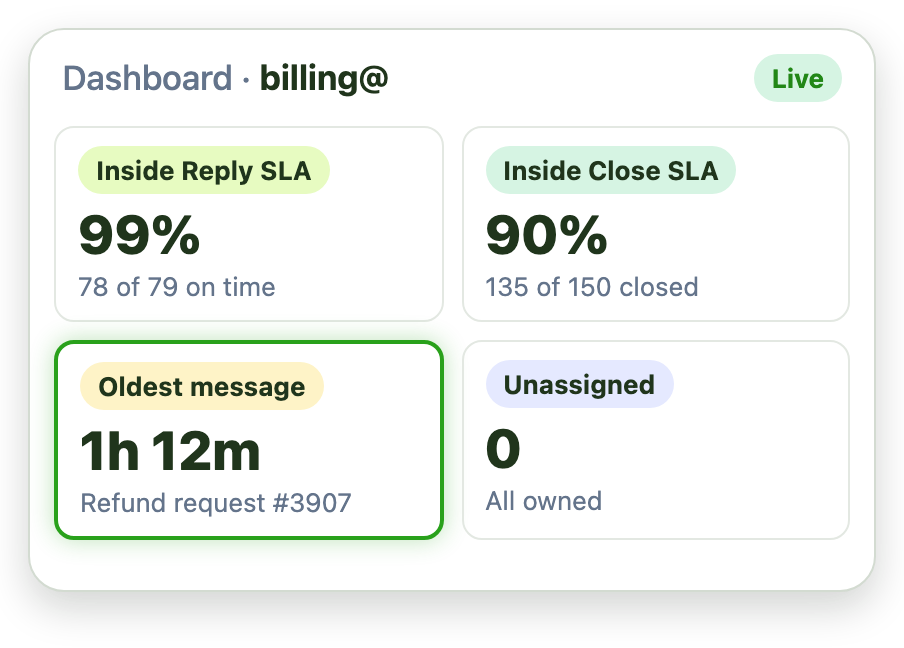
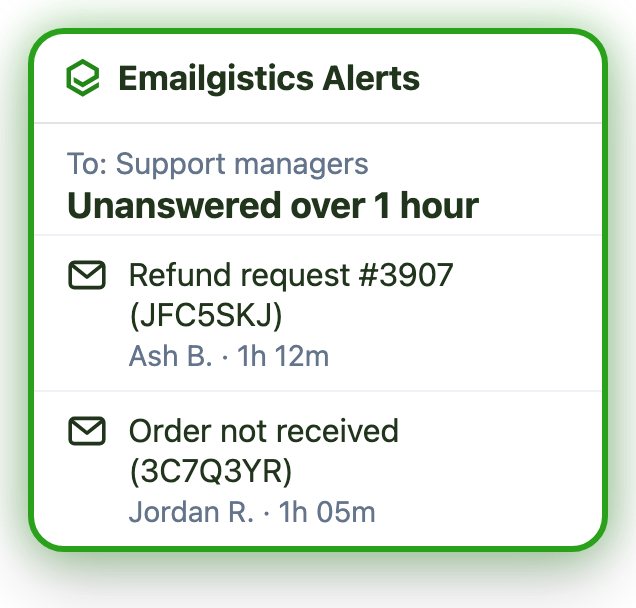
Managers get an alert as soon as a reply runs late, and dashboards show response times and volume by person and team.
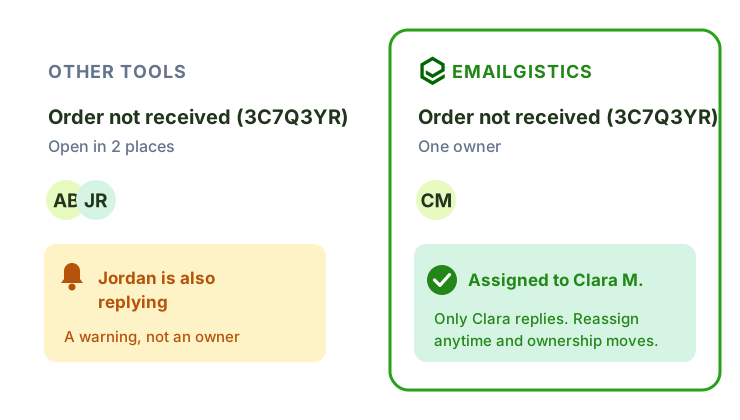
Most shared inbox tools rely on collision detection. They warn you when two people open the same email and hope one of them backs off.
Emailgistics routes every email to exactly one owner, so there is nothing to collide. Only the owner replies, and if plans change, reassign the email and ownership moves with it.
Four capabilities, one add-in. Each works on the shared mailboxes you already have, with nothing new for your team to learn.
Automation assigns each email to one owner by sender, subject or keyword, using round robin, availability and message limits.
Explore team email management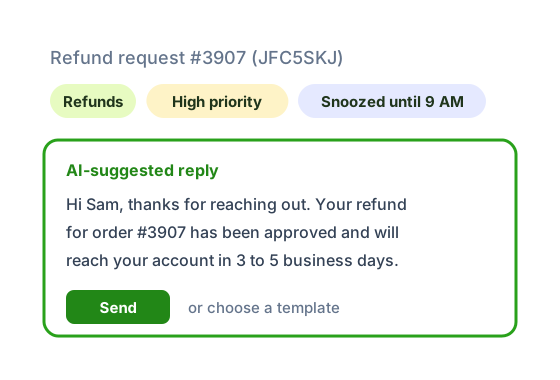
Tag, prioritize and snooze email automatically, then reply faster with shared templates and AI replies from your content.
Explore workflow automation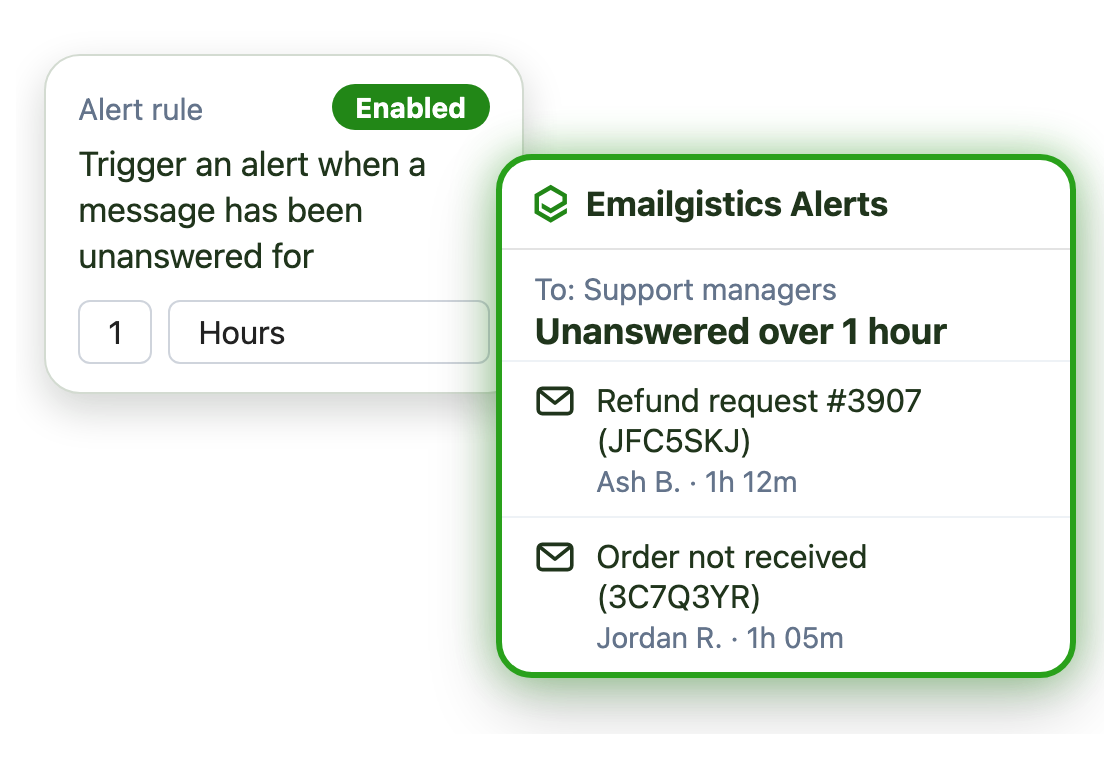
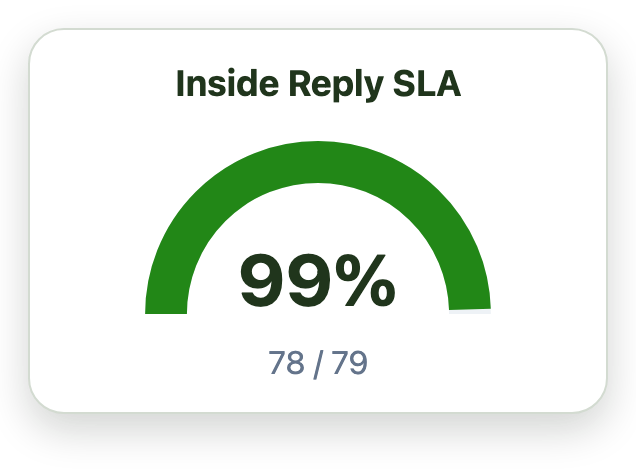
Set reply and close targets for each mailbox and priority tag. Managers get an email alert as soon as a message misses one.
Explore SLA monitoring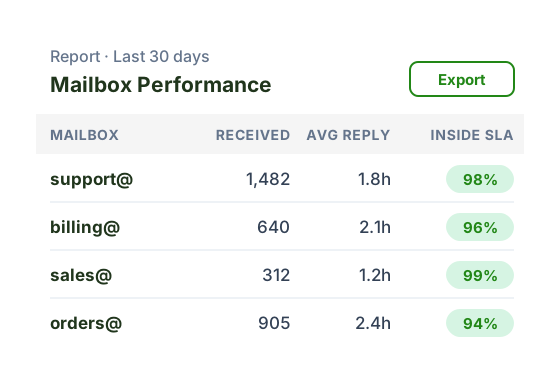
See volume, reply times and close times by person and mailbox, then export the raw data for analysis in your own tools.
Explore reporting and analyticsFaster replies and higher SLA success, from our customer case studies.
“Our response time floats around the 3-hour mark, which is amazing and well-exceeds our 48-hour turnaround goals.”

Gina D., Manager of Network Performance Support and Adoption, Canadian Tire
Emailgistics adds to Microsoft 365 instead of replacing it, so there is nothing to migrate and email stays where it is.




Every plan includes collision-free ownership, internal notes and a real-time dashboard. Prices are in USD per user per month.
$11 per user / month
Billed annually, or $13 billed monthly
Best for
Small teams getting their shared inbox organized
$26 per user / month
Billed annually, or $31 billed monthly
Best for
Larger teams that need automation and analytics
$46 per user / month
Billed annually, or $55 billed monthly
Best for
Teams that need integrations and custom workflows
Book a demo to start a 14-day free trial. No credit card required.
See how Emailgistics compares with the tools Microsoft 365 teams most often evaluate.
Emailgistics is the Outlook-native shared inbox for Microsoft 365. It adds automatic assignment, SLA alerts and reporting to the Outlook shared mailboxes you already have, so every email has one owner and nothing is missed or answered twice. Your team keeps working in Outlook, and message bodies stay in Exchange Online.
Yes. Emailgistics turns Microsoft 365 shared mailboxes into a shared inbox your team manages directly in Outlook, with assignment, internal notes, SLA alerts and reporting. There is no separate app to open and no new inbox to learn.
Every email is routed to exactly one owner, so two people never work on the same message. Other shared inbox tools use collision detection to warn agents after two people open the same email. Emailgistics doesn’t need it, and you can reassign an email anytime so ownership moves with it.
Emailgistics costs $11 to $46 per user per month billed annually: Starter is $11, Professional is $26 and Enterprise is $46. Billed monthly, plans are $13 to $55 per user. Prices are in USD.
Yes. After a short demo, you can try Emailgistics free for 14 days on your own shared mailboxes. No credit card is required.
No. Emailgistics works on top of your existing Microsoft 365 shared mailboxes, so there is nothing to move. Email stays in Exchange Online, your team keeps working in Outlook and most teams are live in under an hour.
Yes. Emailgistics gives Microsoft 365 teams the shared inbox features they look for in Front, including assignment, SLA alerts, internal notes and reporting, but inside Outlook on the shared mailboxes they already have. There is no new platform to learn and no mail to migrate.
Emailgistics automates email routing, assignment, and escalation rules, eliminating the manual triage that slows shared mailbox teams down. Host & Stay reduced average response times from 48 hours to 2 hours. McPherson Oil Products now replies 94% faster, averaging 1 hour and 20 minutes. GDI Integrated Facility Services maintains a 98% SLA success rate.
Yes. Emailgistics is SOC 2 Type II, HIPAA and GDPR compliant, and a Microsoft Partner. Message bodies and attachments stay in Exchange Online in your Microsoft 365 tenant, and it connects through an app registration your administrators control.
Emailgistics is used by customer support, IT help desks, operations, and sales teams across industries including insurance, banking, healthcare, retail, and logistics. Customers include Canadian Tire, Age UK, Host & Stay, GDI Integrated Facility Services, School Outfitters, and McPherson Oil Products.