


Reporting & Analytics for Outlook
Improve shared mailbox performance
Emailgistics gives managers a real-time view of how their team is handling shared mailbox email in Outlook, making it easy to see what is working, where delays are occurring, and how to improve.
Get a Demo
Shared mailbox performance is hard to improve without reporting and analytics
Emailgistics turns Outlook shared mailbox activity into real-time performance data, covering response times, workload distribution, and SLA compliance. Managers identify bottlenecks and make data-driven decisions without leaving Microsoft 365.
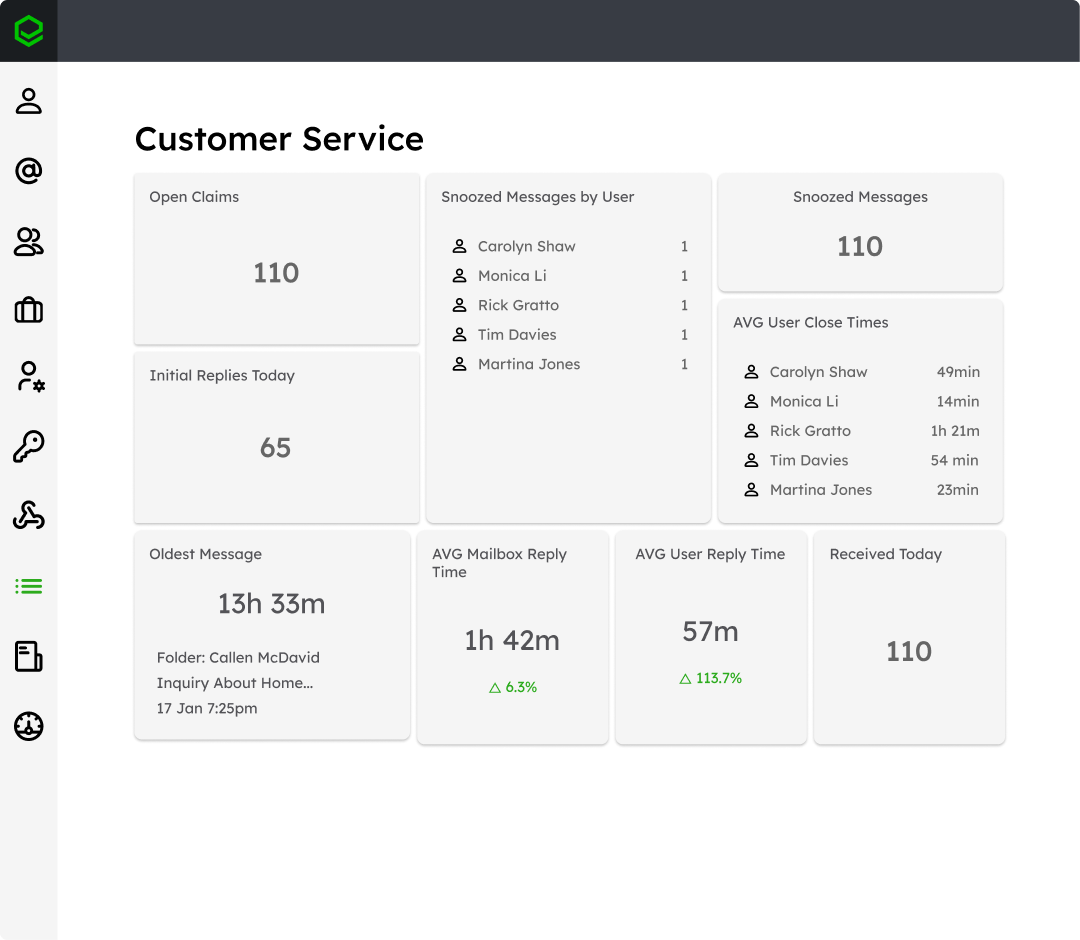
Measure response times and team performance
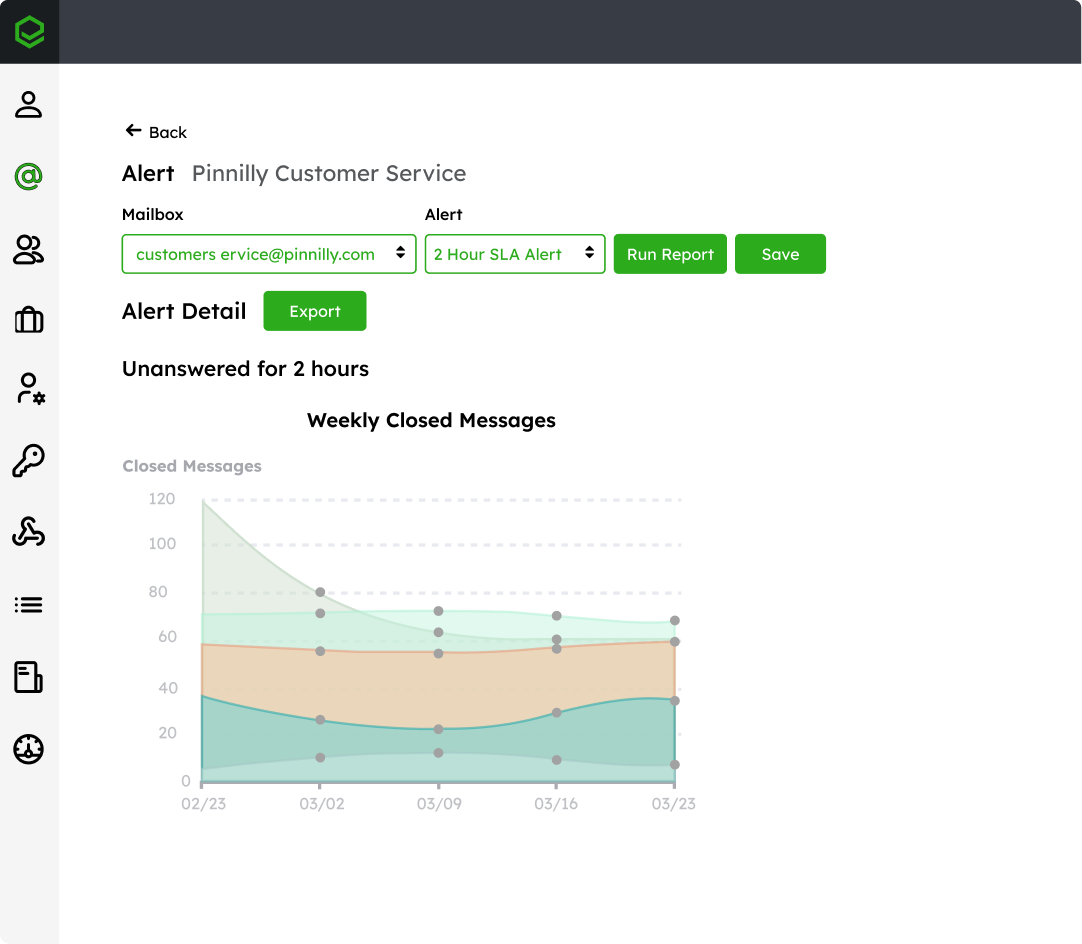
Surface workload imbalances and bottlenecks
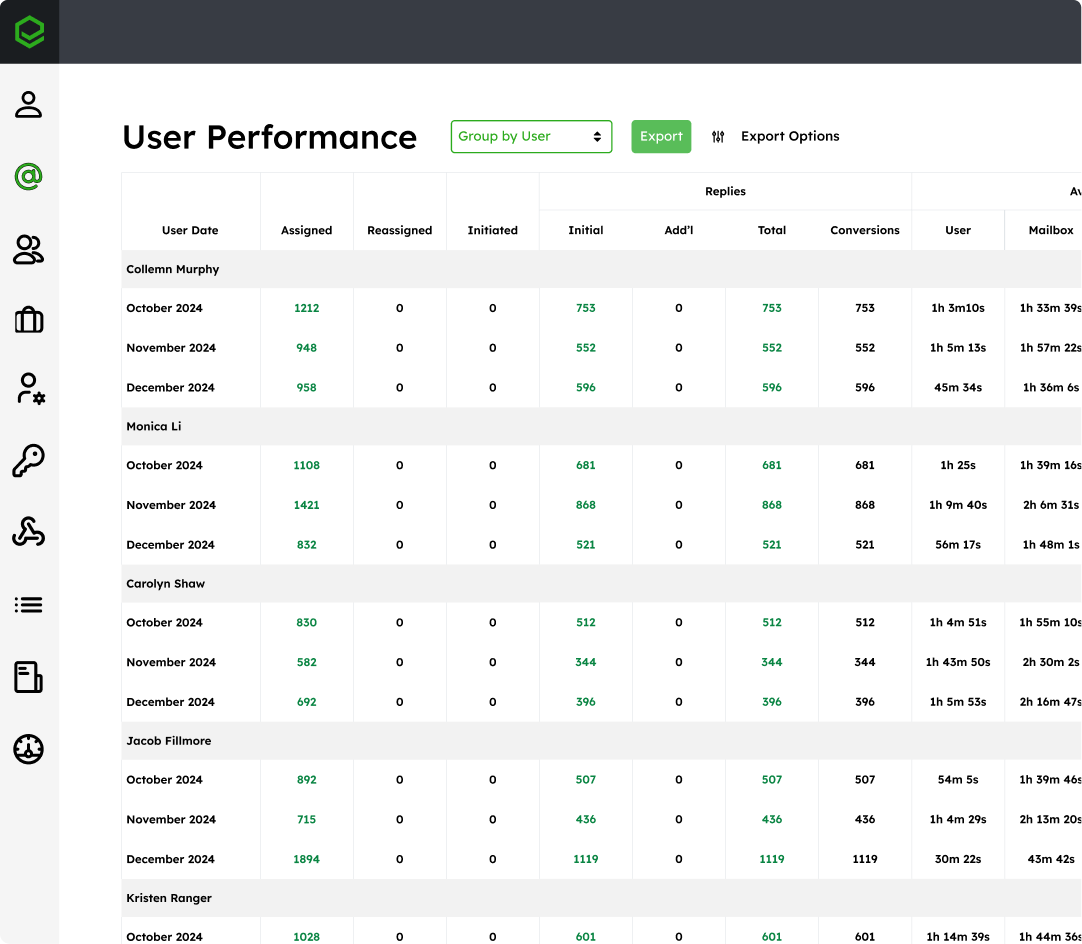
Back every team decision with real performance data
See exactly what is happening across every shared mailbox
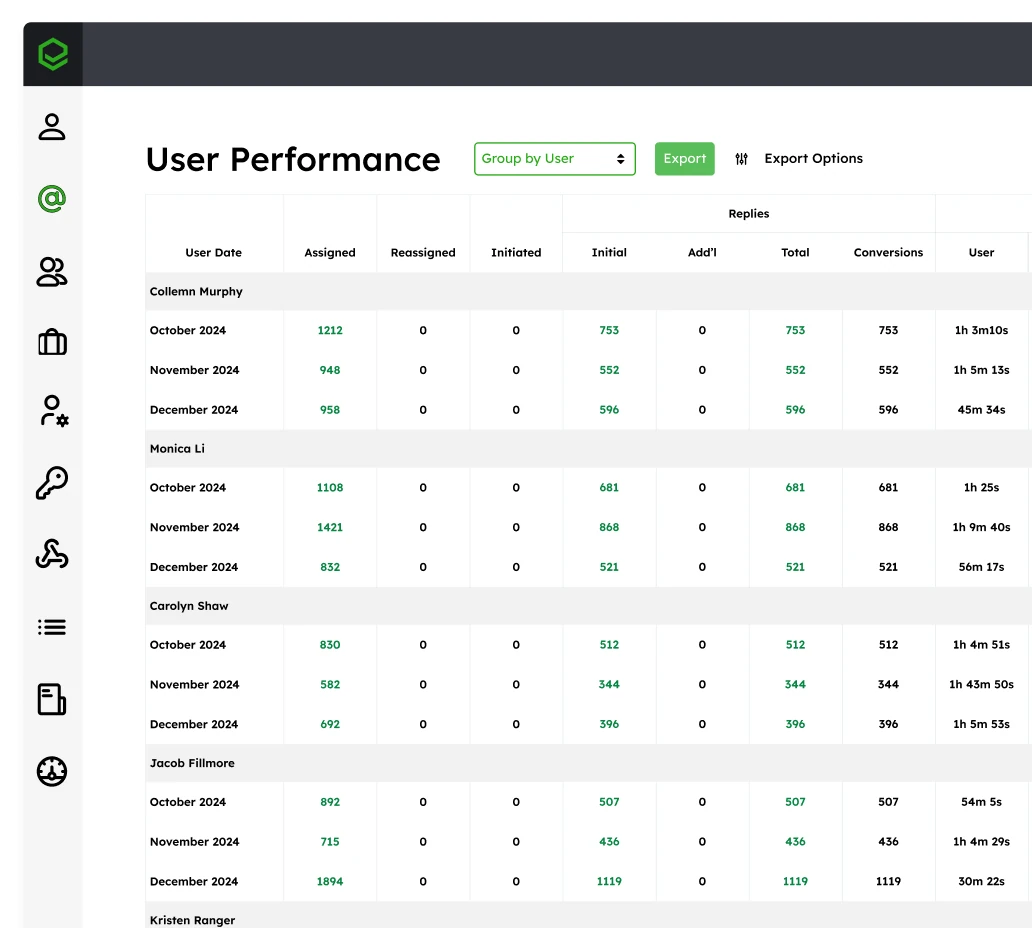
Without reporting, teams rely on assumptions instead of data. Emailgistics records every interaction in your shared mailboxes and surfaces it as structured performance data, so managers can see exactly how emails are handled and where performance is falling short.
Find the patterns that reveal hidden workflow inefficiencies
Performance issues are often hidden in day-to-day operations. Emailgistics reveals trends in response times, assignment patterns, and team activity so managers can identify inefficiencies and improve how work is handled.
Drive process improvements with data-backed decisions
Improving performance requires more than visibility. Emailgistics provides the insight teams need to make decisions about staffing, workload distribution, and process improvements based on actual data.
“Emailgistics reporting makes my life much easier than other reports I’ve used previously.”

Acquis reduced per-email handling time with Emailgistics by 20-40% across a 25-person team
Reporting and analytics features built for shared mailboxes
Emailgistics provides real-time reporting and customizable dashboards that give teams full control over how performance is measured and monitored.

Real-time performance visibility
Live response time, email volume, and team activity data refresh in your Emailgistics dashboard, so managers can spot slowdowns, reassign work, and act before service levels are affected.

Customizable dashboards
Build dashboards around the metrics that matter most. Choose which mailboxes, users, and time periods to display, then filter and rearrange so each manager sees what is most relevant to their team.

Metric tracking and reporting
Track response time, SLA compliance, resolution rates, and workload distribution in one place. Reports surface individual and team performance, giving managers a clear basis for coaching and improvements.

AI-supported insights and efficiency
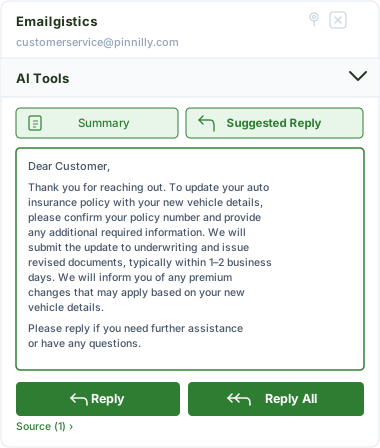
Emailgistics AI helps teams reduce handling time through suggested replies and conversation summaries, improving the underlying metrics that reporting tracks. Faster responses and clearer context contribute directly to better performance outcomes.
Gain visibility into how your team manages email
See how Emailgistics provides the insights needed to improve response times, balance workloads, and optimize shared mailbox performance.
Seamless and Secure
Emailgistics is SOC 2-compliant and built for Microsoft 365, allowing teams to access reporting and analytics directly within Outlook while minimizing IT overhead and complexity.



Emailgistics tracks key metrics such as first response time, SLA compliance, email volume, and workload distribution across users and teams.
Yes. Emailgistics provides real-time analytics, allowing teams to monitor performance as it happens and respond immediately to changes.
Yes. Dashboards can be configured to display the metrics most relevant to each team, shared mailbox, or reporting need.
By providing visibility into trends and performance metrics, Emailgistics helps teams identify inefficiencies, balance workloads, and make data-driven improvements.
Outlook provides limited visibility into shared mailbox activity and does not offer structured reporting or analytics. Emailgistics delivers real-time analytics, customizable dashboards, and detailed performance metrics, giving teams a clear and actionable view of response times, workload distribution, and SLA performance.
Emailgistics helps teams understand response time trends, workload distribution, SLA compliance, and overall performance. These insights allow managers to identify inefficiencies, balance workloads, and make data-driven decisions to improve team performance over time.

Turn email data into actionable insights
Book your custom demo, then try Emailgistics free for 14 days to see how reporting and analytics improve visibility, efficiency, and team performance. No credit card required.