


Emailgistics for Technology & Communications
Drive innovation through email optimization
Emailgistics organizes communication, fosters collaboration, and ensures responsiveness inside Microsoft 365 to keep your team competitive.
Get a Demo
Deliver fast, accurate, and secure customer service
Emailgistics helps technology and communications teams route incoming email automatically, assign messages by priority, and track response times against SLA targets inside Microsoft 365. Teams gain clear ownership of every conversation, reducing delays and keeping service commitments on track.

Reduce resolution time

Streamline team collaboration

Make data-driven decisions
Collaborate with ease to keep projects moving
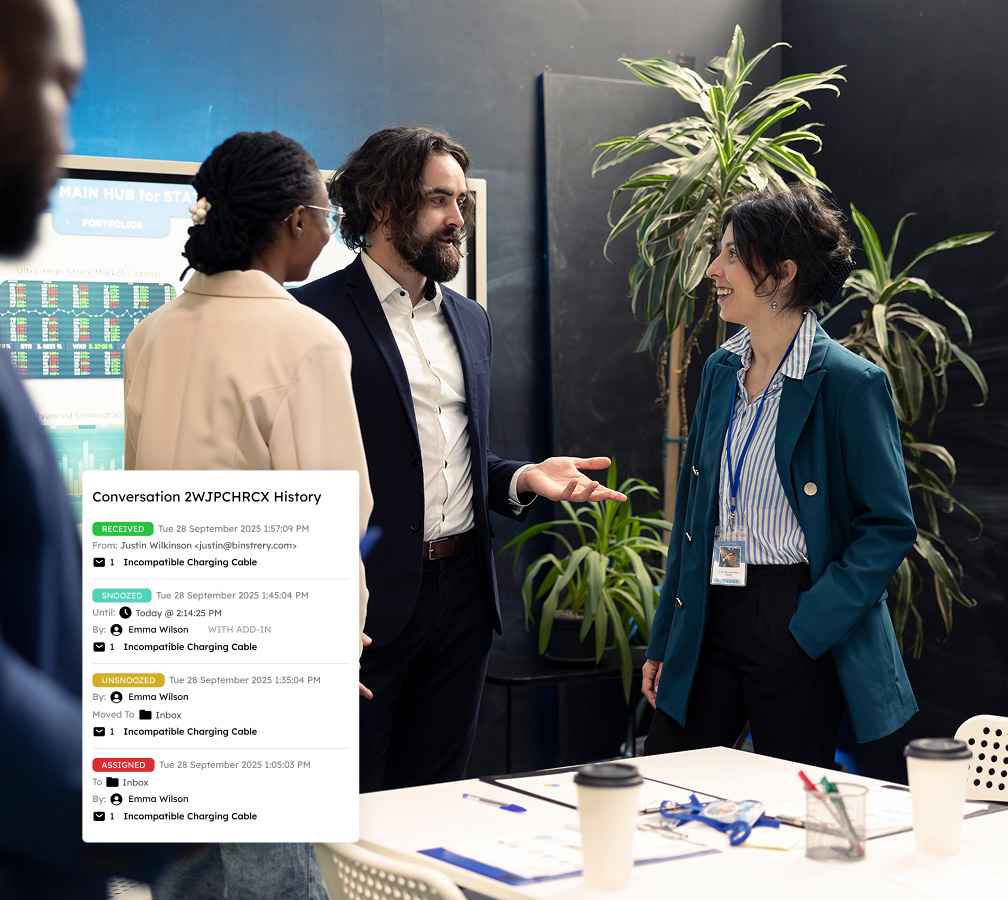
Streamline email management by intelligently assigning emails to the appropriate team members based on expertise, ensuring information security with Emailgistics’ SOC 2-compliant software. Internal notes keep team members in sync, while a conversation history of all interactions maintains transparency.
Drive innovation with automated workflows
Automate repetitive email tasks to enhance team responsiveness and streamline daily operations. Customizable rules for priority assignment and workload balancing, along with team-wide templates, reduce turnaround times and maintain professionalism, freeing up time to focus on strategic initiatives.

Accelerate responsiveness through actionable analytics
Use advanced analytics to dissect email volume trends and response efficacy in your organization. By analyzing metrics like User Closed Counts and Initial Reply Counts, leaders can pinpoint workflow bottlenecks and performance improvement opportunities, boosting client satisfaction in fast-paced settings.

Monitor SLA compliance to elevate customer service
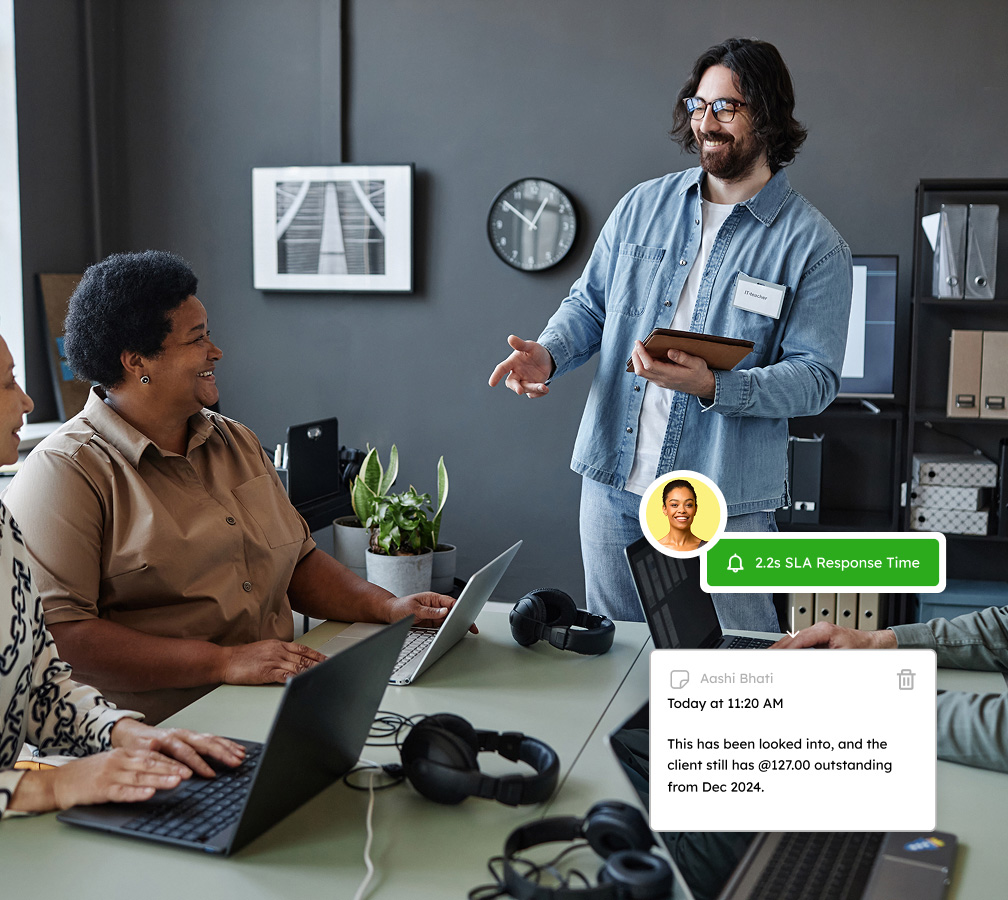
Maintain strict adherence to service-level agreements with real-time monitoring of KPIs across teams. Utilize comprehensive dashboards to track Inside Close SLA and Inside Reply SLA metrics, enabling proactive management of email backlogs and prompt engagement with clients, enhancing service delivery.
Serve customers quickly in the ever-evolving world of technology and communications
Book a demo tailored to your unique needs and try Emailgistics free for 14 days.
Get a Demo
Everything your team needs to scale while staying organized and efficient
Emailgistics equips shared inboxes with automation, collaboration features, and performance insights to meet SLAs seamlessly.

Auto-Assignment
Emails are distributed automatically using round-robin or load balancing. Round-robin cycles through agents evenly, while load balancing accounts for each user’s workload and message limit to keep queues balanced.

Max Messages
Cap how many active emails each team member can hold. When a user reaches their limit, new emails route to the next available agent, preventing pile-ups and keeping messages moving efficiently across the team.

User Scheduling
Configure working hours per team member so auto-assignment only routes emails during active shifts. Outside those hours, messages go to available colleagues. Users can also toggle their availability in real time.

Conversation History
Every action on an email, from assignment and replies to tags and status changes, is logged chronologically. Members can view the full history at a glance, smoothing handoffs and removing need to rebuild context.

Notes
Add private notes to any email to coordinate responses, log customer details, or flag next steps. Notes are only visible to your team and never sent to the customer, keeping context safe from accidental forwards.

Rules
Create rules triggered by email content, subject keywords, or sender. They can assign to an agent, apply tags, send an auto-reply, or route to a folder, reducing manual triage time across high-volume inboxes.

Tags
Apply tags manually or via rules to classify messages by topic, priority, or team. Tags sync with Outlook categories for sorting and filtering, and feed into workflow and performance reporting inside Emailgistics.

Alerts
Set automatic alerts for unanswered emails and unassigned backlogs. Business hours and user availability are factored in to avoid false alarms. Managers can use them as an early warning system before SLAs are missed.

Top-Tier Compliance
SOC 2, GDPR, and HIPAA compliance keeps email data under rigorous security controls. Emailgistics runs within Microsoft 365 without storing email externally, so your existing data governance policies remain intact.

AI-assisted email handling
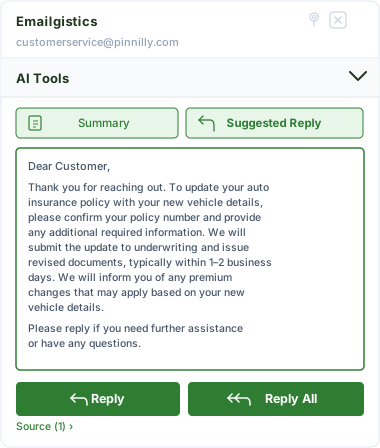
Emailgistics AI helps teams respond faster and more consistently by suggesting replies based on approved knowledge sources and summarizing conversation threads. This reduces response time, improves accuracy, and supports smoother handoffs between team members.
Elevating your team’s communication success
Let Emailgistics enhance your team’s ability to respond faster, remain organized, and stay on top of deliverables.

“Everyone in our company uses Emailgistics, and it’s the least amount of IT tickets submitted by far. The pricing for the value is unbeatable, and the platform offers a wealth of features with no downtime.”
Check out our 5-star reviews on G2
Emailgistics adds automatic assignment, rule-based routing, and performance analytics to Outlook shared mailboxes, helping tech teams handle support, sales, and operations email with consistency and speed.
Yes. Emailgistics is built for Microsoft 365 and can be configured across multiple shared mailboxes as teams grow. Assignment rules, workload limits, and SLA targets can be adjusted without IT involvement.
Automatic assignment routes incoming support requests to the right team member, while conversation history and internal notes allow teams to coordinate without forwarding email chains or losing context.
SLA monitoring alerts team members and managers when response times are approaching or past due. Dashboards provide real-time visibility into backlog and performance across all shared mailboxes.
Yes. Emailgistics is SOC 2-compliant and GDPR-ready, operating entirely within Microsoft 365 without storing email data externally. Access is governed by existing Microsoft 365 permissions.
Ticketing systems require teams to leave Outlook and manage a separate platform. Emailgistics adds structure, assignment, and analytics directly inside Microsoft 365, keeping workflows familiar and reducing the overhead of tool-switching.

Optimize your email workflow, elevate team performance, and impress your customers
Book your personalized demo of Emailgistics and get a 14-day free trial–no credit card required.