


Emailgistics for Manufacturing & Engineering
Construct better shared inbox communication
Tackle email overload with Emailgistics to deliver orders and quotes efficiently in demanding industrial environments inside Microsoft 365.
Get a Demo
Empower your team to effectively manage projects with ease
Emailgistics helps manufacturing and engineering teams manage shared mailbox email with automatic assignment, conversation tracking, and performance reporting inside Microsoft 365. Teams reduce response delays, eliminate fragmented communication, and gain visibility into how email is handled.

Reduce resolution time

Streamline team collaboration

Make data-driven decisions
Increase visibility and improve team collaboration
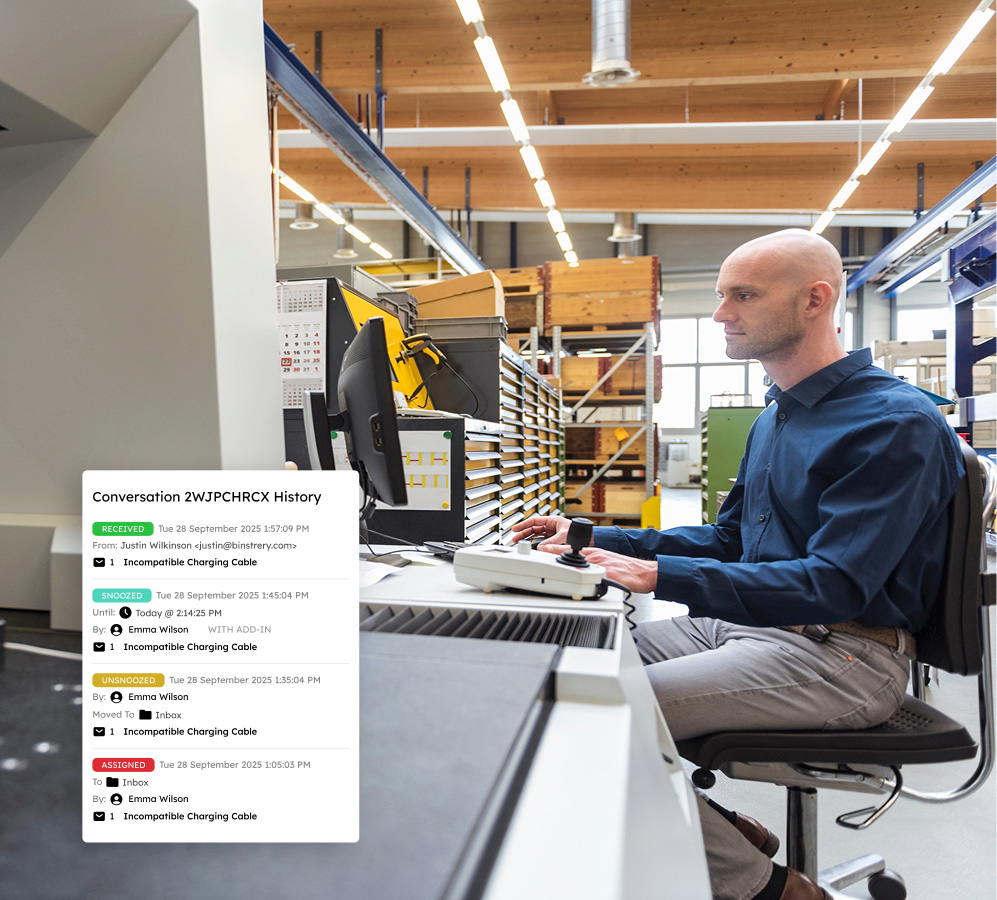
Designating messages to a specific user based on customizable rules prevents conflicting replies and enhances accountability. Conversation history and internal notes let project managers and service agents collaborate without the clutter of CCs or forwards.
Prioritize important messages with smart handling
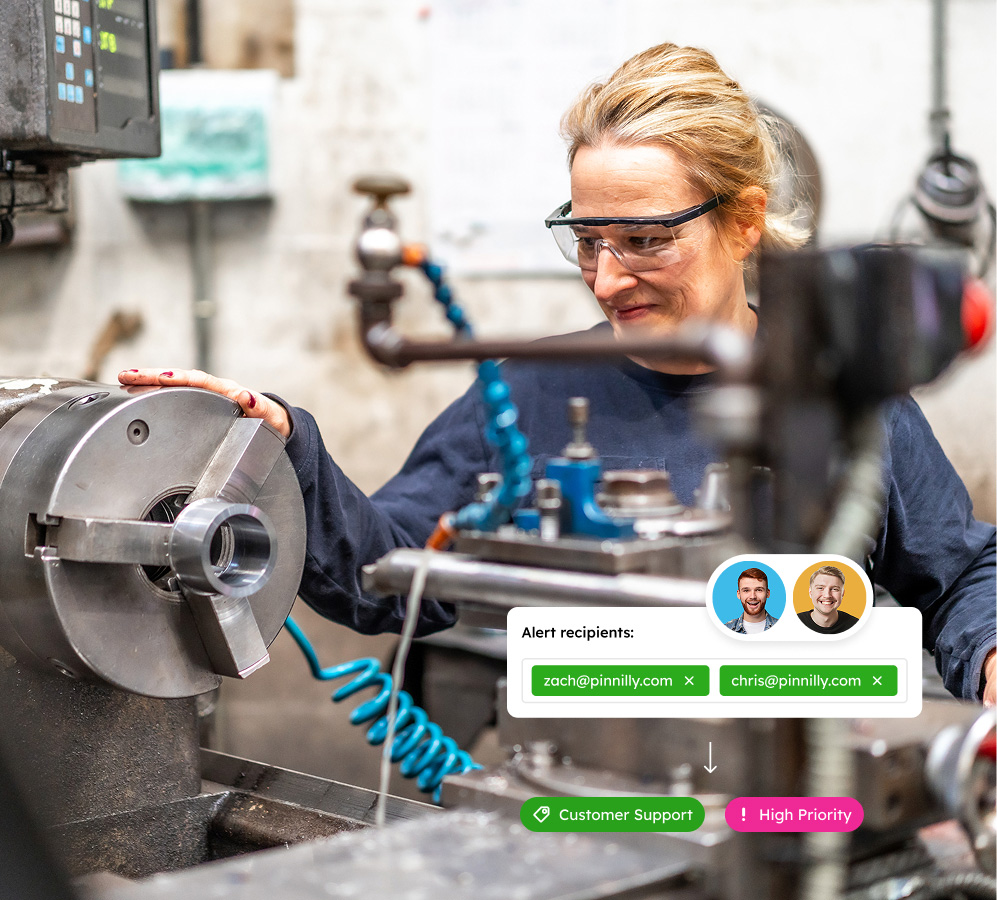
Advanced distribution and tagging automatically categorize and prioritize incoming emails related to production schedules, supply chain issues, and quality control inquiries, keeping high-priority tasks in focus and minimizing response times.
Enhance performance through effective reporting
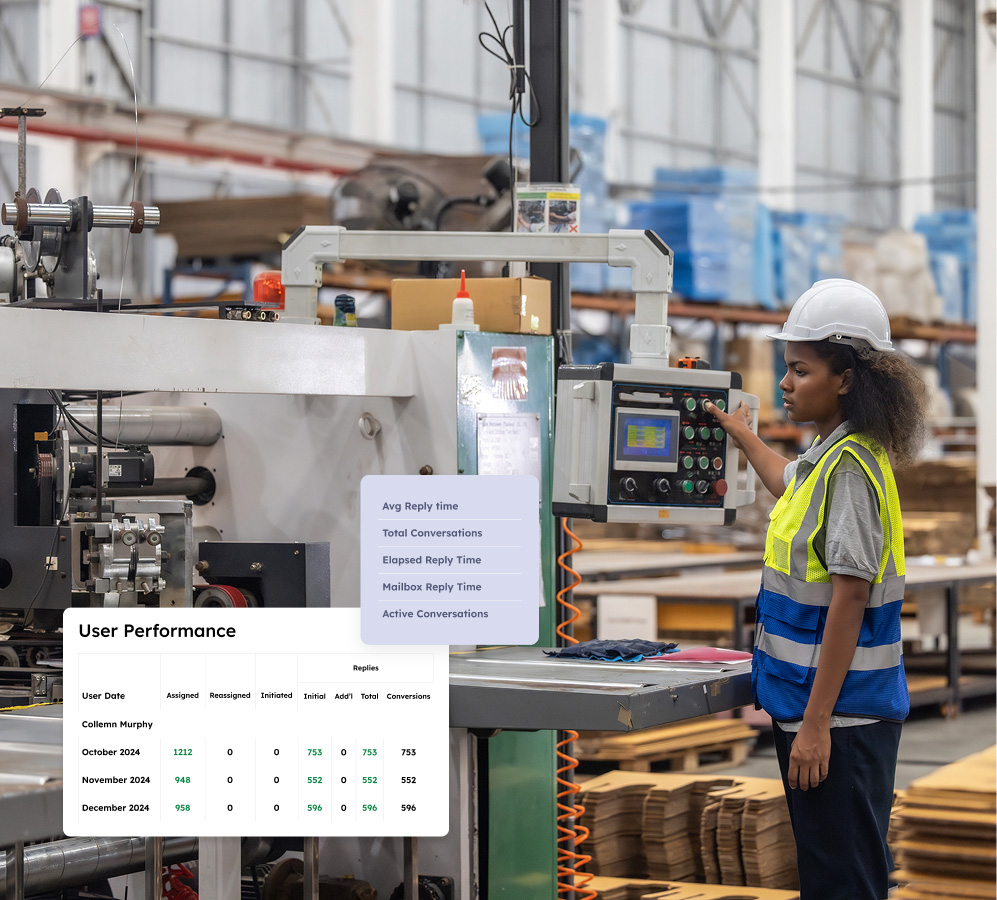
Monitor key performance metrics like resolution times for maintenance requests and response rates for customer inquiries. Easy-to-generate reports support data-driven decision-making and help teams identify opportunities to improve performance.
Address service issues before they escalate
Track response and resolution times against client and supplier SLAs, and identify bottlenecks with real-time dashboards. Instant alerts ensure timely resolutions, adherence to industry standards, and fewer production delays.

Join leading manufacturing and engineering firms in optimizing your email management
Book a demo customized to your industry needs, and try Emailgistics free for 14 days.
Get a Demo
Essential features for dynamic teams to remain responsive and aligned
Emailgistics optimizes shared inboxes with automation, collaboration tools, and robust analytics, ensuring you meet SLAs seamlessly and keep production on track.

Auto-Assignment
Distribute incoming emails across your team using round-robin or availability-based routing, so every order inquiry, RFQ, and supplier message gets an owner immediately, keeping response times consistent.

Rules
Build rules that match on sender domain, subject keywords, or priority flags to automatically assign, tag, or send holding replies. Route supplier escalations to the right team member with no manual triage.

Tags
Apply tags via rules or manually to classify emails by project, client, or priority. Tags sync with Outlook categories so your team can filter and sort natively, and tag data flows into reports for trend analysis.

Notes
Add internal notes to any email thread, visible only to your team and never sent to the customer. Log order details, flag follow-ups, or brief a colleague before they reply, keeping coordination private and the inbox clean.

Conversation History
Every reply, note, assignment change, and status update is logged on each email. When a team member picks up a thread after a handoff, they see exactly what happened, so nothing gets repeated or missed.

Analytics
Live dashboards surface response times, open counts, and workload distribution in real time. Spot bottlenecks before they affect production schedules and make staffing decisions with confidence.

Reports
Track closed counts, initial reply times, and volume trends to right-size staffing. SLA and compliance reports show exactly where service commitments were met or missed, giving managers clear data to act on.

Outlook Integration
Emailgistics lives inside Outlook as a native sidebar, so there is no new app to install and no workflow change for your team. As a Microsoft Certified Partner, it connects to your M365 environment with minimal IT setup.

Top-Tier Compliance
SOC 2, GDPR, and HIPAA compliance covers access, encryption, and data handling under independently audited controls. Teams with regulated clients or sensitive supplier contracts can share data confidently.

AI-assisted email handling
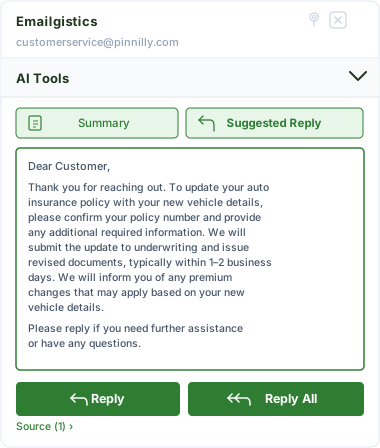
Emailgistics AI helps teams respond faster and more consistently by suggesting replies based on approved knowledge sources and summarizing conversation threads. This reduces response time, improves accuracy, and supports smoother handoffs between team members.
Delight customers with quick and accurate responses
Spend less time hunting for information and more time resolving client inquiries.

“Before Emailgistics, it could take a day or more to reply to customer emails. Now, our average reply time is 1 hour and 20 minutes.”

“Our customers noticed how much Emailgistics improved our quality of service through email. We found that we received 15% fewer phone calls and 25% more emails directed to our customer service department.”
Check out our 5-star reviews on G2
Emailgistics automatically assigns incoming emails, routes messages by rule, and tracks all shared mailbox conversations inside Outlook, ensuring order inquiries, RFQs, and supplier communications are handled on time.
Yes. Automatic assignment ensures every email has a clear owner on arrival. Priority rules can surface urgent orders or time-sensitive quotes first, helping teams respond faster and reduce fulfillment delays.
Each shared mailbox in Emailgistics can have its own assignment rules, visibility settings, and reporting. Teams across departments can manage their inboxes independently while operating within the same Microsoft 365 environment.
Yes. Workload-balancing assignment distributes emails based on team member availability and message limits, preventing bottlenecks during busy periods without requiring manual management.
SLA monitoring and reporting dashboards in Emailgistics track response times, email volume, and team performance, helping operations managers identify delays and make targeted improvements.
Emailgistics is built for Microsoft 365 and works directly inside Outlook, requiring no external integrations or workflow changes. Teams can manage shared mailboxes within the tools they already use.

Optimize your email processes for better collaboration, organization, and results.
Book your personalized demo of Emailgistics and get a 14-day free trial–no credit card required.