


Emailgistics for Education & Non-Profit
Focus your efforts with simplified communication
Optimize shared mailbox management with Emailgistics by assigning, tracking, and collaborating on community inquiries inside Microsoft 365.
Get a Demo
Efficient email management frees up time for your community
Emailgistics helps education and non-profit teams manage shared mailbox email with automatic assignment, workload balancing, and response time tracking inside Microsoft 365. Teams reduce email overload, prevent missed inquiries, and maintain timely communication with students, donors, and community members.

Reduce resolution time

Streamline team collaboration

Make data-driven decisions
Consolidate conversations and boost team collaboration
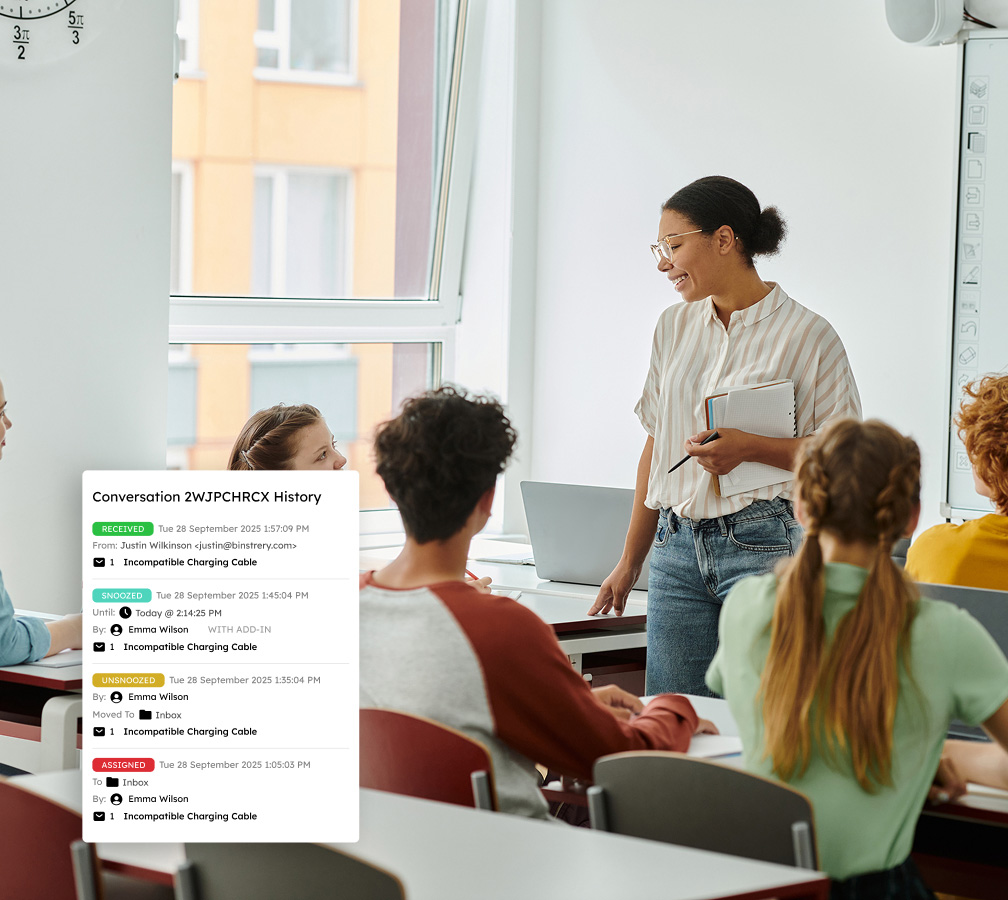
Assigning messages to only one team member eliminates contradictory responses and enhances accountability. A centralized conversation history and internal notes offer staff quick access to pertinent information without the clutter of standard email chains.
Automate manual work for enhanced efficiency
Automatically distribute emails with customizable rules and tagging features to categorize and prioritize messages, preventing inbox overwhelm and lost emails. Automating the organization of critical emails like those related to program schedules and funding inquiries lets your team focus on key initiatives.

Gain actionable insights for program effectiveness
Access real-time analytics and comprehensive reports to analyze email volumes, response times, and assess team productivity. Use these insights to refine staffing hours, improve outreach efforts, and enhance stakeholder communication.

Leverage SLA monitoring to ensure timely responses
Utilize customizable alerts and SLA metrics to proactively manage deadlines, enabling timely responses to urgent inquiries from students, parents, donors, and program participants while upholding organizational commitments.

Gain control of your shared inbox to engage with parents, students, and donors easily
Book a demo tailored to your unique needs and try Emailgistics free for 14 days.
Get a Demo
Must-have features for growth-focused teams to stay organized and responsive
Emailgistics brings automation, collaboration, and insightful analytics to shared inboxes, ensuring SLAs are consistently met.

Auto-Assignment
Incoming emails are distributed evenly across available team members using real-time workload balancing, so no one person is overwhelmed while others sit idle. Every inquiry gets a prompt response.

Conversation History
Every reply, internal note, and status change is logged in a single thread visible to the whole team, so anyone can pick up without asking for context. Staff can see who handled it and what still needs action.

Notes
Internal notes let staff coordinate without involving the recipient, eliminating reply-all chains. Flag issues, log contact details, or align on a response, all kept private and attached to the message.

Rules
Automated rules route, tag, and respond to emails based on sender, keywords, or urgency, eliminating manual sorting. Set the conditions once and the system continuously handles triage from there.

Templates
Pre-written responses let staff reply to common inquiries in seconds. Templates are centrally stored so every team member draws from the same approved language, keeping messaging consistent organization-wide.

Tags
Apply tags manually or via rules to categorize emails by topic, urgency, or program area. Tags sync with Outlook so staff can filter directly in their inbox, and the same data feeds reports for tracking inquiry patterns.

Alerts
Get notified when emails go unanswered past a threshold or backlogs build, so nothing slips through. Alerts respect business hours and availability, reducing noise while keeping the right people informed at the right time.

Analytics
Live dashboards surface response times, email volumes, and resolution rates in real time. Use that data to spot bottlenecks, adjust staffing, and demonstrate responsiveness to funders and stakeholders.

Reports
Reports cover response times, email volume, and per-user metrics, helping managers adjust staffing. SLA compliance reports give education and non-profit leaders the documentation to demonstrate service levels.

AI-assisted email handling
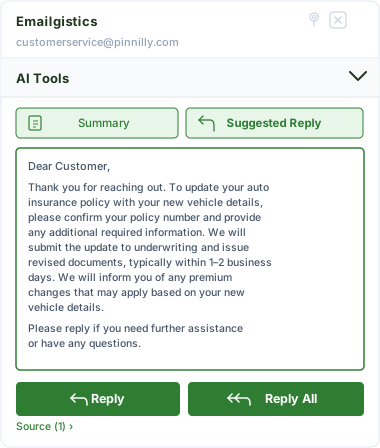
Emailgistics AI helps teams respond faster and more consistently by suggesting replies based on approved knowledge sources and summarizing conversation threads. This reduces response time, improves accuracy, and supports smoother handoffs between team members.
Your trusted support in communication excellence
With Emailgistics, your team can react promptly, stay on track, and offer remarkable service to customers.
“We have a wider angle view of the volume of emails and when they come in and at what times. We’re able to better rotate our staff to work in those different time periods, which then frees up more time as well.”
Check out our 5-star reviews on G2
Emailgistics automatically assigns incoming emails to team members, tracks conversations, and provides shared visibility into all shared mailbox activity, helping teams respond to students, donors, and community members on time.
Yes. Assignment rules can route emails by sender, keyword, or topic, ensuring donor inquiries, volunteer requests, and program communications reach the right team member automatically.
Automatic assignment and workload balancing distribute student inquiries evenly across available staff, while conversation history ensures continuity even when multiple team members are involved in a thread.
Emailgistics offers per-user pricing and works within existing Microsoft 365 subscriptions, avoiding the cost and complexity of standalone help desk platforms.
Reporting dashboards provide data on response times, email volume, and team performance. These metrics help education and non-profit leaders demonstrate service levels to boards, funders, and accreditation bodies.
Yes. Emailgistics is built for Microsoft 365 and works with the same accounts education institutions and non-profits already use, with no additional infrastructure required.

Enhance your email management and communicate effortlessly with your community
Book your personalized demo of Emailgistics and get a 14-day free trial–no credit card required.