


How customer support teams use Emailgistics for shared inbox management

Emailgistics gives customer support teams working out of an Outlook shared mailbox clear ownership of every incoming message, real-time SLA tracking, and a live workload dashboard, all inside Outlook. Messages are automatically routed to an agent, supervisors get alerts before deadlines are missed, and performance data helps coach agents and spot bottlenecks. The result is accountability and visibility built into the inbox.
Introduction
Running a customer support team out of an Outlook shared mailbox is challenging. Support managers encounter daily challenges such as:
- Critical support requests with no clear owner going unanswered.
- SLA deadlines slipping because there’s no visibility into response times.
- Duplicate replies waste the agent’s time and confuse customers.
- No way to see who’s overloaded or measure team performance.
If this sounds familiar, you already know the limits of a shared mailbox. What you need is a way to bring ownership, prioritization, and visibility into every request so that your team can stay ahead of SLAs and deliver consistent, high-quality support.
In this post, we’ll look at what support managers really need from a shared inbox solution, and how Emailgistics equips teams to meet those needs right inside Outlook.
What support managers need from a shared inbox solution
Running a customer support team means handling urgent requests, routine questions, and strict SLAs, often all at once. Managers need a shared inbox solution with critical capabilities that an Outlook shared mailbox lacks:
- Clear ownership and accountability: Every support email should have a single owner to ensure that nothing falls through the cracks and customers aren’t left waiting.
- Prioritization and routing: Urgent, high-impact issues need to be surfaced immediately and routed to the right people, while routine requests can be handled in turn.
- SLA tracking and alerts: Managers need visibility into which requests are at risk of breaching an SLA, with automated alerts to prevent missed deadlines.
- Real-time workload balance: A dashboard that shows who is overloaded and who is available makes it possible to assign work evenly and ensure consistent response times.
- Actionable performance data: Metrics like average response time, resolution time, and backlog size allow managers to coach agents, identify bottlenecks, and improve processes.
- **Seamless collaboration: **The ability to comment, escalate, or loop in teammates without messy email chains or “reply all” clutter keeps communication clear and internal notes invisible to customers.
How top support teams stay ahead with Emailgistics
Running a high-impact support team means putting the right systems in place to manage a high volume of emails. Emailgistics adds structure and accountability to your shared inbox, leading to faster responses and fewer missed messages.
Clear ownership of every message
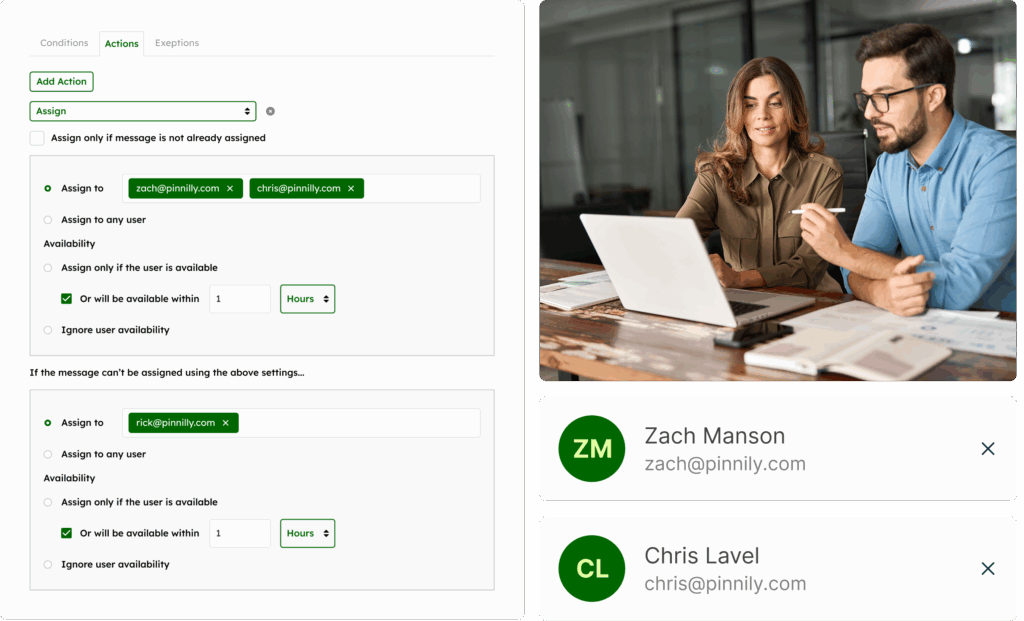
With Emailgistics, you can automatically assign each incoming message to a team member – either on a round-robin basis or based on workload – creating clear ownership from the moment it arrives. This eliminates guesswork, prevents duplicate replies, and ensures urgent issues are routed to the right person instantly.
Team members also have access to the full conversation history for each message, giving them complete context before responding. That same visibility makes your team audit-ready, with a clear record of who handled what and when.
Proactive SLA and performance tracking
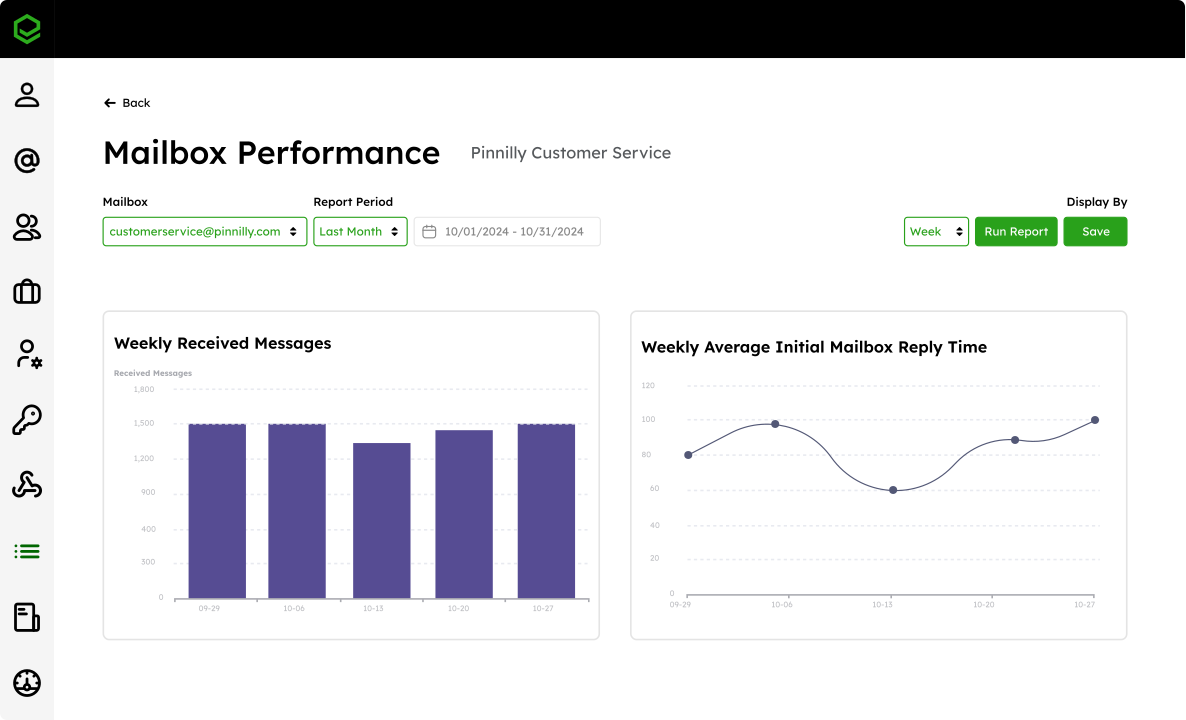
Emailgistics monitors every message in real time against your team’s SLA goals. You can set custom service levels (for example, “First response within 2 hours”), and the system automatically flags messages that are nearing or breaching the limit. These alerts appear right inside Outlook, giving supervisors the chance to jump in, reassign, or escalate before a deadline is missed.
Because messages are tied to individual agents, you can also see who consistently meets targets and where coaching might be needed.
Customizable dashboard views
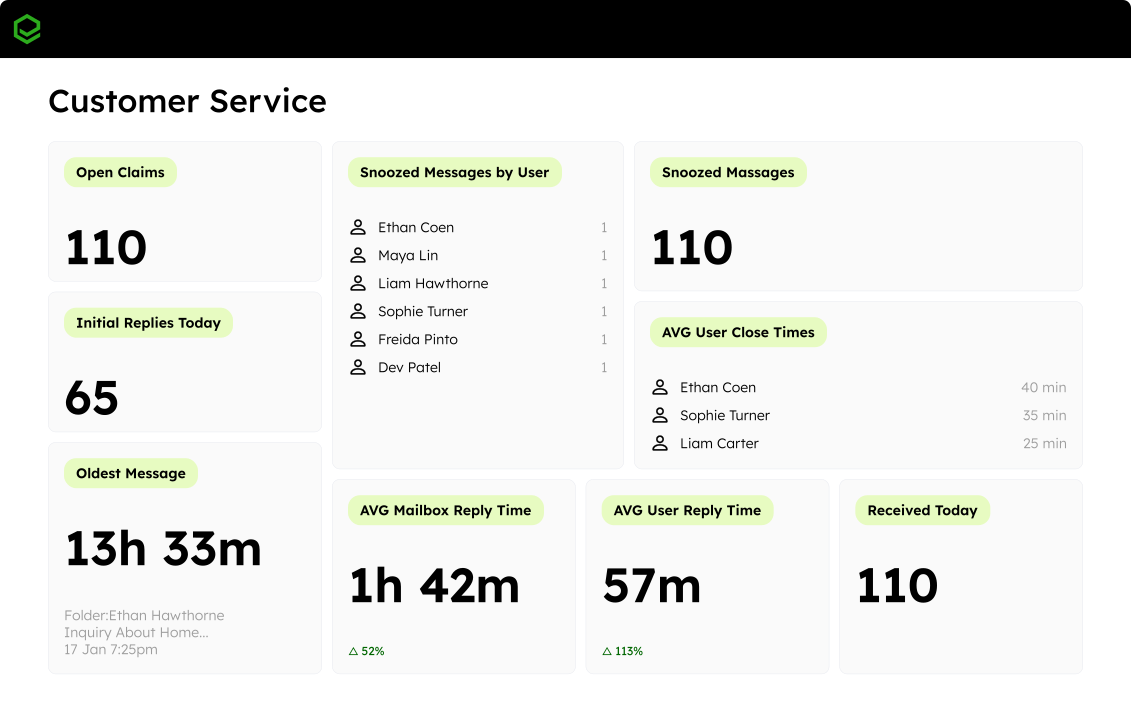
The Emailgistics dashboard refreshes every 60 seconds, providing clear visibility into open claims (both individual and team), unassigned emails, and emails approaching SLA limits.
Dashboards are customizable, so you can prioritize the metrics that matter most for your team, from SLA compliance and average reply times to open message volumes and agent availability.
You can also create multiple dashboards tailored to different roles: supervisors can track team-level response times, executives can view a high-level snapshot across departments, and frontline agents can see their individual workloads and assigned messages.
Data for continuous improvement
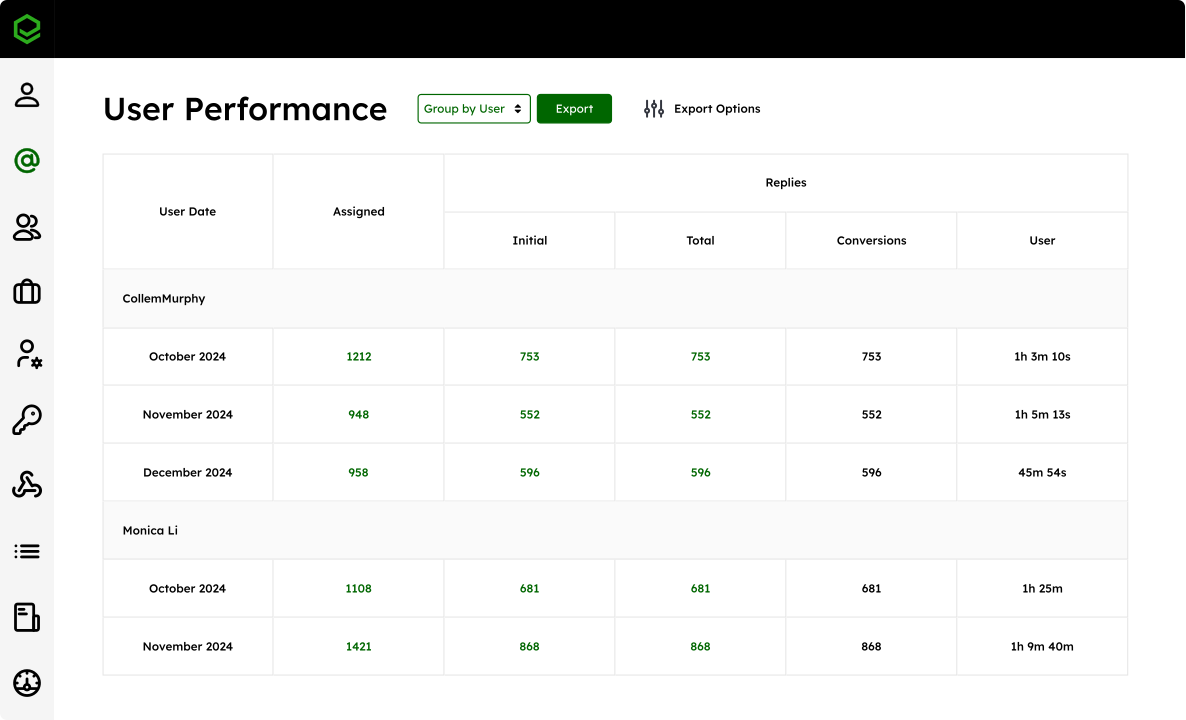
With Emailgistics, you can track key metrics like individual and team response times, SLA compliance rates, message volumes, and close times over any date range. Drill down to see performance by mailbox, by agent, or even by specific tags like “technical support” or “warranty claim.”
These reports help you identify top performers, uncover training opportunities, and make informed staffing decisions. Trends over time reveal whether process changes are working, while real-time data allows you to see issues unfolding in the present.
Integration with Microsoft 365
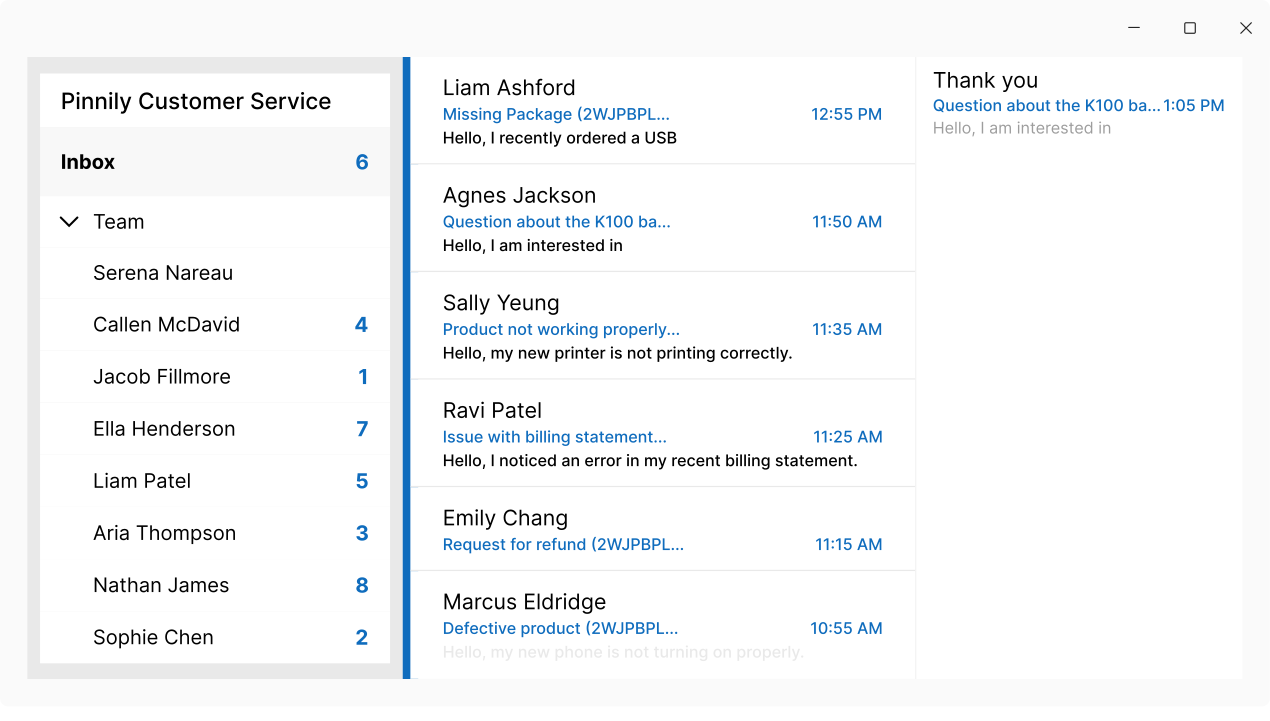
Emailgistics works natively inside Microsoft Outlook, so your support team doesn’t need to switch platforms or learn a new system. Agents stay in the familiar environment they already use, with no disruption, no extra logins, and no retraining.
All of your emails remain securely stored in your company’s own M365 environment, keeping sensitive customer communications safe and compliant with M365’s built-in security standards. Emailgistics is also a Microsoft Certified Partner and fully SOC 2- and GDPR-compliant, providing enterprise-grade security and regulatory compliance.
An easier way to manage support emails
Emailgistics transforms your Outlook shared inbox into a structured, transparent, and data-driven workspace. Every message has a clear owner, SLAs are monitored in real time, workloads stay balanced, and performance trends are easy to track and improve.
For support managers, the difference between inboxes with and without Emailgistics is faster resolutions, happier customers, and a team that can scale without burning out.
Want to see how Emailgistics can help your team stay on top of every request and ahead of every deadline? Book a demo today and try Emailgistics free for 14 days.
Emailgistics automatically assigns each incoming message to a team member, either on a round-robin basis or based on current workload, as soon as it arrives. This creates clear ownership from the start, prevents duplicate replies, and routes urgent issues to the right person instantly.
Managers set custom service levels, such as first response within two hours, and Emailgistics monitors every message against those targets in real time. Alerts appear directly inside Outlook when a message is nearing or breaching its SLA, giving supervisors a chance to reassign or escalate before the deadline is missed.
Yes. Dashboards are customizable, so supervisors can track team-level response times, executives can view a high-level snapshot across departments, and frontline agents can see their own workloads and assigned messages. The dashboard refreshes every 60 seconds to keep that view current.
No. Emailgistics works natively inside Microsoft Outlook, so agents keep using the environment they already know, with no extra logins or retraining. Emails stay stored in the company's own Microsoft 365 environment, and Emailgistics is a Microsoft Certified Partner that is SOC 2- and GDPR-compliant.